The 8 Best Printers With The Cheapest Ink
Updated by · How we research

Seven refillable tank printers and one laser compared on ink cost per page, speed and features. The Epson EcoTank ET-2980 leads for most homes. When users buy our independently chosen editorial picks, we may earn commissions to help fund the Wiki.
A black page from a refillable tank printer costs well under a penny in ink, while cartridge models often cost several times as much per page. The catch is a higher price up front and print heads that can clog when a tank sits unused for weeks. This list suits homes, students and small offices that print often.


Editor's Notes
October 23, 2026, by Ezvid Wiki Admin:
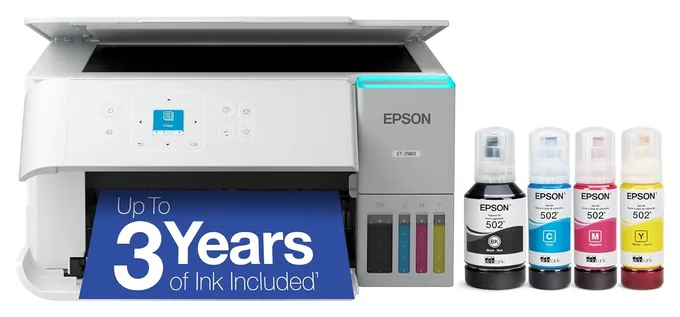
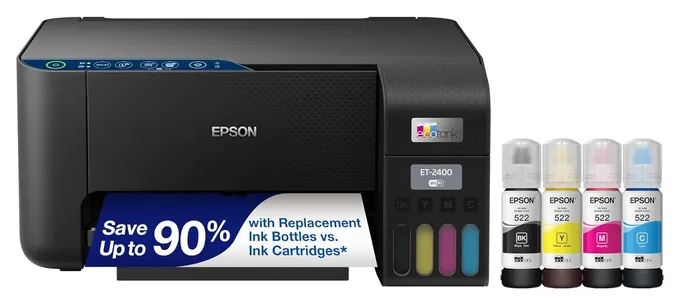
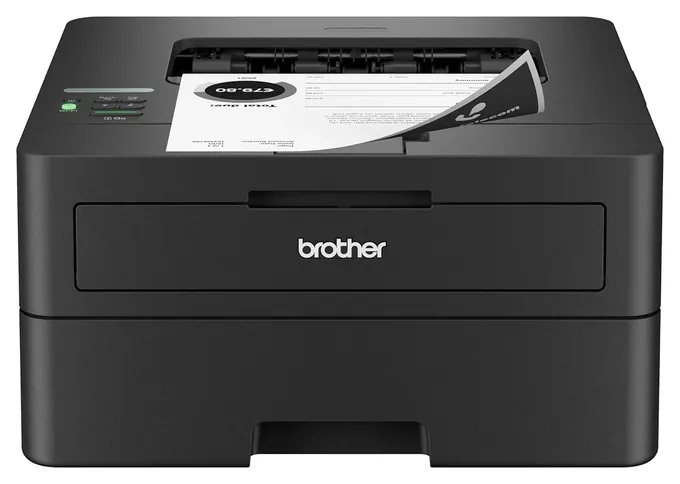
The Epson EcoTank ET-2980 takes the top spot because it pairs very cheap bottled ink with automatic two-sided printing and a screen, two things the budget Epson EcoTank ET-2400 skips. Every pick but one now refills from bottles. The Brother HL-L2460DW is the exception, for people who only print black text and never want to think about clogs.
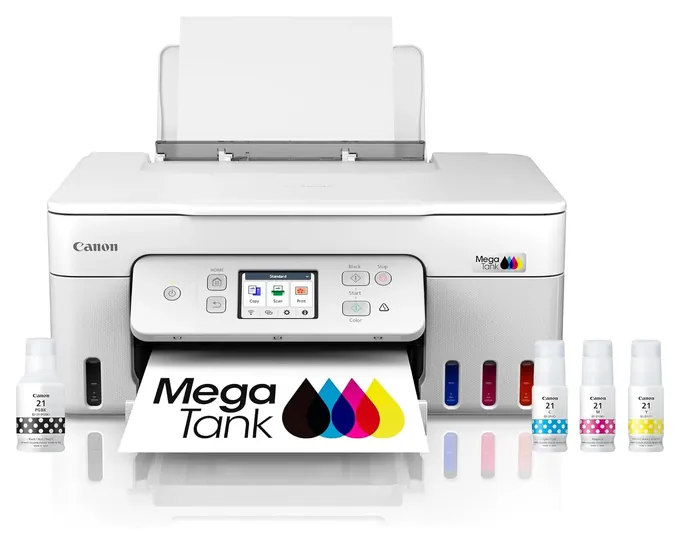
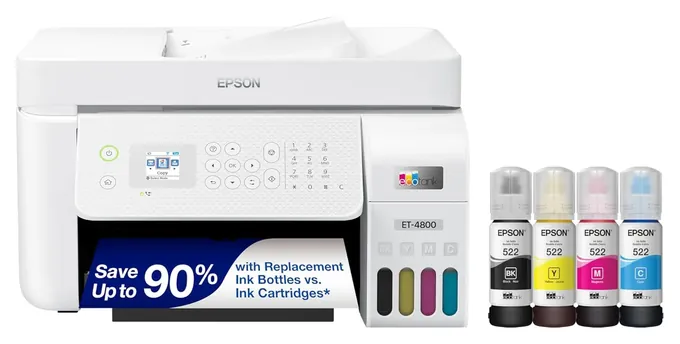
The old list leaned on cartridge machines such as the HP Envy Pro 6455 and HP OfficeJet Pro 9025, plus the HP Tango, which is built around an ink subscription. Those don't belong on a page about cheap ink, so they're gone, along with the Canon TS8320, Epson Workforce WF-110 and Xerox B215DNI. Epson replaced the EcoTank ET-4760 with the Epson EcoTank ET-4800, the HP Smart Tank Plus 551 is discontinued, and the 2019 Canon Pixma G6020 gave way to the Canon PIXMA G3290.
Cost per page drove the order. We checked each maker's bottle yields against the cost-per-page math published by RTINGS, PCMag and Tom's Guide, then weighed the everyday stuff: two-sided printing, document feeders and how well each copes with sitting idle.
September 16, 2020:
While most printer categories see a pretty significant turnover from year to year, the need to maintain a list with models whose ink is nice and inexpensive allows us to reach back just a little further to models like the HP Tango, the novelty of which combines with its low cost of ink to allow it a spot. The Epson Workforce WF-110 is a similar model designed to be portable, but is ranked more highly due to its superior print quality and built-in rechargeable battery.
We included both laser and inkjet printers here, with the Xerox B215DNI offering nice features for business, but it was the more recent development in printer technology that made easy inroads to the top of our list: reservoirs. Epson's first Ecotank model started the trend, and now you see the Epson EcoTank ET-4760, Canon Pixma G6020 All-In-One Supertank, and HP Smart Tank Plus 551 all using onboard ink storage that does away with disposable cartridges entirely, instead having you purchase relatively inexpensive bottles of ink. Each of those models has its own advantage, and the HP model might have ranked even higher if it weren't for its relative dearth of physical features like the automatic document feeder and tilting control panel you see on the Epson.
January 10, 2019:
Given the fact that most of these companies design their printers to be relatively inexpensive with the hopes of hooking you on their ink, it's tough to guarantee that the prices of replacement cartridges will hold where they are. Still, the choices here are among the most affordable when it comes time to re-up. HP and Epson have a number of entries, with Epson's EcoTank inkwell system a pretty smart way to keep costs down.
Special Honors
Epson EcoTank Pro ET-5850 Epson's office-grade tank all-in-one adds a duplex document feeder, a 500-sheet paper capacity and faster printing, and RTINGS rates it its top printer with cheap ink. It costs much more than the home models here and wasn't steadily available at a fair price when we checked, so it's listed here instead. epson.com
Tanks, Cartridges And Toner: What A Page Costs
The price on the box is the small part of what a printer costs.
The price on the box is the small part of what a printer costs. A refillable tank model costs more up front, but the ink comes in bottles that print thousands of pages. PCMag puts the Canon PIXMA G3270, which uses the same ink as the G3290, at about 0.3 cent for a black page and 0.8 cent for a color page once the starter bottles run out. Tom's Guide lands close, at about 0.4 cent for text and 0.9 cent for color on the G3290. Consumer Reports uses its own heavier color pages and gets higher numbers, but ranks tank printers as the cheapest to run.
Cartridge inkjets turn that around: they're cheap to buy and costly to feed, often several times more per page. They only make sense if you print a few pages a month. If you print only black text, a monochrome laser is the other cheap route. Toner doesn't dry out, and RTINGS lists the Brother HL-L2460DW among its picks for low running costs.
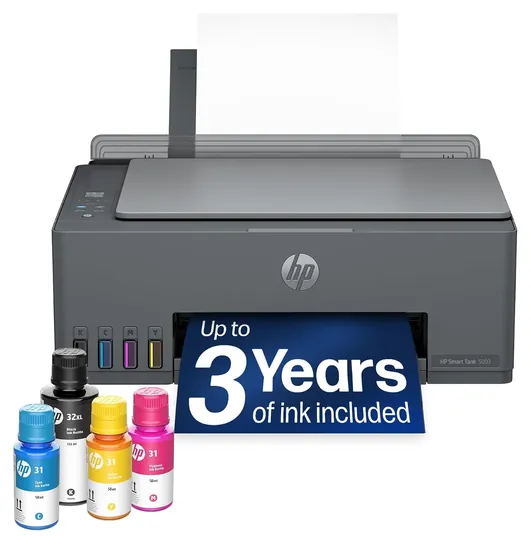
Treat the "up to three years of ink" line on tank boxes as a maker's estimate based on a modest monthly page count. Canon, for example, bases its two-year claim on about 200 pages a month.
Keeping An Ink Tank Healthy
Every inkjet, tank or cartridge, can clog when it sits unused. Ink dries in the tiny nozzles of the print head, and the fix, a cleaning cycle, burns ink. The simple habit is to print a page with some color on it every week or two. If lines go missing, run the nozzle check and one cleaning cycle from the printer's menu or app before repeating it, since back-to-back cleanings eat through ink.
Refill bottles are keyed, so each color fits only its own tank, which makes spills and mix-ups rare. The ink still stains fabric and skin, so fill tanks over paper and keep bottles away from children and pets. None of the printers here has a recall on file with the U.S. Consumer Product Safety Commission (SaferProducts.gov).
Third-party ink is cheaper still, but makers' firmware can refuse it, and makers say damage from it may not be covered by the warranty. Firmware that blocked other inks drew lawsuits against both Epson and HP, and in a 2025 settlement HP agreed to let owners skip such updates. If you plan to use other inks, think twice before installing printer firmware updates. With a tank model, the maker's own bottles are already cheap enough that most people never need to.
Features That Matter Day To Day
Two-sided printing is the feature most often left off cheap tank models. With manual duplex, the printer prints one side and then asks you to flip and reload the stack, which gets old on long jobs. The Epson EcoTank ET-2400, the HP Smart Tank 5003 and the ET-4800 all work that way; Epson's own ET-4800 spec sheet lists two-sided printing as manual only.
An automatic document feeder (ADF) on top lets you copy or scan a stack of pages without lifting the lid for each one. It's worth having for tax papers, contracts and school packets. Fax still matters in some medical and legal offices, and Ethernet helps when Wi-Fi is spotty where the printer sits.
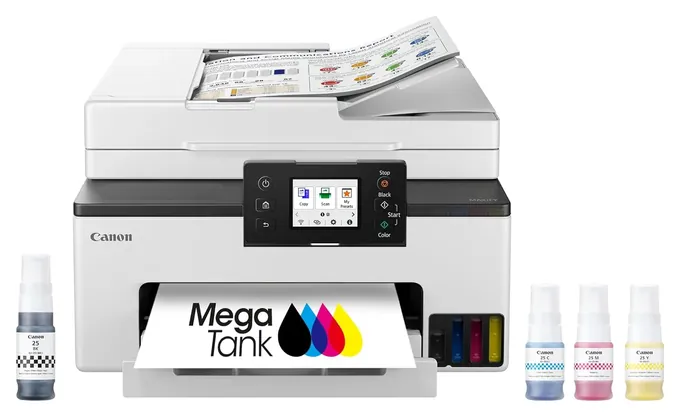
Speed is the honest weak spot of home tank printers. Most turn out about 10 to 15 black pages a minute and half that in color, so a 20-page report takes a couple of minutes. Office models such as the Canon MAXIFY GX2020 (RTINGS review) are quicker and hold more paper, but their bottles hold less ink.
How we researched this
We compared 18 printers, read the makers' spec sheets and ink-yield ratings for the 8 picks, used published cost-per-page figures from RTINGS, PCMag, Consumer Reports and Tom's Guide, looked at owner feedback for clogging and setup problems, and checked every brand for recalls with the U.S. Consumer Product Safety Commission.
Frequently asked questions
How much does a page cost on an ink tank printer?
Published figures put a black page at about 0.3 to 0.4 cent in ink and a color page at about 0.8 to 1.7 cents, depending on how much color is on the page. That doesn't count paper.
Is the "up to three years of ink" claim real?
It's the maker's estimate for light, steady use, such as about 200 pages a month. Print more and the bottles run out sooner. Print photos and color drains fastest.
Can I use third-party ink in a tank printer?
Often it works, but firmware updates can block it, and makers say damage from other inks may not be covered. The makers' own refill bottles are already cheap, so most people don't need to switch.
Do ink tank printers dry out?
The tanks don't, but the print head nozzles can clog if the printer sits for weeks. Printing a color page every week or two prevents most problems.
Is a laser printer cheaper than an ink tank?
For black text only, a monochrome laser is close in cost per page and never clogs. For color, a tank printer is much cheaper to run than a color laser.
What's the cheapest printer to buy?
Cartridge inkjets cost less up front, but their ink costs many times more per page. If you print more than a few pages a month, a tank printer pays back the difference.