The 9 Best Printer Stands
Updated by · How we research

Nine printer stands compared, from low under-desk carts to three-tier units with outlets, by top size and shelf rating. The VASAGLE UOPS02B suits most homes. When users buy our independently chosen editorial selections, we may earn commissions to help fund the Wiki.
A shelf rating is rarely the problem, since most home printers weigh far less than these stands claim to hold. Fit is. A big all-in-one with its paper tray pulled out can hang over a top that looked roomy online, so measure the feet, open trays and desk clearance. This list is for home offices and dorm rooms.


Editor's Notes
October 26, 2026, by Ezvid Wiki Editors:
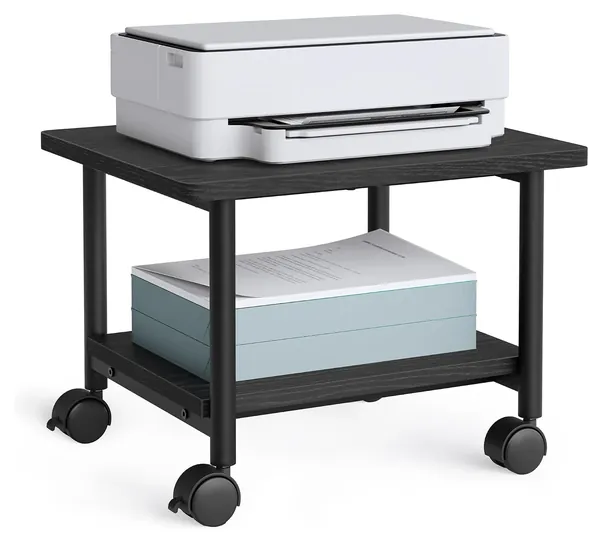
A plain two-tier VASAGLE UOPS02B now leads this list. It costs little, fits under most desks, and its top is rated far beyond what a home printer weighs. Eight of the ten old picks can't be bought new anymore. The Rolodex Wood Tones, Huanuo Desktop and Winsome Piper show as unavailable, while the Safco Mobile, Allsop Metal Art, Line Leader Utility Cart, South Shore 2-Door and Victor Midnight have no current listings. The Safco Muv was down to its last unit at a steep price, so Safco moved to our honors. We dropped the Mind Reader Rolling Cart because its drawer breaking early came up again and again.
To choose replacements, we set each maker's per-shelf rating against the weight of common inkjets and lasers, checked whether each top would hold a full-size all-in-one, and read owner reports for sagging boards, cracked plastic and wobble. The page now covers low under-desk carts, three-tier carts with and without outlets, and one wheel-free stand. None of these brands has a recall on file with the Consumer Product Safety Commission.
Earlier notes
August 25, 2020, by Jeff Newburgh:
As established last year, we feel that versatility is the one quality that most of these printer stands have in common. They are designed to do more than just keep an inkjet or laser printer off your desk and out of the way. Many of our models are equipped with smooth rolling casters and can be conveniently placed under a desk. While under-desk stands are certainly convenient in home offices with limited space, I prefer to use a multi-tiered printer stand with an adjustable height when working with a heavy laser printer. Because laser printers can output a higher volume of paper per minute than some of their inkjet counterparts, I feel it's more convenient for me to place this type of equipment on a structure with several levels, so I can keep supplies like paper and extra toner in the same place.
With that being said, we understand that not all environments are created equal, meaning that you might not have the interior "real estate" to accommodate something as large as a utility cart for your printer. For that reason, we've included a mix of both compact and multi-tiered units, so you can easily find something to match your home or office setting.
This year, we've added both the Mind Reader Rolling Cart and Line Leader Utility Cart, the former of which offers a sturdy plastic construction and ability to support heavy AV equipment while the latter boasts a pullout keyboard tray, drop leaf shelving for laptops, and an adjustable height range that makes it well suited for making presentations in classrooms or professional office environments.
July 25, 2019, by Jeff Newburgh:
Even though you may be dealing with potentially heavy and bulky office printers, there's no reason for the stands used to support them to be equally so. The majority of items on our list are designed to help save office space as much as possible. In addition to this, storage is another convenient feature for these printer stands. For the busy professional, having easy access to both the equipment and its supplies (i.e. paper and power cords) means less time having to bend down and fuss with machines that are stuck on the floor. Furthermore, many of our options are also equipped with rolling casters for placement on both hardwood floors and carpets.
The Safco Muv offers easy assembly and a three-tiered design, so there's plenty of room to accommodate large laser printers and supplies, while its side panels hide unsightly cable clutter. I included the Victor Midnight for its interchangeable pullout drawer design, elegant frosted glass windows, and brushed metal handles. I could imagine the Winsome Wood Piper gracing a nice modern home office, thanks to its warm composite and solid wood construction. The lower level of this stand can also be used as a filing cabinet. I added the Safco Impromptu for its extremely low profile, making it an ideal choice for under-desk use. If you have kids or pets running around while you work. the Rolodex Wood Tones is a relatively safe option, thanks to its rounded corners and nonskid feet that keep it steady. The South Shore 2-Door is perfect for homes and professional office environments, as it offers both open and closed storage spaces for reams of paper and toner cartridges. The Allsop Metal Art and Fellowes Multipurpose offer extremely small footprints, the former of which sports a vented top platform to keep your equipment cool at all times. I also added the Huanuo Desktop for its modern, z-shaped design, making it easy to push up against a wall. Finally, the Vertiflex Mobile boasts lockable casters for stability and built-in grommet holes that can be used as cable routing solutions or as pull handles when reaching for it under your desk.
Special Honors
Safco Products Safco makes office furniture for businesses, including printer stands and machine carts with steel frames and adjustable shelves, such as its Muv line. These cost several times what flat-pack carts do and mostly sell through office-supply dealers, but they're built for shared offices where a stand gets rolled around every day. safcoproducts.com
Measure The Printer, Not The Box
Measure from the floor to the underside of your desk, subtract the cart's height, and make sure the printer, with its lid raised, fits in what's left.
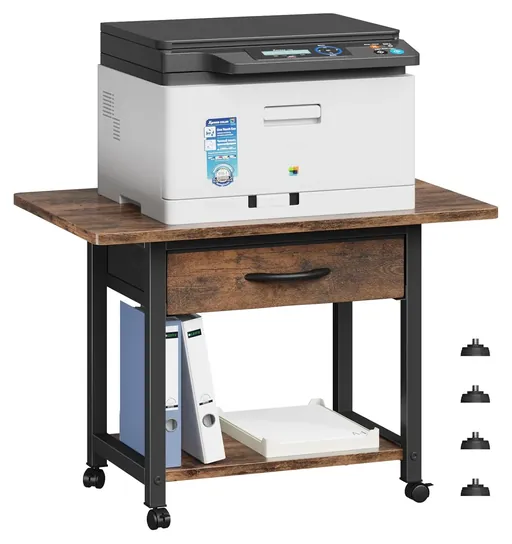
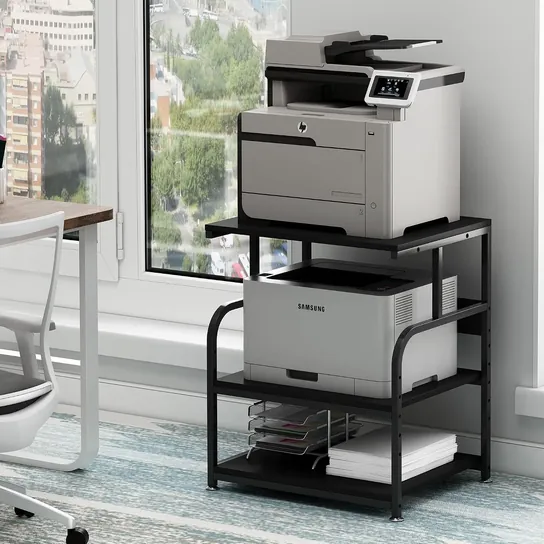
Most trouble with a printer stand comes from fit, not strength. Measure the printer's footprint at its feet, then again with the paper tray, output tray and scanner lid open, because a tray that hangs past the edge can tip a light cart. A small inkjet fits a top around 17 by 13 inches, like the one on the HUANUO HNDPS, but a laser all-in-one with an extra paper drawer can need a top close to 24 by 19 inches.
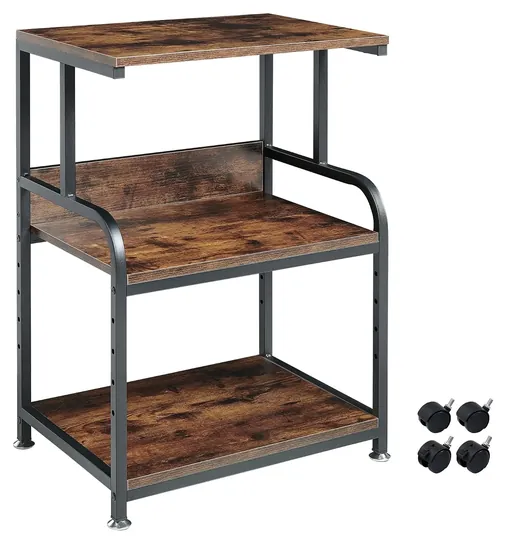
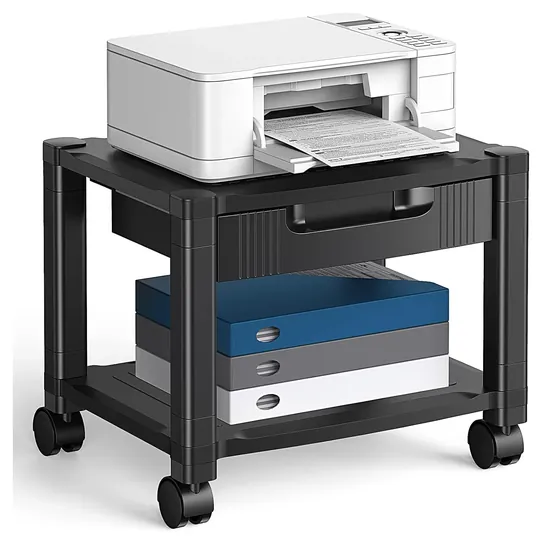
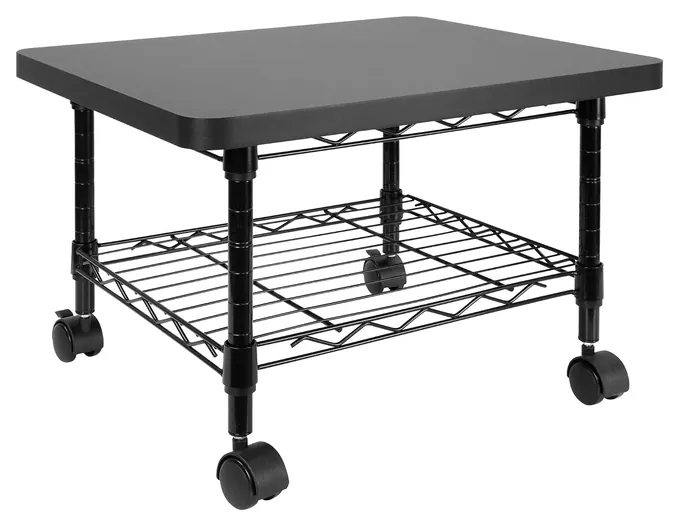
Under-desk carts stand about 13 to 16 inches tall. Measure from the floor to the underside of your desk, subtract the cart's height, and make sure the printer, with its lid raised, fits in what's left. The Mount-It MI-7857 is 13 inches tall with a 19 by 16-inch top, which suits a mid-size all-in-one. Three-tier carts run about 25 to 32 inches, close to desk height, so they work beside a desk rather than under it. If you're still choosing the printer, see our lists of the best laser printers and printers with the cheapest ink.
Shelf Ratings, Boards And Wheels
Weight ratings on these stands are the makers' own figures, and no independent lab checks them. Treat each one as a ceiling and leave headroom. A home inkjet usually weighs 10 to 20 pounds, while an office laser all-in-one can pass 40. Read the rating for each shelf, not the total: Mount-It rates its cart for 100 pounds overall but 50 per shelf, and the mesh shelves on HOOBRO's three-tier cart hold about 17 pounds each.
Most stands use particleboard decks on a steel frame. Thicker boards resist sagging. Fannova uses 15-millimeter decks and says they meet Phase 2 of the California Air Resources Board's composite wood rules, which cap formaldehyde emissions. Wipe laminate with a damp cloth and dry it, since particleboard swells where water soaks in.
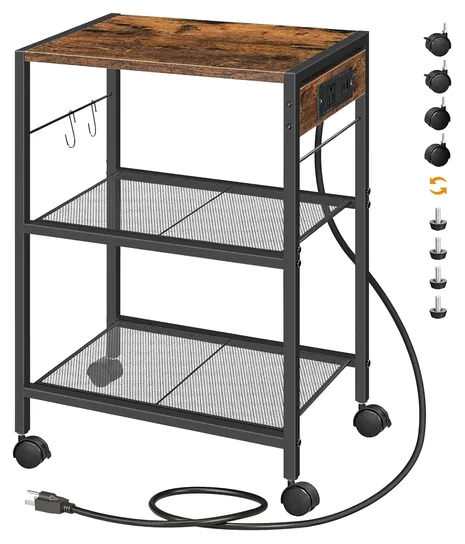
Lock at least two casters once the cart is in place. A printer shakes as the print head and paper move, and an unlocked cart can creep. On thick carpet, or for a spot that never changes, swap the casters for the leveling feet that most of these carts include.
Heat, Air And Built-In Outlets
Printers need air around them. Don't park a running printer inside a closed cabinet or a tight closet, and leave the clearance around the vents that its manual asks for. Laser printers also give off ultrafine particles. In a Queensland University of Technology study of 62 office printers, 17 were high emitters, as Scientific American reported, and the researchers pointed to poorly ventilated rooms as the concern. A busy laser belongs in a room with good airflow.
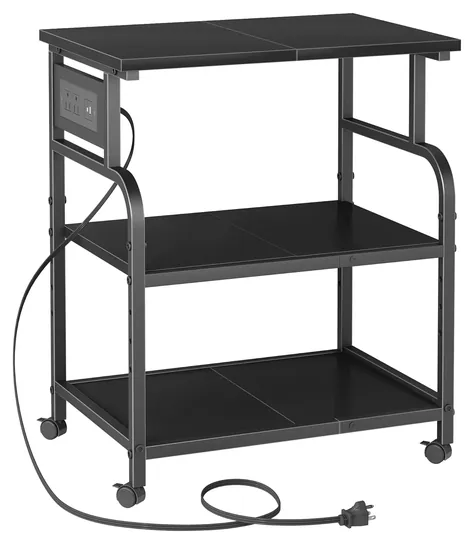
Stands with outlets, like the HOOBRO BF22UPS01 and the YAOHUOO Large 3-Tier, are handy for a printer plus a phone charger. Don't plug a space heater, a mini fridge or another power strip into them. Some laser printer manuals ask for a wall outlet instead of any strip, so check yours. Keep cords out of the casters' path, and look up any furniture brand in the CPSC's recall database before you buy; we found no recalls for the brands on this list.
How we researched this
We compared 20 printer stands, carts and cabinets, read the makers' specifications and the HUANUO and Mount-It product pages, weighed each shelf rating against typical printer weights, analyzed owner feedback for sagging, cracking and wobble, and checked every brand against the U.S. Consumer Product Safety Commission's recall database. No independent lab tests of printer stands exist that we could find.
Frequently asked questions
What is the best printer stand?
For most home printers, the VASAGLE UOPS02B. It's low enough for under a desk, two wheels lock, and its top is rated for about 100 pounds. For a heavy laser, the Fannova Compact 3-Tier has thicker decks.
What size printer stand do I need?
The top should be at least as wide and deep as the printer's feet, with an inch or two to spare. Measure with the trays open, and for an under-desk cart, check the height from the floor to the underside of the desk.
How much weight should a printer stand hold?
More than the printer plus a full paper tray, with room to spare. Home inkjets usually weigh 10 to 20 pounds; office laser all-in-ones can weigh 40 or more. Check the rating for each shelf, not just the total.
Can I keep a printer in a closed cabinet?
Not while it's printing. Printers need air around their vents, and laser printers give off fine particles that are best cleared by a ventilated room. Open the doors or use an open stand.
Do I need locking wheels on a printer cart?
Yes, if the cart has wheels. A printer shakes as it works, and an unlocked cart can drift. Lock at least two casters, or fit the leveling feet if the stand will stay in one place.
Is it safe to plug a printer into a stand's built-in outlet?
For an inkjet and a phone charger, generally yes. Don't add heaters or another power strip, and check your printer's manual: some laser printers should go straight into a wall outlet.