
The 7 Best Rack Mount Fan Panels
Updated by · How we research

A thermostat that idles the fans until the rack warms up puts the AC Infinity CloudPlate T7 first among 7 exhaust, intake and top-mount fan panels. When users buy our independently chosen editorial selections, we may earn commissions to help fund the Wiki.
Where a rack fan panel sits in the rack matters. Intake panels belong near the bottom of a closed 19-inch rack or AV cabinet, where the air is coolest, and top-mount trays push heat out through a vented roof. Home theater owners, home-lab builders, studios and small offices use these panels when packed AV or network gear runs hot.


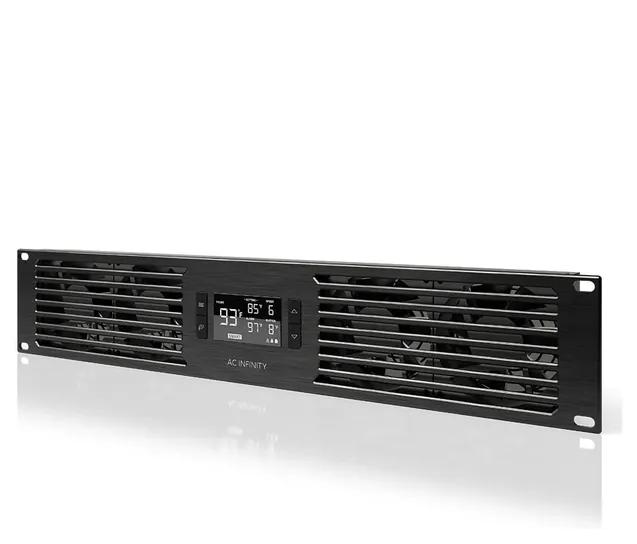
From the manual
- SMART mode is the one that steps the fans down 2 F at a time below your setting; AUTO mode is plain on and off. pp. 15-16
- Clip the probe near the hottest gear and away from any fan, or the thermostat reads the wrong air. p. 12
- Hardwiring or otherwise modifying the unit voids the two-year warranty, which ends in a new unit or a full refund. pp. 6, 23
- For the button lock the manual says hold MODE on one page and LEAF on another; a LEAF hold also switches F and C. pp. 14, 18
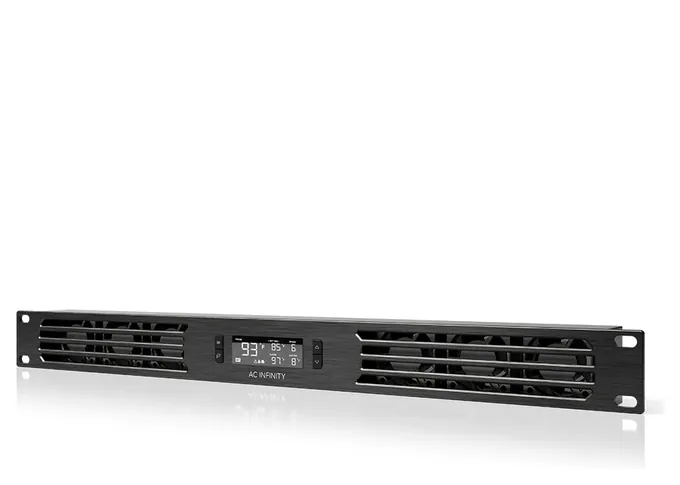
From the manual
- A second CloudPlate can run off this one's expansion port, but the daisy-chain cord is sold separately and the second display goes dark. p. 20
- The high-heat alarm arms only after you leave alarm mode; once it trips, the fans run at full speed regardless of other settings. p. 17
- Fill empty rack spaces with blank panels, or warm air escapes midway and gets pulled back into the rack. p. 7
Compare the specs
Swipe the table sideways to see every column.
| Product | Mounts | Rack space (U) | Max airflow (CFM) | Noise (dBA) | Fan control | Warranty (years) |
|---|---|---|---|---|---|---|
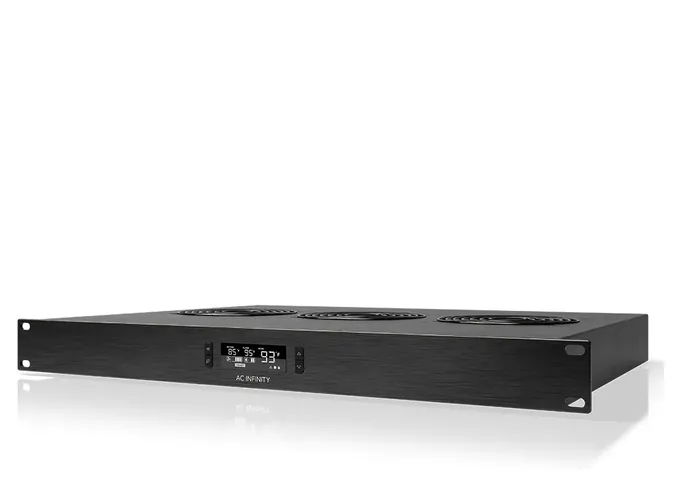
| 1. AC Infinity CloudPlate T7 | Front, exhaust | 2 | 220 | 10 to 36 | Thermostat, 6 speeds | 2 |
| 2. AC Infinity CloudPlate T1 | Front, exhaust | 1 | 60 | 8 to 28 | Thermostat, 6 speeds | 2 |
| 3. AC Infinity CloudPlate T9-N | Front, intake | 3 | 300 | 12 to 38 | Thermostat, 6 speeds | 2 |
| 4. Tupavco TP1701 | Top tray, roof exhaust | 1 | 300 | — | On-off thermostat | 1 (2 if registered) |
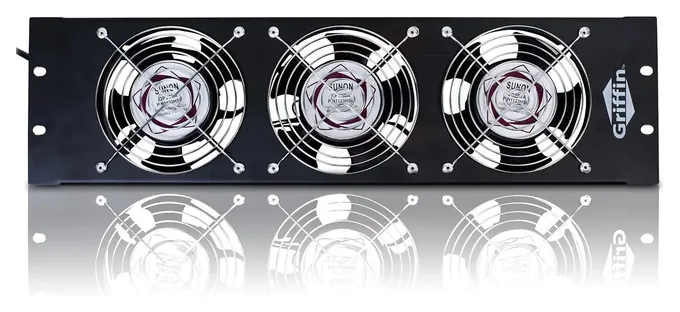
| 5. Griffin UltraQuiet X | Front, exhaust | 3 | 85 per fan, 3 fans | 43 per fan | None listed | 1 |
| 6. AC Infinity CloudPlate T2 | Top tray, roof exhaust | 1 | 300 | 12 to 38 | Thermostat, 6 speeds | 2 |
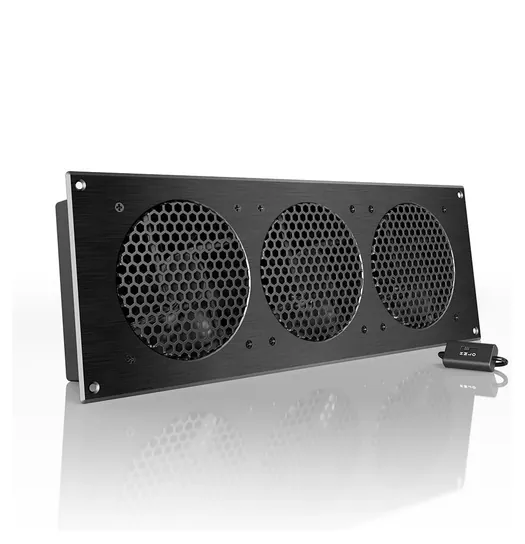
| 7. AC Infinity AirPlate S9 | Cabinet cutout | None | 156 | 21 | Inline low, medium, high | 2 |
Maker figures; airflow is rated in open air, so a packed rack gets less. Noise is the range from slowest to top speed where the maker gives one. Tupavco publishes no noise figure, and Griffin's figures come from its seller's listing, per fan.
Sources
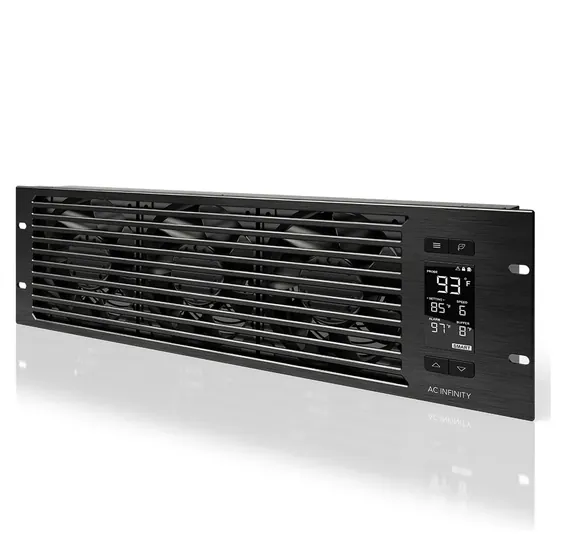
From the manual
- The rack needs vent holes to outside air; without them an intake panel has nothing fresh to pull in. p. 7
- The buffer setting, 2 to 8 F, sets how far the temperature must move before the speed changes, so the fans don't hunt. p. 16
- If the check-fan icon flashes and the fans have stopped, the manual points you to the warranty page for a replacement. p. 19
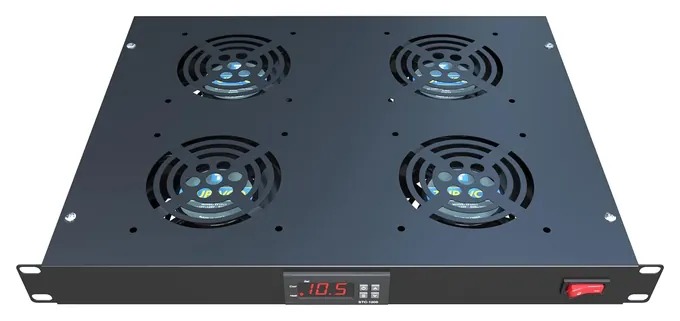
From the manual
- Out of the box the set point is 97 F with a 3-degree switching gap; menu settings F1 and F2 change them. p. 1
- After changing a setting, press OFF to save it; walk away mid-setup and the change is lost. p. 1
- Holding OFF for three seconds switches the controller off, and the same hold turns it back on. p. 2
From the manual
- A tap on the leaf button blanks the screen while every setting and alarm keeps running, handy in a dark room. p. 18
- Screen brightness has three levels: hold MODE and press up or down. p. 18
- The warranty excludes wrong-voltage input and misuse; a covered claim gets a new unit or a full refund. p. 23
From the manual
- You cut the rectangular opening yourself from the included stencil; the manual recommends a saw. p. 13
- Keep the fan's back from touching the edge of the cutout, or vibration noise rises. p. 14
- Chaining two S9 units puts six fans on one inline speed controller, which must then stay on HIGH to avoid overload. p. 20
- The fan flips from exhaust to intake with a screwdriver, and a hum afterward is normal, per the maker. pp. 11, 30
Editor's Notes
November 5, 2026, by Ezvid Wiki Editors:
We read AC Infinity's CloudPlate and AirPlate manuals and Tupavco's controller sheet, added a spec table and notes from the manuals, and corrected the T7's description: its step-by-step speed control is SMART mode, not AUTO mode. We also fixed our October note, since Rockville does list a one-year warranty for the RRF4, and corrected the guide's static-pressure and power figures.
October 18, 2026, by Ezvid Wiki Editors:
A quiet idle decided the top spot: the AC Infinity CloudPlate T7's thermostat keeps it near silent until the rack warms up, which matters when the rack lives in a den. The old list dated to 2021 and needed a cleanup. The Middle Atlantic Quiet is no longer available here, and the Tripp Lite SRFAN3U is built as an accessory for that brand's own SmartRack cabinets. We dropped the Ares Vision 6 over mixed owner reports, the Rockville RRF4 because it only displays the temperature, and the NavePoint 3 Cooling System because the Griffin UltraQuiet X does the same job for much less.
The CloudPlate T1, CloudPlate T9-N, Tupavco TP1701 and AirPlate S9 stay, and the CloudPlate T2 joins for cabinets with vented roofs. Seven is a short list on purpose. Few makers publish real specs for these, and the rest of the field is near-copies.
We found no independent lab tests of rack fans. We compared the makers' airflow, noise and warranty figures with owner reports on fit and fan noise, and checked recall databases. Noise and airflow numbers come from the makers, so the text says so.
Earlier notes
January 19, 2021, by Luke Mitchell:
These systems need to be durable enough to withstand long hours of daily use, and one brand, AC Infinity, dominates the market with its reliable range of products. With four of their items already on our list, they remain well represented here, so we added two very different units to our list in this latest update.
Firstly, the Rockville RRF4 was included, as this brand is fast becoming a recognized name in the audio-visual industry for its good value and quality. This item in particular boasts four high-powered fans in its thin enclosure, as well as a digital display, for a fraction of the price of many competitors' equivalent products.
Next up is the single-unit Ares Vision 6, which has six vertically-facing fans creating up to 250 cubic feet per minute of airflow within the rack unit. This is sufficient to create impressive results in larger installations such as server rooms, but can also be used in environments that require relative quiet, as its operating level falls below 44 weighted decibels.
September 10, 2019, by Daniel Imperiale:
Looking back over the previous ranking of this category, there were some issues that we wanted to clean up, particularly in the differentiation going on between intake and exhaust fans. Now, in an ideal setup, a rack would contain at least one intake fan near the bottom and an exhaust fan near the top, so as to create airflow from the cooler part of the room and provide a viable escape for any heat that your components generate (which naturally rises, as per the laws of thermodynamics). Unfortunately, this layout can't always be achieved, either for financial or practical purposes; the user may not be able to afford more than one fan at this time, or they might have limited space in their current rack. That necessitates a choice between intake and exhaust, and exhaust is the winner in just about every scenario you could create, as removing heat from your components takes precedence.
Now, there was one model of rack fan on our previous ranking that was an intake and another that was an exhaust from the exact same point in AC Infinity's lineup, the models separated by only a single letter. We removed the intake model and left the exhaust model, replacing that intake model with a smaller, quieter offering from AC Infinity, whose effectiveness, despite its size, earned it our number one slot.
Another important factor in this ranking was noise. If you're running an IT cabinet, this may be a little less of an issue, as it's likely located in a closet somewhere that a little added hum isn't going to bother anyone. For environments like home theaters or recording studios, however, quiet fans are a must, so we saw fit to remove the ProCool SL440B, which made a heck of a lot of noise considering the fact that it only took up one rack space with four small fans.
Special Honors
Middle Atlantic Fan Panels Middle Atlantic, now part of Legrand AV, makes rack thermal products for professional installers, including its Quiet Fan Panels and a 2U Ultra Quiet panel whose fans switch on at about 81 degrees Fahrenheit and reach full speed at 90. They're sold through AV dealers and integrators rather than general retailers. legrandav.com
AtlasIED EFT6-4 This top-mounted 19-inch panel from AtlasIED sits in the open top of the company's own racks and needs a six-unit opening, and it can also be mounted on the front or rear of a rack. AtlasIED lists four fans moving 400 cubic feet per minute in all, drawing 60 watts at 115 volts, with a 12-month warranty. It's a professional product sold through AV dealers. atlasied.com
Exhaust, Intake And Where Each One Goes
It only swaps hot air inside the cabinet for room air, so the room has to be cooler than the gear.
A rack fan doesn't chill anything. It only swaps hot air inside the cabinet for room air, so the room has to be cooler than the gear. Heat rises, which is why exhaust panels belong at the top of a rack and intake panels at the bottom. AC Infinity's own pages say the same: its CloudPlate T9-N and CloudPlate T1-N intake models are meant for the lower part of the rack.
If you can only buy one fan, make it exhaust, placed high. A closed cabinet with no way for heat to escape is the usual reason gear overheats. Most rack gear pulls air in the front and pushes it out the back, so leave the rear open or vented, and fill empty rack spaces with blank panels so hot exhaust doesn't loop back to the front.
If the rack sits inside a closed cabinet or closet, that space needs a way out too. Frank Federman, CEO of the equipment-cooling firm Active Thermal Management, warned in CE Pro in April 2022 that otherwise "the same hot air will just circulate while increasing in temperature."
For a target, data centers long followed a recommended inlet range of about 64 to 81 degrees Fahrenheit (18 to 27 Celsius) from the engineering group ASHRAE (Wikipedia: Data center). A home rack doesn't need to hit that exactly, but if the air going into your gear is much warmer, a fan is worth it.
Rack Spaces, Depth And Airflow
Rack gear is measured in units. One unit, written 1U, is 1.75 inches tall, and standard racks are 19 inches wide (Wikipedia: 19-inch rack). The front panels on this list take one, two or three units, and the smaller ones move less air: the CloudPlate T1 is rated at 20 to 60 cubic feet per minute (CFM), while the 2U CloudPlate T7 reaches 220 and the 3U CloudPlate T9-N reaches 300.
CFM figures are measured in open air. A packed rack pushes back, so static pressure matters too. AC Infinity is one of the few makers that publishes it: 2.56 millimeters of water for every CloudPlate here, the 1U models included.
Top-mount trays are a different shape. Instead of a thin front panel, they're deep shelves with fans on top, built to blow heat through a vented cabinet roof. That's how the 1U CloudPlate T2 matches the 3U panel's 300 CFM, but it's 13.5 inches deep, so measure your cabinet's usable depth, not just its rail spacing, before choosing one.
Noise, Thermostats And Power
Maker noise ratings are ranges, and the low end is the slowest speed. AC Infinity rates its CloudPlates from 8 dBA for the T1 at its slowest to 38 dBA for the 3U and roof models at full speed (CloudPlate T9-N specs), so the quiet figure only holds while the rack is cool. A switch-only panel such as the Griffin, listed at 43 dBA for each of its three fans, runs flat out whenever it's on.
That's why a thermostat matters more than the noise rating for a rack in a living space. A probe reads the temperature, and the fans stay slow or off until it passes your setpoint. The AC Infinity controllers add six speeds, an alarm for high heat and a warning if a fan stops. Their manual splits the thermostat in two: SMART mode steps the speed up and down with the temperature, while AUTO mode only switches the fans on and off (CloudPlate manual, pp. 15-16).
Power is the last split. The CloudPlates run on 12 volts through a power adapter and are rated 8 to 12 watts. The Griffin plugs straight into a 110-volt outlet, and its seller lists 20 watts for each fan. Either way, route the cord away from fan blades, plug it into the rack's power strip so it switches with the gear, and don't treat a fan as protection from fire or failing equipment.
How we researched this
We compared 16 rack fan panels and trays and kept seven. We read AC Infinity's CloudPlate manual (edition CP2407X1), which covers all four CloudPlates here, its AirPlate manual for the S9 and Tupavco's two-page controller sheet, and took airflow, noise and power figures from the makers' spec pages; Griffin's come from a reseller's listing. A CPSC recall search on November 5, 2026 found nothing for AC Infinity, Tupavco or Griffin rack fans.
Sources (16)
- AC Infinity: CloudPlate T7
- AC Infinity: CloudPlate T1
- AC Infinity: CloudPlate T1-N
- AC Infinity: CloudPlate T9-N
- AC Infinity: CloudPlate T2
- Wikipedia: 19-inch rack
- Wikipedia: Data center
- AC Infinity: CloudPlate series user manual (PDF)
- AC Infinity: AirPlate S9
- AC Infinity: AirPlate series user manual (PDF)
- Tupavco: TP1701 rack fan
- Tupavco: warranty
- Eureka Music Center: Griffin rackmount cooling fan listing
- GeekStands: returns and warranty
- CE Pro: 3 Myths About AV Rack Cooling (Frank Federman, 2022)
- CPSC: SaferProducts.gov
Frequently asked questions
Do I need a fan in my rack?
Only if the gear runs hot. An open rack in a cool room usually doesn't need one. A closed cabinet packed with amplifiers, servers or network gear often does.
Should a rack fan blow in or out?
If you have one fan, use exhaust at the top of the rack, since heat rises. An intake fan belongs near the bottom, where it can pull in cooler room air.
Can a rack fan cool a hot server?
No fan can make air colder than the room. It replaces hot air in the cabinet with room air, so the room itself has to stay cool.
What does 1U mean on a fan panel?
One rack unit, 1.75 inches of height. A 2U panel is 3.5 inches tall and a 3U panel is 5.25 inches.
Are rack fans loud?
It depends on speed. Thermostat models such as the AC Infinity CloudPlate T7 idle quietly and speed up only when the rack warms. Switch-only panels always run at full speed.