The 5 Best Pen Scanners
Updated by · How we research

Pen scanners that type printed lines into a computer, and reading pens that speak and translate on their own. The Scanmarker Air leads five current models. When users buy our independently chosen editorial choices, we may earn commissions to help fund the Wiki.
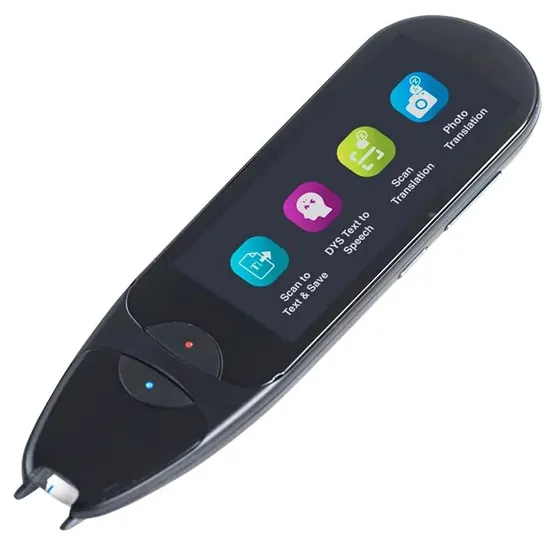
A pen scanner reads one printed line at a time, so it suits quotes, notes and reading help, not copying whole books. Models without a screen type the words into a computer or phone. Models with a screen show the text, read it aloud and often translate it, which makes them popular with students who have dyslexia and with people learning a new language.


Editor's Notes
October 23, 2026, by Ezvid Wiki Admin:
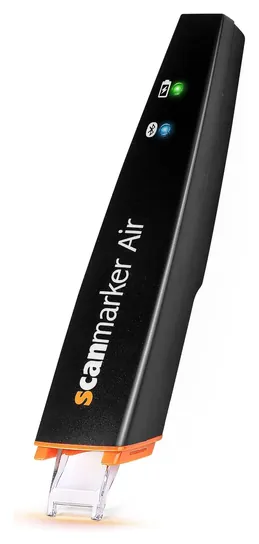
The Scanmarker Air takes the top spot because it still does what most people searching for a pen scanner want: it types a printed line straight into a computer. Almost everything else on the old list is gone. The C-Pen Reader, Ectaco C-Pen 3.0, IRISPen Air 7 and PenPower WorldPenScan X are no longer sold, and the Unitech MS100 link now leads to a different kind of scanner.
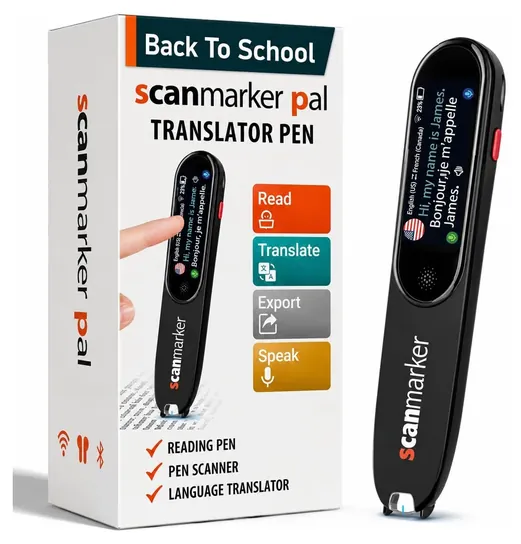
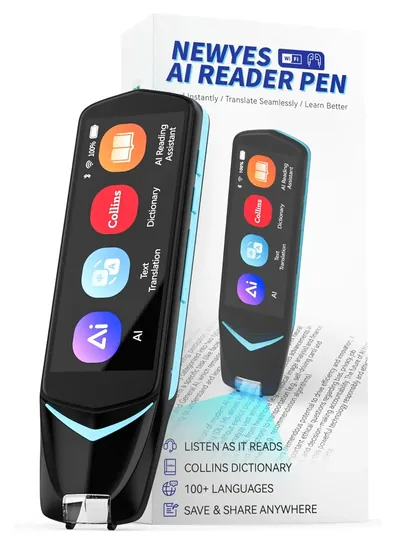
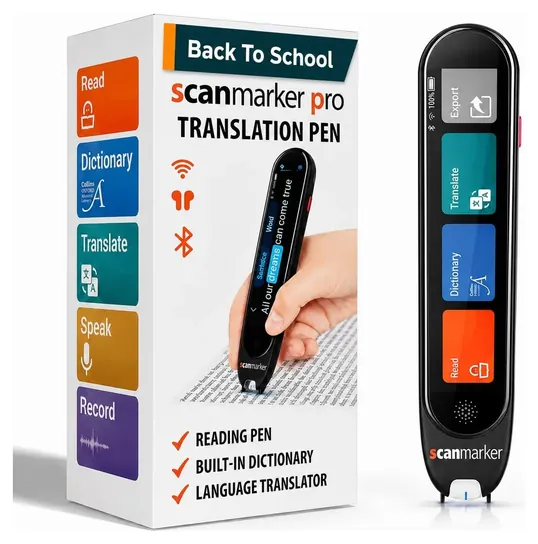
The market has moved toward reading pens with screens, so the Scanmarker Pal, IRISPen Air 8, NEWYES AI Pen and Scanmarker Pro join the list. We set aside the new Scanmarker AI Pen, because early feedback on it is weak, and a crowd of unbranded translator pens with little history behind them. C-Pen's current readers are hard to find from mainstream stores here, so they appear as a special honor.
The deciding evidence was the makers' offline language lists and warranty terms, a low-vision student's long-running notes on the Scanmarker Air, and C-Pen's exam-board approvals. If you need a pen for tests, ask the exam body before you buy.
October 27, 2020:
Since they belong to a relatively niche category, pen scanners aren't updated at the same breakneck pace as more widely-used handheld devices. As such, the set of top-quality options hasn't changed much since this list was reviewed last. That said, we did make one new addition: the Irispen Air 7, which can scan a similar range of languages and graphics as its competitors, but is available at a slightly better price point. We had to place it lower on the list due to reports of difficulty with setting up the software, but once you've got it up and running, it's a strong contender for the top of its class.
The other change we made was to bump the C-Pen Reader up to the top of the list. Though it lacks the translation ability of the Scanmarker Air OCR, our former number one pick, we felt that its eight gigabytes of built-in memory and its voice memo functionality made it much more convenient for portable note-taking. To record text, the Scanmarker has to be paired with another device and scan into an open application in real time, while the C-Pen gives you the option to store text on the fly and download it later. Translation is a handy add-on, but user reviews suggest that most people employ these devices to facilitate note-taking or as a form of assistive technology to help with disabilities like dyslexia; most of the time, this won't require switching into a foreign language.
If you value the ability to store your memos electronically, you might also want to check out our overviews of the best smart notebooks and digital pens. Or, if you want to be able to quickly capture high-resolution images of documents or photos, our list of wand scanners might have what you need.
August 08, 2019:
In the last update we removed a few selections that would technically fall under the wand scanner category.
The market for pen scanners is relatively thin, and although the technology does not pick up every passage perfectly, there are definite standouts in terms of accuracy, functionality and ease of use. The Scanmarker Air OCR sits atop our list because it makes few errors and packs a lot into a small package. For example, this model, along with the more inaccurate PenPower WorldPenScan X, can translate text, making it a great tool for travelers, researchers or anyone learning another language.
The C-Pen Reader deserves special mention for having a voice recorder that can be used to capture ancillary notes to the passages that have been scanned. Along with the Scanmarker Air OCR, it has a read-back capability that uses a natural-sounding voice and can act as a learning aid for those who struggle with dyslexia.
Recently added to the list was the Unitech MS100, which cannot read text, only barcodes, and must remain connected to a computer.
Special Honors
C-Pen Reader 3 And Exam Reader 2 C-Pen makes reading pens aimed at schools and assistive-technology programs. The Reader 3 reads print aloud, works offline in five languages and connects over Wi-Fi for more than 40 others, and the maker rates its battery at eight hours or more. The Exam Reader 2 does one thing, reading text aloud, with no translation, dictionary or internet, which is why exam boards accept it. Both are sold mainly through school and assistive-technology dealers. cpen.com
Screen Or No Screen: Two Kinds Of Pen
It shows the line, reads it aloud and usually translates it, with no computer needed.
The first choice is whether the pen works alone. A connected pen such as the Scanmarker Air has no display. It pairs with a computer, tablet or phone and types each scanned line into whatever app is open, which makes it the quickest way to pull quotes into an essay or a spreadsheet. The maker rates it for a scan band about 1 centimeter tall and type from 6 to 24 points, so ordinary book and magazine print is fine, and fine print is not.
A standalone reading pen has its own screen and speaker. It shows the line, reads it aloud and usually translates it, with no computer needed. These pens are common assistive tools for readers with dyslexia and for language learners. Check which languages work offline, since that list is far shorter than the online one: the IRISPen Air 8 recognizes 48 languages without a connection, while the Scanmarker Pro handles five offline and needs Wi-Fi for the rest.
Left-handed readers should also check the scanning direction. I.R.I.S. says the Air 8 works in either hand; for other pens, look for a left-hand mode in the manual before you buy.
Getting Clean Scans
Every hand-held scanner depends on a steady stroke. A sensor in the tip captures the line as you drag it, and software turns the picture into text; if your speed changes partway, the image stretches or squeezes and letters get misread (Wikipedia: Image scanner). Hold the pen upright with the tip flat on the page, and slide at one even pace from the first letter to the last.
Clean print in a normal typeface gives the best results. Glossy paper, curved pages near a thick spine, tiny footnotes, tables and text in narrow columns all cause more errors, so check the result before you rely on it. These pens are built for printed text, not handwriting. Wipe the clear scan window now and then, because a smudge there shows up on every line.
A pen scanner is not a barcode reader, and it won't copy a full page. For whole documents or photos, a flatbed or sheet-fed scanner is the right tool, and a phone's camera app can do a passable job for occasional pages.
Privacy, Exams And Batteries
Online features such as AI chat, cloud translation and web-based text recognition send what you scan to the maker's servers. That matters for schoolwork with student names or for confidential office papers. I.R.I.S. markets the IRISPen Air 8 on the point that its recognition, speech and translation all run on the pen.
Most exam rules ban devices that translate, store notes or connect to the internet. C-Pen sells an Exam Reader 2 that only reads aloud, and the company says exam boards including the UK's Joint Council for Qualifications approve it. A low-vision student who relies on the Scanmarker Air notes that wireless devices are usually not allowed in testing rooms, so a wired connection may be needed (Veroniiiica). Ask the school or exam body before test day.
All of these pens run on rechargeable lithium-ion batteries. Charge them with the supplied cable, and retire a pen whose case swells or cracks. A search of the U.S. Consumer Product Safety Commission recall database found no recalls for Scanmarker, IRISPen, C-Pen or NEWYES.
How we researched this
We compared 17 pen scanners and reading pens, read the spec sheets, language lists and warranty terms published by Scanmarker, I.R.I.S. and C-Pen, looked at long-term owner feedback patterns and a low-vision student's published notes on the Scanmarker Air, and checked each brand for recalls with the U.S. Consumer Product Safety Commission. We found no independent lab test of pen scanners, so the ranking leans on documented features, offline ability, warranty and track record.
Frequently asked questions
Can a pen scanner copy a whole page?
Not in one pass. It reads one line at a time, so it's practical for quotes, definitions and short passages. For full pages or books, use a flatbed or sheet-fed scanner.
Does a pen scanner work without the internet?
It depends on the model. The Scanmarker Air needs a computer or phone running its app. Reading pens such as the IRISPen Air 8, Scanmarker Pal and Scanmarker Pro recognize and read text offline in a set of languages, while AI chat and most translation need Wi-Fi.
Can I use a reading pen during an exam?
Only if the exam body allows it. Pens that translate, store notes or connect online are usually banned. Exam-specific models, such as the C-Pen Exam Reader 2, only read text aloud and are approved by some exam boards.
Will a pen scanner read handwriting?
Generally no. These pens are designed for printed text in common typefaces, and accuracy drops on handwriting, decorative fonts and very small print.
Is a pen scanner the same as a barcode pen?
No. A barcode pen reads the lines of a barcode for inventory or retail systems. A pen scanner reads letters and words and turns them into editable text.