The 8 Best Graphing Calculators
Updated by · How we research

Allowed on every major exam, the TI-84 Plus CE leads eight TI, Casio, HP and NumWorks graphing calculators compared on CAS, speed, screens and batteries. When users buy our independently chosen editorial choices, we may earn commissions to help fund the Wiki.
Some calculators with a computer algebra system, which does symbolic math, aren't allowed on the SAT or ACT, so check exam rules before you buy. A graphing calculator plots functions, solves equations and runs statistics on a handheld screen. Students use them in algebra, precalculus, calculus and AP Statistics, and engineering majors keep using them in college.


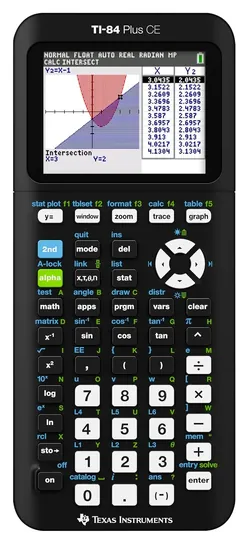
From the manual
- It ships in deep sleep to save the battery; hold the on key for four seconds or plug in USB power to wake it. p. 69
- Press-to-Test deletes every variable in RAM and archive, so copy programs to a computer before an exam. p. 58
- Leaving test mode takes a second CE and a unit-to-unit cable, or TI Connect CE on a computer. p. 60
- If the battery runs completely flat, RAM is lost, so archive important variables when the charge gets low. p. 68
Why the TI-84 Plus CE is our top pick
Our pick uses the keys and menus that existing TI-84 lessons are written around, and in a published worst-case battery test it ran twice as long as the runner-up. Our runner-up, the TI-84 Evo, keeps the familiar shape but not the familiar screens: its maker describes a simplified keypad and reorganized menus.3 Christopher Mitchell, who runs the Cemetech calculator site and wrote Manning's TI-84 Plus guides,7 reported on April 28, 2026, from early screenshots and guides, that the Evo's interface "has been substantially changed," from the icon home screen to a redesigned graphing menu.6
In one Cemetech member's worst-case test, at full brightness with a program looping nonstop, the CE lasted 26 hours and the Evo 12, and the Evo then needed nearly four hours to recharge.5 Our pick's guide adds two first-week facts: it ships in a deep sleep that a four-second press of the on key ends, and its battery swaps out with a small screwdriver.1
The runner-up wins on hardware: a processor three times as fast, 50% more graphing area, a USB-C port and Python, and its maker's chart credits only the Evo with continued OS support.3 Both are approved for the SAT, ACT, AP and IB exams.2,4 For a class that teaches on the CE, or a student who forgets to charge, our pick is the safer buy; for Python or a modern cable, choose the Evo.
| TI-84 Plus CE | TI-84 Evo | |
|---|---|---|
| Keys and menus | Match TI-84 lessons | Reworked keypad and menus |
| Worst-case battery test | 26 hours | 12 hours |
| Processor | 48 MHz | 156 MHz |
| Port and Python | Mini-USB, no Python | USB-C, Python |
| Exams approved | SAT, ACT, AP, IB | SAT, ACT, AP, IB |
Sources
- TI-84 Plus CE 1Getting started guide (PDF), pp. 69–70 2Product page and specifications
- TI-84 Evo 3Product page, comparison chart and specifications 4Why choose the TI-84 Evo, Texas Instruments brochure (PDF), p. 6
- 5Cemetech forum: TI-84 Evo battery life test, May 3, 2026
- 6Christopher Mitchell, Cemetech: TI-84 Evo released, April 28, 2026
- 7Manning: Christopher Mitchell, author page
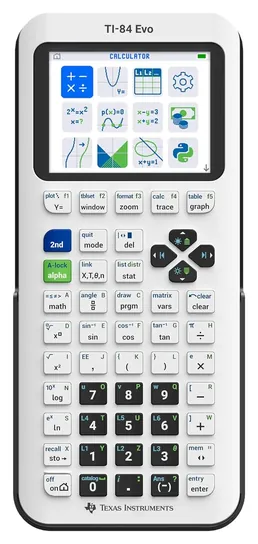
From the manual
- Press-to-Test clears memory and locks programs and apps; they come back once you exit test mode. p. 1
- The built-in Finance app stays available in test mode. p. 1
- To exit test mode, link to another Evo with a USB-C cable or use TI's Connect Evo web app on a computer. p. 2
Compare the specs
Swipe the table sideways to see every column.
| Product | Allowed on SAT and ACT | Runs Python | Power | Charging or data port |
|---|---|---|---|---|
| 1. TI-84 Plus CE | Yes | No | Rechargeable | Mini-USB |
| 2. TI-84 Evo | Yes | Yes | Rechargeable | USB-C |
| 3. TI-Nspire CX II | Yes | Yes | Rechargeable | Mini-USB |
| 4. Casio fx-CG50 | Yes | Yes | 4 AAA | — |
| 5. NumWorks N0120 | Yes | Yes | Rechargeable | USB-C |
| 6. HP Prime G2 | No | — | Rechargeable | — |
| 7. Casio fx-CG100 | Yes | Yes | 4 AAA | USB-C |
| 8. Casio fx-9750GIII | Yes | Yes | 4 AAA | — |
Exam eligibility comes from the College Board and ACT policies; the SAT keeps only a list of banned models, so "Yes" means none of them and no CAS. The TI-84 Plus CE runs Python only in its separate Python edition. Casio's fx-CG50 and fx-9750GIII guides say USB without naming the plug, and no current maker spec page exists for the HP Prime G2, so those cells are blank; its power entry comes from HP's 2015 Prime guide.
Sources
- Texas Instruments TI-84 Plus CE specifications TI-84 Evo specifications and comparison chart TI-Nspire CX II specifications Graphing calculator comparison chart
- Casio fx-CG50 hardware user's guide (PDF) fx-CG50 page fx-CG100 hardware user's guide (PDF) fx-CG100 page fx-9750GIII hardware user's guide (PDF) fx-9750GIII page
- NumWorks Technical specifications User manual (PDF) Exam policies page
- HP Prime User guide, 2015 edition (PDF)
- College Board: SAT calculator policy
- ACT: calculator policy
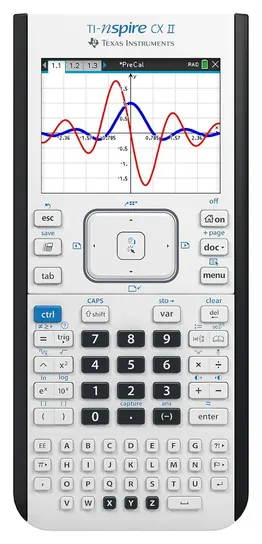
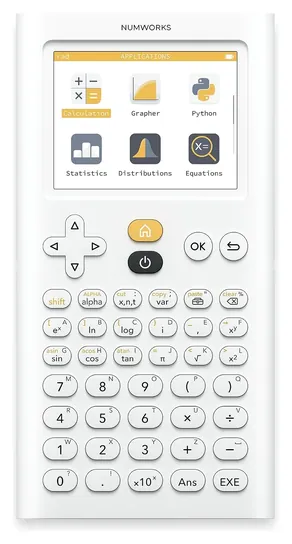
From the manual
- Charge it for at least four hours before first use; the wall adapter is sold separately. p. 3
- This model works in numeric mode only: answers come as decimals, integers or fractions, not exact radicals or pi. pp. 1-2
- It powers down after three idle minutes, and you can change that in Handheld Setup. p. 3
- For long storage, hold the blue reset button on the back for four seconds to put it in deep sleep. p. 3
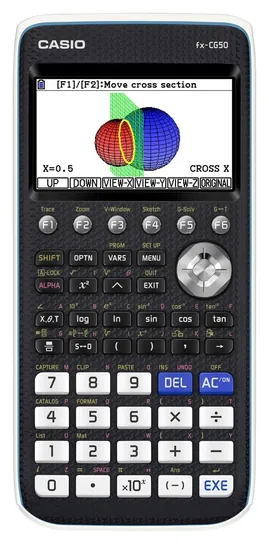
From the manual
- The four AAA batteries come in the box but aren't installed; first setup asks for language, brightness, auto power-off and battery type. pp. EN-3, EN-4
- Keep the cover on the front when it's put away: a bumped on key can switch it on and drain the batteries. p. EN-2
- Turn it off before changing batteries, or data in main memory is deleted. p. EN-14
- Exam mode switches off Python and programs, and only Examination Mode 1 may be used in IB exams. software guide, p. β-1
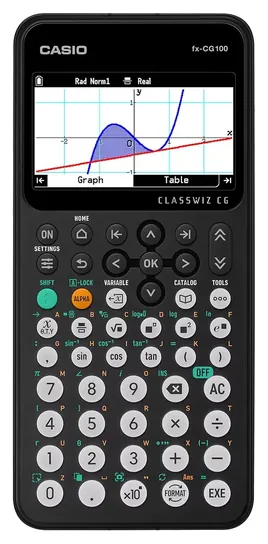
From the manual
- Turning on test mode erases the calculation history, variables, functions, statistics data and Python scripts. p. 83
- Test mode ends only when you plug the calculator into a computer with a USB cable. p. 84
- Its Python is MicroPython 1.17, compatible with Python 3.4. p. 69
- The reset button in settings wipes all saved data, the same as the RESET button on the back. p. 84
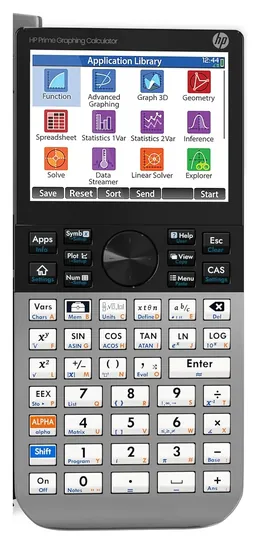
From the manual
- Exam mode can switch off the CAS, help and custom apps for a set time, with blinking lights a proctor can watch. p. 53
- The basic exam mode erases calculator memory, so back up programs first. p. 53
From the manual
- In exam mode the backlight never turns off, so Casio recommends fresh batteries before a test. pp. 253-254
- About 12 hours after entering exam mode, it leaves the mode on its own the next time you turn it on. p. 255
- Any Country setting other than the default, International, limits exam modes to that country's mode and IB. pp. 250, 253
- Battery leaks and damage from taking it apart aren't covered by the warranty. hardware guide, p. 4
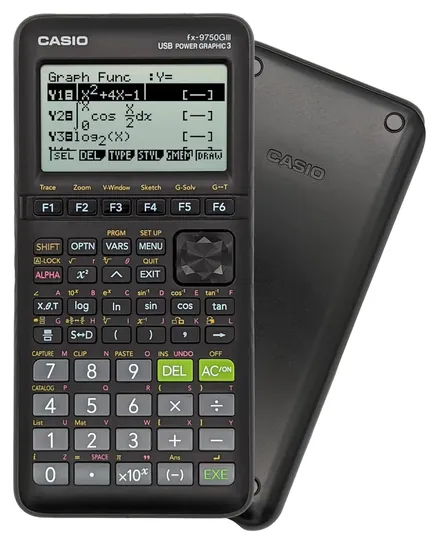
From the manual
- Casio packs the four AAA batteries loose; load them and set the display contrast before first use. pp. i-ii
- Casio rates about 230 hours on a cycle of five minutes calculating and 55 minutes on display; exam mode shortens it. p. EN-6
- Exam modes switch off Python, programs, add-ins and data transfer, and only the IB mode is allowed in IB exams. software guide, p. β-1
- The USB cable for a computer link isn't in the box. Casio product page
Editor's Notes
November 4, 2026, by Ezvid Wiki Editors:
We read the makers' manuals and spec sheets for all eight calculators, added a spec table, a section on why the TI-84 Plus CE stays on top, and setup and exam-mode tips from each manual. We corrected the claims that NumWorks publishes few specs and that the TI-84 Evo keeps the old keypad, and we now credit Casio models only with the exams Casio names. A 2019 note calling the NumWorks the only Python model got a 2026 update.
October 18, 2026, by Ezvid Wiki Editors:
The TI-84 Plus CE keeps first place as the calculator many classes are taught on, and it's allowed on every major exam. The rest of the old page had mostly aged out. New this time are the TI-84 Evo, Texas Instruments' 2026 redesign, plus the TI-Nspire CX II, the Casio fx-CG100 and the Casio fx-9750GIII, which take over from older models. The HP Prime G2 continues under its current listing, and the Casio fx-CG50 and NumWorks N0120 stay.
We dropped the TI-89 Titanium, the original TI-Nspire CX CAS and the Casio fx-CG500. All three are CAS models that the SAT and ACT don't allow, and the TI-89 is reported discontinued. The Casio Prizm fx-CG10 and the fx-9750GII have newer replacements.
Nobody runs lab tests on graphing calculators, so the official College Board and ACT calculator policies settle exam eligibility, while makers' specs and a long-running calculator forum supply the hardware details. Exam rules change, so check the current policy before test day.
Earlier notes
December 31, 2020, by Brett Dvoretz:
Graphic calculators are an essential tool for many students and professionals. However, their functionality greatly varies, as does their price. Students who only expect to use their calculator for a couple of semesters may be best served by a reasonably budget-friendly model like the Casio Prizm fx-CG50 or Casio fx-9750GII. That being said, Texas Instruments is generally regarded as the best and most popular brand, so if you expect that you may need help using your calculator, it might be best to buy the TI 84 Plus CE. Though it is more expensive, it can perform pretty much any calculation you'll ever need to do, and every mathematics teacher should be able to instruct you on its usage for various features if you are struggling. The HP Prime 2AP18AA and Casio fx-CG500 are both touchscreen models, which some may find makes them feel a bit more intuitive and better suited to our modern sensibilities.
May 13, 2019, by Brett Dvoretz:
Graphic calculators have been a staple in high-level mathematics for a long time. And perhaps no model is more widely used than the Texas Instruments TI 84. One of the greatest benefits of this line of graphing calculators is that most teachers are familiar with their functionality and can easily help you learn how to input equations, switch to different modes, and change the settings. That being said, the TI Nspire CX CAS is actually a more full-featured model. It has over 500 times the RAM and 20 times the ROM of the TI 84, plus the ability to store files and documents. It also features a full alphabetic keypad. Because of its added functionality, it has a much higher learning curve and even many teachers may not know how to use it, meaning it is often best reserved for students pursuing a mathematics degree. When it comes to a budget-friendly option, there are few better choices than the Casio Prizm fx-CG50, which has all the functionality the average student needs and is allowed on most major standardized exams. Those who feel no handheld device these days should be without a touchscreen will appreciate the Casio fx-CG500, which has a 4.8-inch display and even comes with a stylus. The HP Prime V2 is another option with a touchscreen. It has familiar gesture-based commands, 256 MB of memory to store custom formulas, and is impressively fast. On a side note, many people may not be familiar with the NumWorks 100, but it is the only model on our list that can actually run Python scripts. [2026 update: most of today's picks run Python, including the TI-84 Evo, the TI-Nspire CX II, the NumWorks and all three Casio models.]
Special Honors
Desmos Graphing Calculator Desmos is a free graphing calculator for web browsers, phones and tablets, with a bigger screen than any handheld. The same calculator is built into the College Board's Bluebook testing app for the digital SAT, PSAT and AP exams, so many students practice on it all year. The web and phone versions aren't allowed during AP exams, and classrooms that ban phones still need a handheld. desmos.com
TI-Nspire CX II CAS The TI-Nspire CX II CAS is the TI-Nspire CX II with a computer algebra system added, so it can solve and simplify equations symbolically. It suits college engineering and higher math, and AP exams allow it. The SAT, PSAT and ACT don't, so students who want one calculator for every test should stick with the regular version. education.ti.com
Start With The Exams You'll Take
Check the current page for each test a few weeks before test day.
The test you're preparing for narrows the field more than any spec. The SAT and PSAT are now digital, with a Desmos graphing calculator built into the testing app, so a handheld is optional there. If you bring your own, the College Board requires a battery-powered model with no computer algebra system (CAS), no QWERTY keyboard and no wireless link. It names the Casio ClassPad and fx-CG500, the HP Prime, the TI-Nspire CAS and the TI-89 as prohibited.
The ACT bans CAS models too, including the TI-89, TI-Nspire CAS and HP Prime, but it allows the regular TI-Nspire. AP exams are looser. The AP calculator policy requires a graphing calculator for parts of Calculus AB and BC and Precalculus, expects one in Statistics, and allows CAS models such as the HP Prime and TI-Nspire CAS. Students may bring up to two. The Desmos calculator built into the AP testing app counts, but the web and phone versions don't. Starting in 2027, AP Biology and Environmental Science won't allow graphing calculators at all. IB exams allow graphing calculators on the papers that call for one, but CAS must be off, and Texas Instruments says its TI-Nspire models also need exam mode switched on.
Policies change, and a proctor can take away a calculator that isn't allowed. Check the current page for each test a few weeks before test day.
CAS Or Not, And Which Calculator Your Class Uses
A computer algebra system works with symbols, not just numbers. It can factor an expression, solve an equation for x or take a derivative, and it gives exact answers such as 2 times the square root of 3 instead of 3.4641. That's a real help in college engineering and higher math, which is why the HP Prime G2 and TI-Nspire CX II CAS have a following. It's also why the SAT and ACT ban them, and many high school teachers don't allow CAS on tests either.
For high school, the bigger question is what your teacher uses. One high school teacher's advice page says staff recommend TI models because lessons are taught with TI keystrokes, and it suggests avoiding CAS. TI's own course comparison maps the TI-84 family from middle school through college and the TI-Nspire to more advanced work. Casio and NumWorks calculators do the same math for similar or less money, but you may have to translate the teacher's steps yourself.
Raw speed matters less than you'd think for coursework. The TI-84 Plus CE runs at 48 megahertz, the TI-84 Evo at 156, the TI-Nspire CX II at 396 and the HP Prime G2 at 528, according to TI and Cemetech's HP Prime G2 review. The gap shows when you draw complex or 3D graphs and run long programs, less so on homework problems.
Batteries, Screens And Free Alternatives
Casio's graphing calculators run on four AAA batteries: about 170 hours for the fx-CG50 and up to about 230 for the monochrome fx-9750GIII, by Casio's ratings. Spares are simple to carry, but put a fresh set in before exam day. TI, HP and NumWorks models use rechargeable batteries, which save money over time but need charging. A forum member on Cemetech ran a TI-84 Evo at full brightness with a looping program and got 12 hours, against 26 hours reported for the TI-84 Plus CE, and the Evo took nearly four hours to recharge. Normal class use is gentler, but it's a reason to charge the night before a test.
Color screens make it easier to tell several graphs apart and to read shaded regions. Monochrome screens cost less and stretch battery life, at the price of detail.
Not everyone needs a handheld. Desmos is free on phones and computers, and it's built into the digital SAT and AP tests. NumWorks offers a free online emulator of its calculator, and Casio offers emulators through ClassPad.net. A scientific calculator costs less but can't plot graphs, so it won't cover AP Calculus. A handheld grapher still earns its place in classrooms that ban phones and on exams without a built-in calculator.
How we researched this
We compared 14 graphing calculators and kept eight. For those we read TI's TI-84 Plus CE getting-started guide and TI-Nspire CX II guidebook, its TI-84 Evo spec page and Press-to-Test sheet, Casio's hardware and software user's guides for the fx-CG50, fx-CG100 and fx-9750GIII, the NumWorks manual and spec page, and the 2015 HP Prime user guide, then checked each pick against the current College Board, ACT and AP calculator policies. Cemetech's HP Prime G2 review and a member's TI-84 Evo battery test filled in what the makers don't publish. A November 4, 2026 search of the CPSC recall database found no recall of a graphing calculator from TI, Casio, HP or NumWorks, and a search of Health Canada's recall site found none either.
Sources (32)
- Texas Instruments: TI-84 Plus CE
- Texas Instruments: TI-84 Evo
- Texas Instruments: TI-Nspire CX II and CX II CAS
- Texas Instruments: graphing calculator course comparison
- Texas Instruments: Getting Started with the TI-84 Plus CE (PDF)
- Texas Instruments: TI-84 Evo Press-to-Test guide (PDF)
- Texas Instruments: TI-Nspire CX II handhelds guidebook (PDF)
- Texas Instruments: calculators approved for IB exams
- Casio: fx-CG50 PRIZM
- Casio: fx-CG100
- Casio: fx-9750GIII spec sheet
- Casio: fx-CG50 hardware user's guide (PDF)
- Casio: fx-CG50 software user's guide (PDF)
- Casio: fx-CG100 hardware user's guide (PDF)
- Casio: fx-CG100 software user's guide (PDF)
- Casio: fx-9750GIII hardware user's guide (PDF)
- Casio: fx-9750GIII software user's guide (PDF)
- NumWorks: exams
- NumWorks: technical specifications
- NumWorks: user manual (PDF)
- HP Prime user guide, 2015 edition (PDF)
- College Board: SAT calculator policy
- ACT: calculator policy
- College Board: AP calculator policy
- Cemetech: HP Prime G2 review
- Cemetech forum: TI-84 Evo battery test
- Cemetech: TI-84 Evo released
- Cemetech forum: fx-CG100 thread
- Engadget: TI-84 Evo announcement
- Mr. Hickman: What calculator should I get?
- CPSC SaferProducts.gov
- Manning: Christopher Mitchell, author page
Frequently asked questions
What's the difference between a graphing calculator and a scientific calculator?
A graphing calculator plots functions on a pixel screen, finds intersections and runs statistics and programs. A scientific calculator handles arithmetic, trigonometry and logarithms but can't draw graphs. Both are allowed on the SAT, but AP Calculus calls for a graphing model.
What does CAS mean, and can I use a CAS calculator on the SAT?
CAS stands for computer algebra system: the calculator solves and simplifies equations symbolically and gives exact answers. The SAT, PSAT and ACT prohibit CAS models such as the HP Prime, TI-89 and TI-Nspire CAS. AP exams allow them.
Should I get a TI-84 or a TI-Nspire?
Get the TI-84 Plus CE or TI-84 Evo if your teacher teaches with TI-84 keystrokes, which is common in high school. The TI-Nspire CX II is faster and handles 3D graphs and linked documents, and the non-CAS version is allowed on every major exam, but it takes longer to learn.
Is the HP Prime G2 or the Casio fx-CG50 better?
They suit different students. The HP Prime G2 is faster and has CAS and a touchscreen, which helps in college engineering, but it's banned on the SAT and ACT. The Casio fx-CG50 costs less, runs on AAA batteries and is approved for the SAT, ACT and AP exams.
Can I use Desmos instead of a graphing calculator?
Often, yes. Desmos is free and built into the digital SAT and AP exams, though on AP exams only the built-in version counts. You'll still need a handheld for classes that ban phones and for tests without a built-in calculator.
What's the best graphing calculator for engineering students?
Many engineering students prefer a CAS model such as the HP Prime G2 or TI-Nspire CX II CAS, because it handles symbolic algebra and calculus. Check course rules first: some college and licensing exams allow only scientific calculators.