The 7 Best CF Card Readers
Updated by · How we research

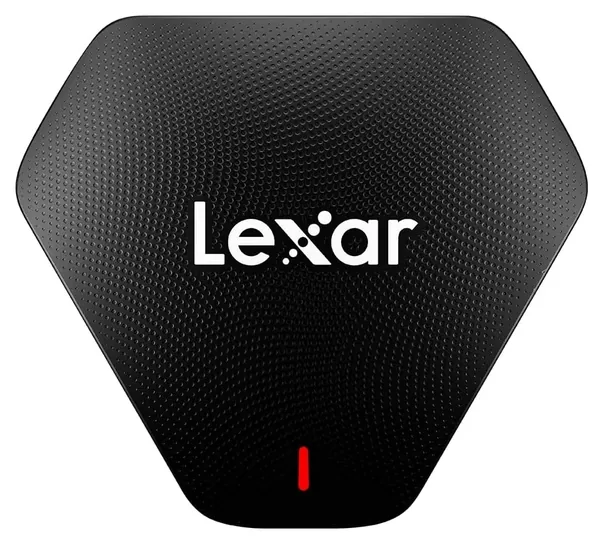
A crooked card can bend a CF reader's pins, so we compare pin guards, UDMA 7 speed, slots, plugs and price on seven readers. The Lexar Multi-Card 3-in-1 leads. When users buy our independently chosen editorial recommendations, we may earn commissions to help fund the Wiki.
A CompactFlash reader can't read CFexpress or CFast cards, despite the similar names, so check what your camera uses before you buy. CF readers copy photos and video from the older cards to a computer over USB, and owners of older pro cameras, such as many Canon and Nikon DSLRs, and of field audio recorders still rely on them.


Editor's Notes
October 18, 2026, by Ezvid Wiki Admin:
An independent reviewer checked the CF speed of just one reader here, the Lexar Multi-Card 3-in-1, a new pick that also reads SD and microSD and now leads. Most of the 2021 list was gone. The Kingston FCR-HS4, Lexar's LRW400 dual-slot reader, the Zedela 7-in-1 and the Sabrent HB-MACR are no longer available, the Delkin dual-slot reader shows no price or stock, and we couldn't find the Indmem reader for sale at all.
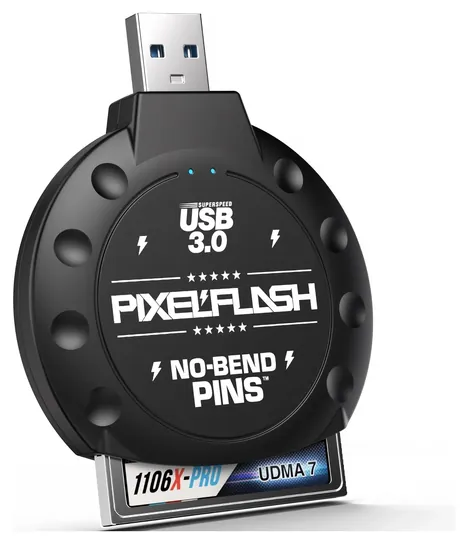
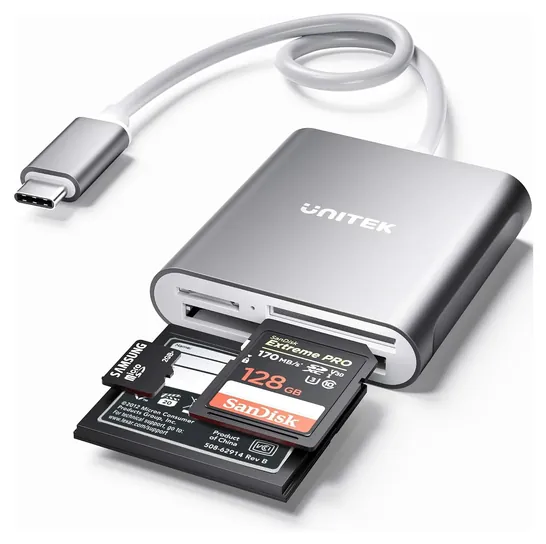
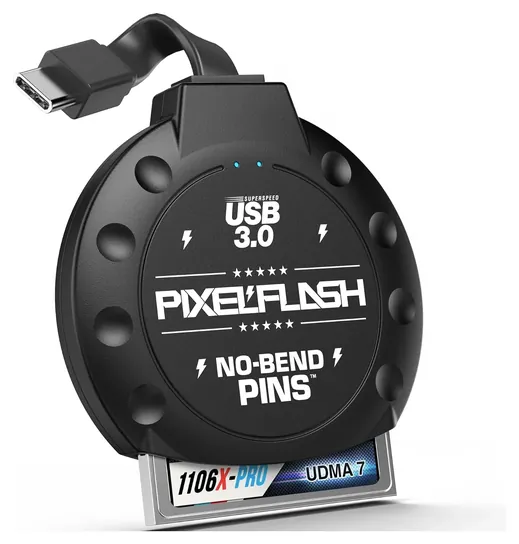
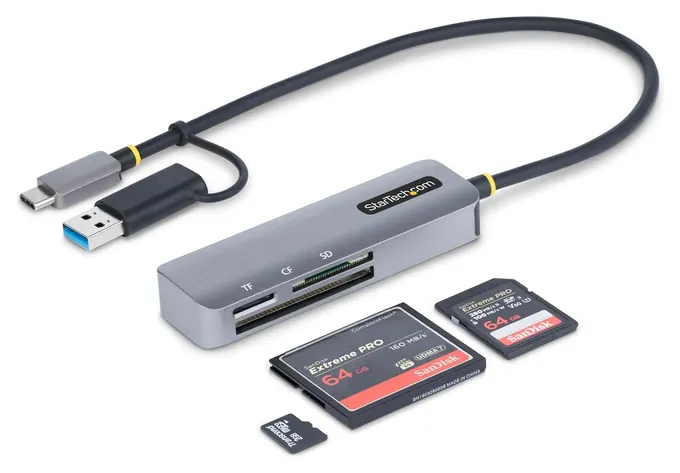
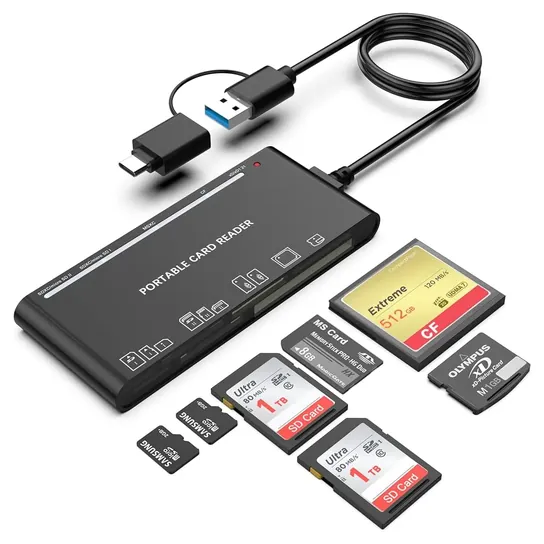
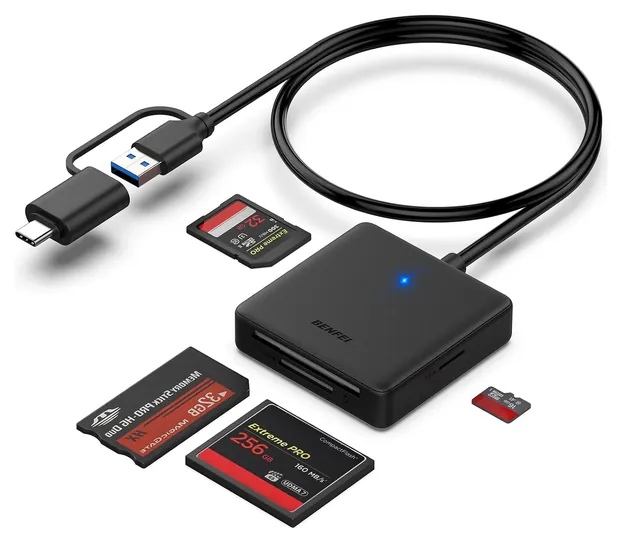
The PixelFlash CF Reader Classic and the Unitek Y-9324BGY stay. The other new picks are the PixelFlash CF Reader Type-C for USB-C laptops, the StarTech FCREADMICRO3V2, the Rocketek 7-in-1 for old card collections and the BENFEI 4-in-1 as a cheap option.
Quite a few people land here looking for CFexpress readers. A CF reader can't read those cards, and the guide explains why.
The evidence in this category is thin. We found only two independent reviews, so most specs come from makers and sellers, and each entry says when a claim is the seller's.
November 19, 2020:
Not too many changes needed to be made this time around since the CompactFlash format has pretty much peaked with the UDMA 7 standard, and it's quite likely no further revisions for CompactFlash will be released due to the increasing implementation of newer formats like CFast and XQD. The maximum transfer speed of the best CF cards is 167 MB/s while USB 3.0 maxes out at 625 MB/s, which means that as long as your reader is compatible with USB 3.0 it should be able to deliver the highest speed your card is capable of. Since all of the models on our list already met this standard there was no need for a major update, however we did make a couple adjustments.
First and foremost, we ultimately decided to remove the CFast readers on our list. Though the standards are somewhat similar in function CFast readers are not backwards compatible with CompactFlash cards, so we thought it would be best to avoid any possibility of someone accidentally ordering the wrong type of device for their needs.
We also added the Unitek Aluminum as a nod to the growing number of devices that only have USB-C inputs. It's true that readers with USB-A connectors can be used with such devices when paired with an adapter or hub, but if your phone and laptop both feature USB-C ports exclusively you may as well avoid these secondary devices for the sake of convenience, cost, and reliability. This option is a budget-friendly choice that fits easily into a laptop or camera bag, and is ready to go at a moment's notice.
The price range of our list has been further expanded with the addition of the Indmem Portable, which is suitable for those who are simply trying to import content from a few old cards, or otherwise don't have a need to read CF cards that often. It's one of the most affordable models on the market and it offers good transfer speeds, but if you're an avid photographer or videographer you're definitely going to want something with a more durable enclosure, as this selection probably won't stand up to daily use as well as many higher-end choices.
If you have a variety of camera gear you may have a need to read SD and microSD cards in addition to CompactFlash cards. If this is the case, consider multi-card models like the Kingston Digital FCR-HS4 and the Zedela Multi, or check out our article that's specifically dedicated to SD card readers.
November 20, 2019:
There are 2 speeds to consider regarding CF cards – read and write speeds. The write speed determines the rate of photo shooting during a mode like continuous shooting, while the read speed is the primary consideration for the rate at which uploading photos onto your computer can occur. Read speeds are quoted in text on the cards themselves and they are usually slightly higher than write speeds (20-40mb/s faster). While read speed will determine how quickly you can transfer images to your computer, a CF card reader with a transfer speed lower than the CF cards read speed can hinder that speed.
For instance, if your card reader is working on a USB 2.0 protocol (which has a maximum read speed of 60MB/s (480Mb/s)), and your card has a quoted read speed of 150MB/s, then the card reader will limit the read speed of your card. Fortunately, USB 3.0 (which has a read speed of 480MB/s or 5Gb/s) is now the standard protocol on card readers, so there are no limitations placed on the read speeds of the cards. Furthermore, the simultaneous reading of multiple cards has become possible as a result of the speed of the 3.0 protocol.
Bear in mind that while CFI and CFII can use the same slot, provided that this slot accommodates the thicker 5mm CFII, CFast – not to be confused with CFII - uses a different standard to CF, and so requires a different slot or card reader. CFast cards are faster, though, as of today, the market-wide adoption of these faster and more efficient cards has been slower than expected. San Disk has announced that they are stopping funding for research and improvement into CF in the interest of moving the market towards CFast. Both of these standards (CF and CFast) fall under the Compact Flash umbrella although they use different interfaces (the CF uses PATA, while the CFast uses SATA). By some definitions, we could treat CFast products as a separate category, like we have with the best CFast 2.0 cards; but since there is a much more limited selection of CFast readers (and not enough to make a high-quality list), I thought it sensible to include the best models here.
To make things more complicated, there are revisions of both the CF and CFast variants. CFast has CFast 1.0, CFast 1.1 and CFast 2.0 and CF has a number of revisions, including CF 1.0, CF 2.0, and more – fortunately, all revisions can work on the same card slots – I am simply disambiguating the Compact Flash category as much as I can so you don’t get confused when shopping for a card reader. It’s hard to find readers that have both CF and CFast slots, so I’ve included two great options for CFast cards – the Lexar Workflow CFR1 and the ByEasy CFast.
Note that there are other, less-related variants of the CompactFlash that fall under the CompactFlash umbrella, including CFexpress and XQD; though they are generally less commonly used and I’ve avoided including them here plus, we already have a separate list for XQD Card Readers. Cameras are usually designed with one of these types of CompactFlash slots, and in some cases, like the Canon EOS-1D X Mark II, both CF and CFast slots. I’ve also removed a few of the older models that were beginning to struggle with quality-related issues like the WeMe 9313D and Transcend RDF8K. The latter was released in August 2011 and has a very low transfer rate compared to today's models. I also added the Zedela Multi, which is both very versatile and a bargain product (considering its ability to accommodate 7 different types of cards).
CF, CFast Or CFexpress: Check The Card First
If you aren't sure which card you have, look at the label and the edge.
CompactFlash is a 1990s card format that's still common in older pro cameras, such as many Canon EOS and Nikon DSLRs, and in some field audio recorders. A CF card has a row of 50 small holes along one end, and it comes in two thicknesses: Type I at 3.3 millimeters and Type II at 5 millimeters (Wikipedia: CompactFlash). Every reader here takes the common Type I cards.
Two newer formats have similar names but won't fit. CFast uses a SATA connection with a different connector, and CFexpress (and the older XQD) uses PCI Express, according to the CompactFlash Association, which sets all three standards. A CF reader can't read either one. If your camera takes CFexpress cards, you need a CFexpress reader of the matching type (A or B), which this page doesn't cover.
If you aren't sure which card you have, look at the label and the edge. CF cards carry the plain CompactFlash logo and the 50-hole end. CFast and CFexpress cards say so on the front.
Where The Speed Goes: Card, Reader And Port
Three things set how fast a CF card copies: the card, the reader and the computer's port. The fastest CF standard, UDMA 7, tops out at 167 megabytes per second on the interface, and real UDMA 7 cards read at about 120 to 160 MB/s (Wikipedia: CompactFlash). Writing to a card is usually slower than reading from it.
The reader has to keep up. When Amateur Photographer timed a UDMA 7 card rated at 150 MB/s in the Lexar Multi-Card 3-in-1, it copied at that full speed. PixelFlash and Rocketek also say their CF slots handle UDMA cards, but many budget multi-readers just list "CF" without naming a UDMA mode, and no independent test has measured them. They work, but a fast card may not reach its rated speed in them.
The "5 Gbps" on most boxes is the USB link, not what the CF slot delivers. That ceiling only matters if the port is slower: a USB 2.0 port caps real transfers far below what a UDMA 7 card can do. Plug into a USB 3 port (often blue, or marked SS) for full speed.
Bent Pins, Plugs And Everyday Care
CF readers have a weak spot. The card carries the holes, and the reader carries 50 thin pins. Push a card in crooked or upside down and a pin can bend, which can ruin the reader. A bent pin in a camera's slot is a repair job. PixelFlash builds its readers around a long guide channel that lines the card up first, and SLR Lounge found the channel on the original model about three times deeper than an average reader's. Whatever reader you use, find the card's label side and notched edge, push it in straight and pull it out straight. Always eject the card in your operating system before you remove it.
Then match the plug to your computer. Many recent laptops have only USB-C ports, so a USB-A reader needs an adapter. Readers with a combined plug, such as the StarTech FCREADMICRO3V2, which has a USB-A adapter built onto its USB-C plug, work with both. A reader that plugs straight into a port, with no cable, can block the ports beside it; SLR Lounge flagged that on the PixelFlash. Extra slots for SD and microSD help if your kit mixes formats, and seven-slot hubs also read old xD and Memory Stick cards.
How we researched this
We compared 17 CompactFlash readers and screened seven in depth. We read the makers' spec sheets where they exist (StarTech publishes a full one; most others publish only retail listings), the CompactFlash Association's standards, two independent reviews, and patterns in owner feedback, and we checked every brand for recalls with the U.S. Consumer Product Safety Commission.
Sources (6)
Frequently asked questions
What is a CF card reader?
It's a small USB device with a CompactFlash slot that lets a computer copy photos, video and audio straight from a CF card. It's usually faster than copying over a camera's cable, and it saves wear on the camera's own slot.
Can a CF card reader read CFexpress or CFast cards?
No. CFast and CFexpress use different connectors and interfaces, so they won't fit a CF slot. You need a reader made for that exact format, and for CFexpress, the right type (A or B).
What is the fastest CF card reader?
Look for a reader that names UDMA 7 support, the fastest CF mode at up to 167 MB/s on the interface. The Lexar Multi-Card 3-in-1 is rated at up to 160 MB/s for CF and matched a UDMA 7 card's rated speed in an independent test. Plug it into a USB 3 port.
Are CF cards obsolete?
New cameras have moved to SD and CFexpress, but CompactFlash is still used by many older pro DSLRs, audio recorders and industrial devices. CF readers are still sold for them, though the choice is smaller than it was.
Is there a wireless CF card reader?
We didn't find a current wireless CompactFlash reader. A USB reader is the practical option. Some cameras with CF slots can send files over their own Wi-Fi or a tether cable instead.
Why is my CF card copying slowly?
Check the port first: a USB 2.0 port or hub slows everything down. Then check the card's UDMA rating, since older cards are slower, and the reader, since budget multi-readers often don't support the fastest CF mode.