The 9 Best Computer Vacuums
Updated by · How we research

Nine computer vacuums, blowers and keyboard cleaners compared on suction, airflow and static safety. The Metrovac DataVac MDV-1BA leads: it vacuums and blows. When users buy our independently chosen editorial choices, we may earn commissions to help fund the Wiki.
Most computer dust comes out better blown than sucked, and Dell's own support pages steer owners away from vacuums inside a case because of static. Vacuums still earn a place on keyboards, desks and printers, and a few are built to be static-safe. This list covers tools for home desks, gaming rigs and busy IT benches alike.


From the manual
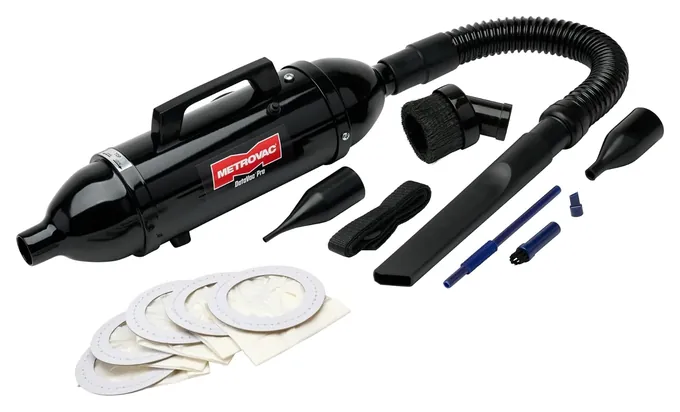
- To blow, remove the end cap and bag and fit the hose on the exhaust end; Metrovac strongly suggests a germ-trap filter, sold separately. p. 1
- Five years on the unit and motor, one year on parts, switches and cords; filters and carbon brushes aren't covered; you pay shipping both ways. p. 2
- The warranty holds only for units bought from Metrovac or its authorized dealers, and Metrovac doesn't take part in Amazon's extended warranties. p. 2
- Never run it without the bag or filter in place; replacement paper bags are part DVP-26RP. pp. 1, 2
From the manual
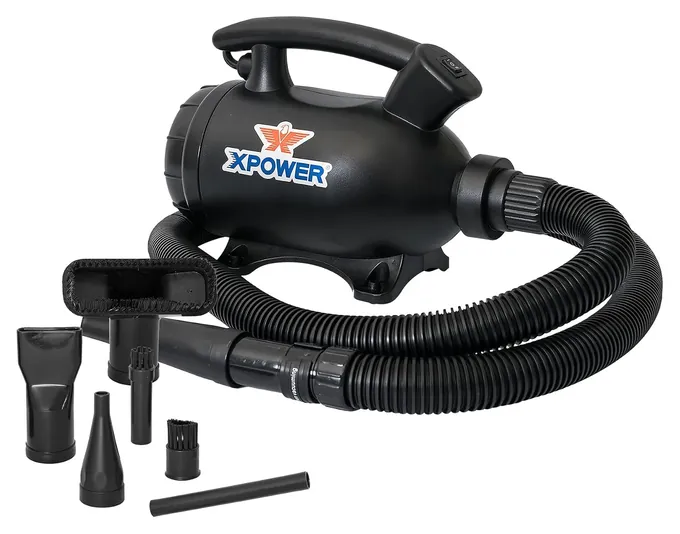
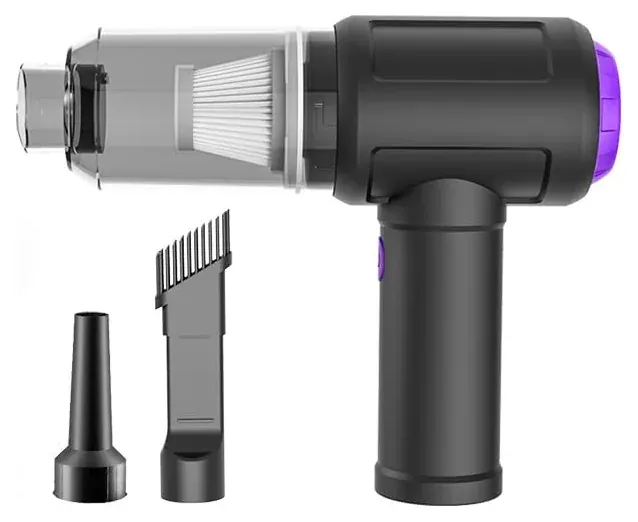
- Vacuuming means moving the hose to the rear connector and pulling the inlet filter; keep the hose's air-bleed hole open or the motor can overheat. p. 3
- XPOWER says not to use it outdoors or on an extension cord, and its own cord is only five feet long. pp. 4, 6
- Rinse the motor filter, dust bag and inlet filter in water, and refit them only when fully dry. p. 9
- The one-year warranty excludes filters, motor brushes, hoses and cords, and doesn't apply to units used for commercial purposes. p. 12
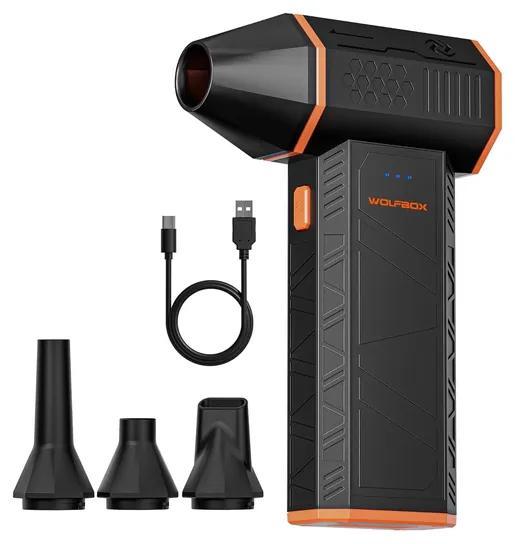
From the manual
- It starts in its top speed, and on that speed you must hold the power button down to keep it blowing. p. 5
- The manual rates about 19 minutes per charge on top speed, and a full recharge takes about three and a half hours. p. 6
- It switches itself off after three minutes in standby. p. 6
- Keep hair away from the air intake and never block it; a blocked inlet can overheat the unit and burn you. p. 7
From the manual
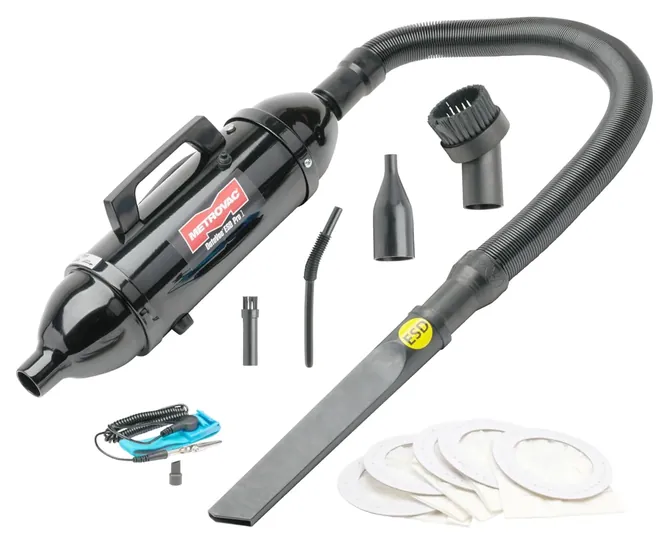
- Of the listed spare parts, only the stretch hose, micro tool kit and wrist strap come static-safe; the spare brush and crevice tool don't. p. 1
- No HEPA filter is listed for it; Metrovac's add-on is a germ-trap filter, sold separately, that sits behind the bag. pp. 1, 2
- Five years on the unit and motor, but only when bought from Metrovac or an authorized dealer. p. 2
From the manual
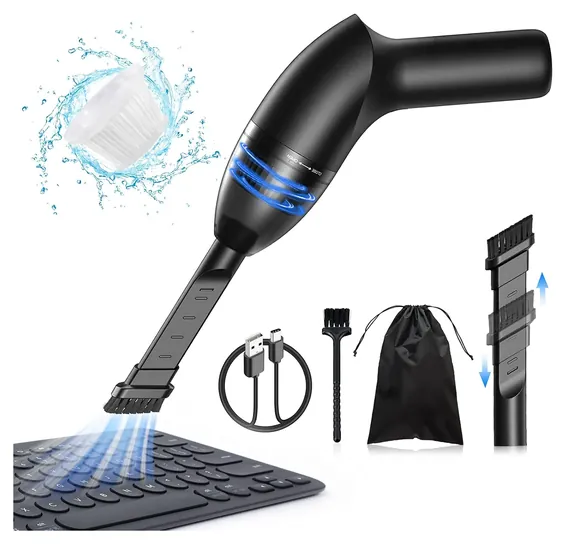
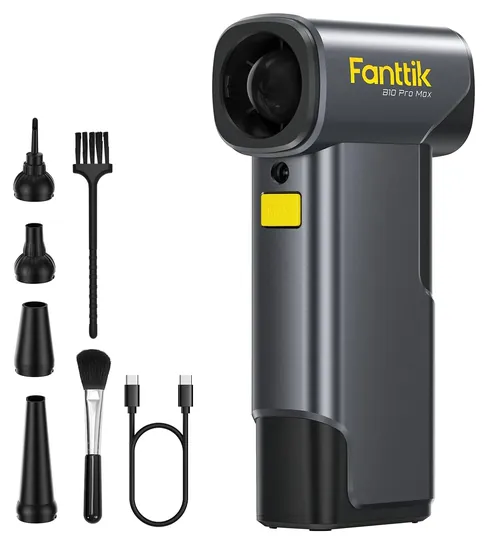
- It won't switch on while charging, and no wall charger comes in the box; Fanttik says to use a 5-volt USB charger. pp. 7, 8
- Plus and minus keys step through five speeds; holding the boost button jumps to a sixth level, shown on the screen. pp. 7, 8
- The light comes on with the motor and has no switch of its own. p. 7
- The built-in battery holds 28.8 watt-hours and takes more than three hours to recharge. p. 9
From the manual
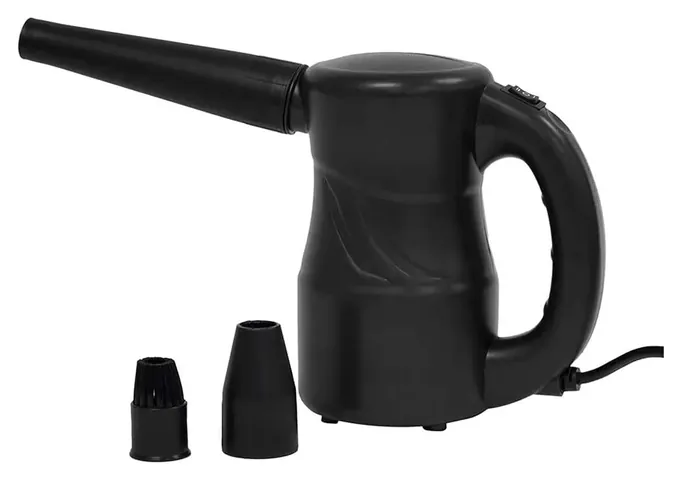
- XPOWER asks you to register the warranty online before first use; the one-year U.S. warranty excludes the cord and filters. p. 14
- The cord can't be replaced, so a damaged cord ends the unit's life. p. 2
- Occasional motor sparks are normal, so keep it away from gas, oil, chemicals and other flammables. p. 3
- Don't wash the unit itself with water; the intake filter on the bottom needs frequent cleaning or replacing. p. 11
Editor's Notes
November 5, 2026, by Ezvid Wiki Editors:
We read the makers' manuals for six of the nine picks and added notes from them under each one. We corrected the MDV-1ESD's HEPA filter claim, K&F's warranty (one year, not two), the Fanttik's speed count, the A-2S's washable filter and a misread PCWorld review, and tied the toner and voltage advice to what the makers publish. The 2020 note now points repair benches to the static-safe DataVac.
October 23, 2026, by Ezvid Wiki Editors:
The Metrovac DataVac MDV-1BA takes the top spot because it vacuums and blows from one steel body, which few computer cleaners manage. It's the same Metro DataVac Pro that was here before, now under a current listing. The XPOWER A-5 stays too.
Most of the old list was gone. The Anker Eufy H11 and DealsWin Cleaner are unavailable, and the ZesGood 7000PA, Meco Mini and Meco Desktop have vanished. We dropped the Brigii Mini Vacuum because its suction is weak next to newer picks like the Hayousui KVC05.
The bigger change is cordless air dusters such as the WOLFBOX MegaFlow 50, which have mostly replaced canned air. They don't vacuum, and each one here says so. Lab data is scarce for these tools, so we weighed Dell's support guidance on static, a repair-shop review of a DataVac blower, a tech site's review of WOLFBOX's larger dusters, and the makers' published specs.
Earlier notes
November 5, 2020, by Brendon Hannaford:
For this update we first had to deal with a few items that were facing availability issues, such as the Metro DataVac and Ehoyal 2-in-1. Since these options were still worthy of a spot on our list despite being out of stock we replaced them with the Metro DataVac Pro and Brigii Mini Vacuum respectively, both of which are nearly identical to the previous entries.
The Anker Eufy H11 is now the newest entry on our list, and it's a great midrange choice that sits between small budget options like the DealsWin Cleaner and large pro models like the XPower A-5 in terms of price and build quality. It's definitely one of the sleekest selections on the market, so those who care deeply about the aesthetics of their workspace will appreciate its ability to sit on or around their desk without sticking out like a sore thumb.
We added the ZesGood 7000PA as a general purpose option for those who would like something that can be used to clean small messes all over their house in addition to getting crumbs off their keyboard. It possesses a few interesting features that aren't found on most models, which will make it an especially good pick for some. For instance, integrated LEDs light up whatever you're vacuuming, which is very useful for cleaning the inside of your computer's case. This makes it easy to see the dust bunnies that lurk in dark crevices without needing a phone or flashlight in your other hand.
As good as the aforementioned options are high-end selections like the XPower A-5 and Metro DataVac Pro are still the best bet for those involved in electronics repair, or anyone else who might be cleaning computers on a very frequent basis. While small handheld models are adequate for those occasionally cleaning their keyboards, the suction power of portable options is dwarfed by stationary devices like these. Their selection of cleaning tips is also generally superior in terms of variety and quality. [2026 update: the standard DataVac Pro is not static-safe; for work around open circuit boards, Metrovac's static-safe version is the MDV-1ESD on today's list.]
If you're obsessed with having a clean PC, check out our article on the best screen cleaners after selecting the best vacuum for your needs.
December 6, 2019, by Christopher Thomas:
A good computer vacuum should be small and powerful yet still gentle enough to avoid harming electronics. It's also important to have some kind of brush attachment to help remove caked-on dust. The XPower A-5 is possibly the best corded model, in part because it also functions as a reasonably powerful blower, making it an environmentally friendly alternative to canned air. The Metro DataVac is similarly effective, although it's quite expensive for what's ultimately a somewhat limited tool. The Carpet Pro SCT-1 is another highly capable option that runs on AC power, and though it tends to get hot, it does shut off automatically upon overheat, which should help to extend its lifespan.
If you're looking for something a bit more convenient, the Ehoyal 2-in-1 is one of the most versatile cordless models. It, too, is reversible, though it doesn't have quite as much power as the plug-in models. The Meco Mini and DealsWin Cleaner both have relatively ergonomic shapes and should be pretty easy to get into small spaces. Then there's the Meco Desktop; while it's not capable of cleaning the inside of a desktop PC, it's a great option for lightly scrubbing the gunk out from between the keys of your keyboard or laptop. Also, there's a reasonable selection of additional cleaning tools on the market designed to keep your notebook computer and its screen free of dust and smudges.
Vacuum, Blower Or Both
His gripes were the weight, the need for an outlet and a handle that tired his hand, and on very dusty jobs he wiped the intake filter every few minutes.
Three kinds of tools sell as computer vacuums. Corded vacuum-blowers, like the steel DataVac line from Metrovac and the XPOWER A-5, plug into the wall, never run down and come with a hose and small tools. They suit people who clean towers, printers and office machines often. In a 2014 Technibble review, Derrick Wlodarz, founder and president of the Chicago-area IT firm FireLogic, said his shop had bought a corded DataVac blower for every full-time technician and could dust out a full PC in 30 to 45 seconds. His gripes were the weight, the need for an outlet and a handle that tired his hand, and on very dusty jobs he wiped the intake filter every few minutes.
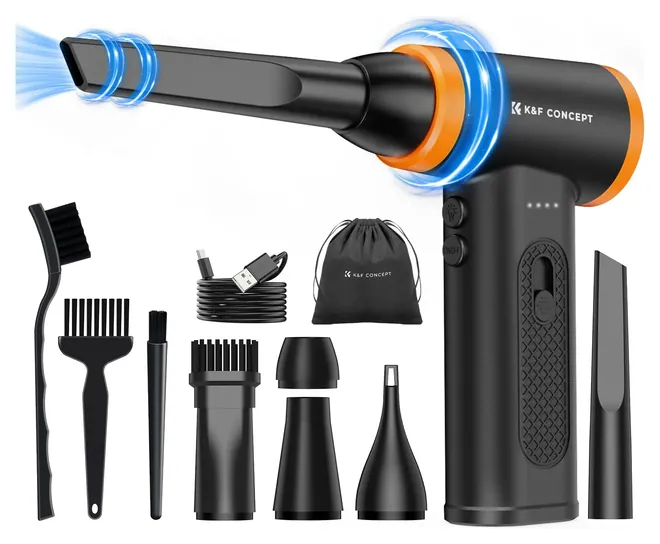
Cordless air dusters are the second kind. A tiny fan spins very fast and pushes a steady stream of air, which is what most people want inside a PC case. They replace cans of compressed air, and they never run cold or spit propellant. MobileSyrup found WOLFBOX's larger dusters strong for their size and good on keyboards, but loud at the top setting. Most dusters only blow, so the dust ends up in the room.
The third kind is the small USB vacuum for crumbs, hair and paper bits on a desk. These help on keyboards, but they're weak. A PCWorld writer who liked his cheap duster-vacuum for clearing heatsink fins and fan shrouds still found it couldn't lift caked-on dust. Treat the suction numbers on these listings as sales claims.
Static, Fans And Safe Habits
Shut the computer down and unplug it before cleaning it. Dell's support article on cleaning a computer recommends canned air and says not to use a vacuum or blower, because they create static. Dell's laptop fan guide adds that static can damage motherboards and that strong airflow can harm fan bearings. Many repair shops use electric blowers anyway; if you do, keep the nozzle off the boards.
Static-safe vacuums such as the Metrovac DataVac MDV-1ESD add a grounded three-wire cord, an anti-static hose and tools, and a grounding wrist strap. That design is the maker's claim, and we found no independent test of it, but it's the safer choice for shops that open many machines.
Hold fan blades still with a finger or a plastic tool while blowing them. Letting a fan spin far past its normal speed is one of the common cleaning mistakes TweakTown warns about, since it can damage the fan. Keep household vacuums away from the inside of a case.
Bags, Filters And Batteries
Corded vacuums need upkeep. The DataVac fills paper bags you'll need to restock, and the Pro Series 1 has no toner filter; Metrovac fits toner filters and toner bags only to separate DataVac models. The XPOWER A-5's filters rinse in water and must dry fully before refitting, while the A-2S's intake filter needs frequent cleaning or replacing. On the small cordless vacuums, empty the dust cup before it packs tight, or suction falls fast.
Cordless dusters run on built-in lithium batteries. Charge them with a suitable USB charger, since Fanttik doesn't put one in the box. Don't leave them charging unattended, and stop using one that swells or gets hot. Some, like the Fanttik, won't run while charging. A sealed battery means the whole unit goes when the cells wear out, so a longer warranty matters more here than on a corded tool. A November 2026 search of the Consumer Product Safety Commission and Health Canada recall notices found no recalls for any brand on this list.
The corded picks are built for 115- to 120-volt outlets. XPOWER says the A-2S is only for countries with that power, and Metrovac sells separate 220- to 240-volt DataVacs. Blowers and dusters move dust rather than trap it, so XPOWER suggests dusting a computer outdoors with the A-2S, though its A-5 manual says not to use that model outside.
How we researched this
We compared 19 computer vacuums, blowers and electric dusters, including every pick from the previous version of this list. We read Metrovac's DataVac Pro Series 1 manual and spec sheet, which cover both DataVacs, XPOWER's owner's manuals for the A-5 and the A-2S, WOLFBOX's MegaFlow 50 manual and Fanttik's B10 Pro Max manual; we found no manual for the Hayousui, Meudeen or K&F picks, so those rest on K&F's store and warranty pages and on seller specs. Dell's cleaning guidance on static, a 2014 Technibble review of a DataVac blower by an IT shop owner, and PCWorld's and MobileSyrup's duster reviews shaped the guide. A November 2026 search of CPSC and Health Canada recall notices found no recalls for any of the seven brands.
Sources (20)
- Metrovac: DataVac computer vacuums
- Dell: How to clean your Dell computer
- Dell: How to clean a laptop fan safely
- Technibble: DataVac review
- MobileSyrup: WOLFBOX MegaFlow 100/200 review
- PCWorld: PC vacuum duster
- TweakTown: 6 PC cleaning mistakes
- U.S. Consumer Product Safety Commission: Recalls
- Metrovac: DataVac Pro Series 1 manual (PDF)
- Metrovac: DataVac Pro Series 1 spec sheet (PDF)
- Metrovac: DataVac Pro Series 3, toner-filter models
- XPOWER: A-5 owner's manual (PDF)
- XPOWER: A-2 and A-2S owner's manual (PDF)
- XPOWER: A-2S Cyber Duster
- WOLFBOX: MegaFlow 50 user manual (PDF)
- Fanttik: B10 Pro Max user manual (PDF)
- Fanttik: B10 vs. B11 air dusters
- K&F Concept: KF08.050 air duster
- K&F Concept: warranty policy
- Health Canada: Recalls and safety alerts
Frequently asked questions
Can you vacuum a computer?
Yes, with care. Shut it down and unplug it, use a plastic nozzle, and keep it off the boards. Dell advises canned air instead of a vacuum inside the case because of static. A static-safe vacuum with a wrist strap lowers that risk.
Is a vacuum or a blower better for cleaning a PC?
For the inside of a case, a blower or air duster usually works better, since it pushes dust out of fins and fans. A vacuum is better for keyboards, desks and printers, where you want the dirt gone, not moved.
Do mini keyboard vacuums work?
They pick up crumbs, hair and loose dust from keyboards and desks. Their suction is gentle, so they won't lift caked dust from fans or heatsinks.
Is an electric air duster better than canned air?
It costs more up front but never runs out, doesn't spray cold propellant and keeps a steady stream. Most only blow, so they push dust into the room.
What is an anti-static computer vacuum?
It's a vacuum built to keep static from building up, usually with a grounded three-wire cord, an anti-static hose and tools, and a wrist strap. The Metrovac DataVac MDV-1ESD is one.
Can a computer vacuum pick up printer toner?
Not a standard one. The DataVac Pro Series 1 on this list has no toner filter, and Metrovac fits toner filters and toner bags only to separate models. Toner spills need a vacuum built for toner.