The 8 Best USB Filters
Updated by · How we research

Eight USB isolators, ground-loop breakers and noise filters for DACs and audio interfaces, compared on measured results and real fixes. The Topping HS02 leads. When users buy our independently chosen editorial choices, we may earn commissions to help fund the Wiki.
Hum through USB audio gear usually comes from a ground loop, not dirty data, and that decides what fixes it. An isolator or earth breaker can silence a laptop feeding a DAC, headphone amp or audio interface, while passive filters and ferrite clips only touch radio buzz. The picks below suit anyone hearing hum, whine or clicks they can't trace.


Editor's Notes
November 1, 2026, by Ezvid Wiki Editors:
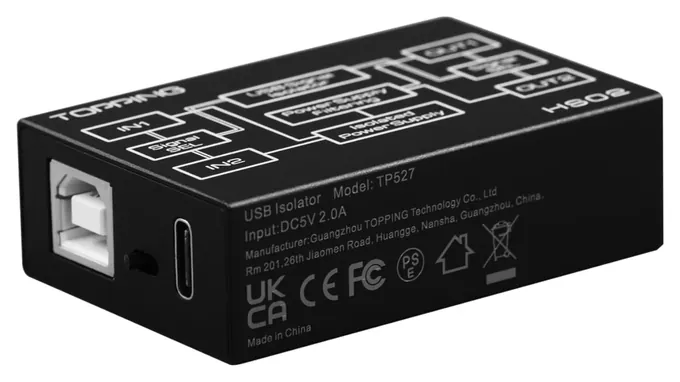
The Topping HS02 now leads because it's the one isolator here that an independent reviewer has put on the bench, and it measured clean. That turns the old advice around. A ground loop is the usual source of USB hum, so isolators like the HS02, the DSD TECH SH-G01L and the Cablemax CM-M4160-ISO, or an earth breaker like the iFi iDefender+, are the real fixes. The AudioQuest JitterBug FMJ and iFi iSilencer+ stay in their current versions, but a measurement blog found the JitterBug made no difference, and we say so.
The iFi iPurifier3 is gone because its price has climbed far past its old range and it's hard to get, and the Nano iGalvanic3.0 is no longer sold. We leaned on bench measurements of the HS02 and the JitterBug, Topping's and iFi's own documents, and long forum threads where people chased hum through real desks full of gear. Before buying anything, plug the computer and the audio gear into one power strip. It costs nothing and often works.
Earlier notes
January 5, 2021, by Christopher Thomas:
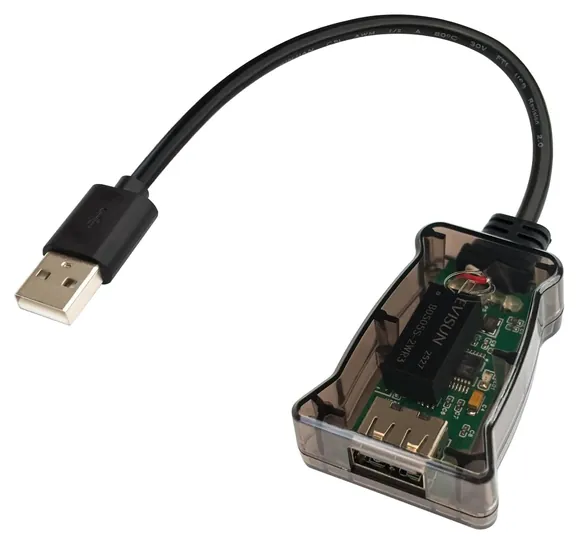
Unfortunately, the SBooster VBus2 is extremely hard to get your hands on at this point, so we've removed it from contention. It's been replaced with the Cablemax Isolator, which does a good job of putting up a barrier between electronics and their USB data source. It can minimize or eliminate unwanted noise, and it can prevent faulty electronics from frying a PC's USB port.
For simple, non-powered solutions, the IFI iSilencer+ has been moved into the top spot because it comes in Type-A and C version, as well as a Type-A to C converter model. The IFI iPurifier3 remains one of the most reasonably priced USB-B options, while the IFI Nano iGalvanic should satisfy the most demanding audiophiles, even if they're stuck with a high-interference system environment.
March 29, 2019, by Christopher Thomas:
Depending on what your exact situation is, there are handful of different ways to filter a USB signal and eliminate various types of noise. The most straightforward and common among owners of compact DACs are the AudioQuest and the IFI iSilencer. They're small and reasonably priced dongles, and you can use up to 2 or 4 per computer at one time, respectively. For most everyday applications, they can essentially level up a mid-range DAC. If you're running audio from a high-end amplifier, check out the iPurifer, which is a full-featured, 3-way filter that can help to make a home audio setup sound pristine. If you're even more demanding than that, and must have the best, the IFI iGalvanic is probably the way to go. It's really expensive, but if you're bogged down with different signals cutting into your transmission quality, it can really improve how your amplifier sounds, while eliminating a wide range of artifacts as well as ground loop hums. Speaking of ground loops, if that's where your problem lies, the iDefender may be a godsend. It won't fix every ailment that can afflict a USB signal, but it might just do the trick, and with its separately available power supply, you won't even lose USB power functionality to the DAC. If you know that your problem lies in mismatched signal clock speeds, the Wyred 4 Sound Recovery will do a great job of matching them, and in doing this it can bring out exceptional bass and treble response that you otherwise never would have heard. And if you're looking for something simple and cheap that you can throw in your pocket to simply remove the USB power from the equation, the SBooster VBus is a good way to do it.
Special Honors
Intona USB Isolators Intona Technology, a German engineering firm, builds industrial-grade USB isolators, including the 7055 series, which adds USB 3 speed on some models. They cost several times more than anything on this list and sell through audio dealers rather than big stores. Archimago measured the 7055-C in 2023. Worth a look for studios and measurement rigs where an isolator has to run all day. intona.eu
Hum, Buzz Or Hiss: Find The Source First
If you hear nothing wrong, you probably don't need any of this.
Steady low hum that rises and falls with the volume knob is the classic sign of a ground loop. It happens when the computer and the audio gear reach the wall's earth by two different routes, and the USB cable's ground closes the loop. A quick check from Loopop's guide to hum and buzz: plug everything into one power strip, unplug the laptop charger, or try another USB port. If the noise changes, you're dealing with a ground loop, and an isolator or earth breaker is the fix.
A whine that tracks mouse movement or disk activity is usually noise on the USB power line, which a powered hub or an isolator with its own supply can cut. Crackle or buzz that changes when a phone or router comes close is radio interference. Ferrite clips can help there, but, as engineers on Gearspace point out, they won't touch true ground-loop hum. If you hear nothing wrong, you probably don't need any of this.
Isolator, Earth Breaker Or Passive Filter
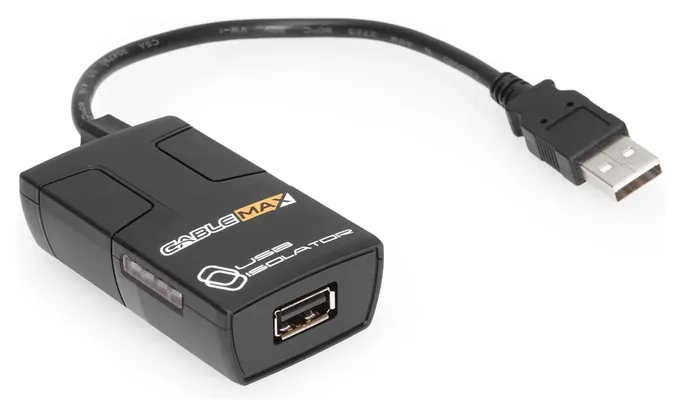
A data isolator, like the Topping HS02 or DSD TECH SH-G01L, passes USB data across a chip with no electrical connection between the two sides, so neither ground nor noise gets through. The audio blog Archimago measured the HS02 with a DAC and found clean output with no added jitter, and also noted that most systems don't need an isolator at all.
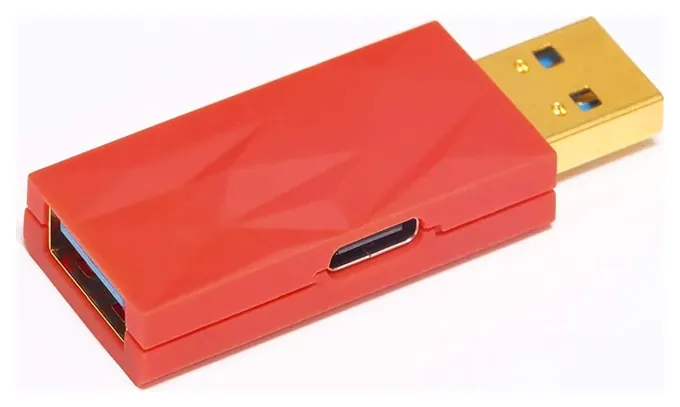
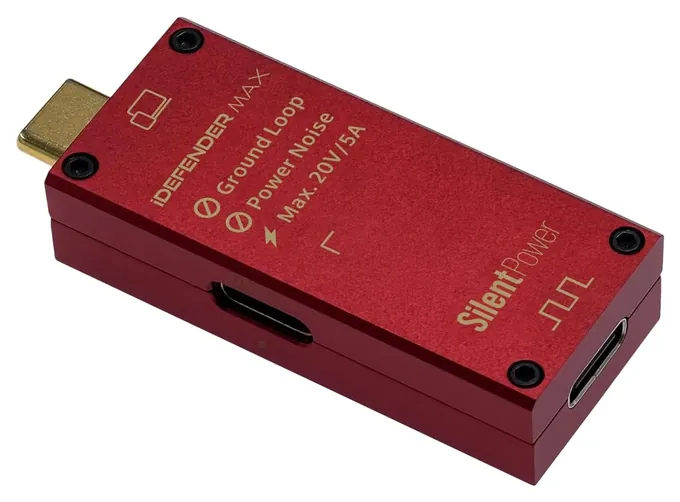
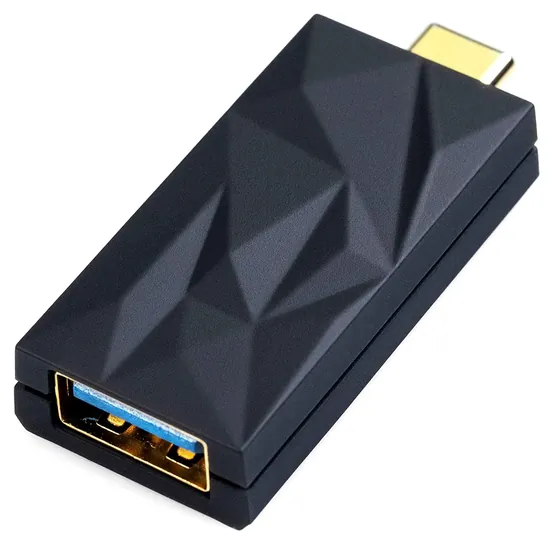
An earth breaker, like the iFi iDefender+, leaves the data alone and simply lifts the computer's ground when it finds a second one. iFi's maker Silent Power is upfront that it helps only with a real ground loop.
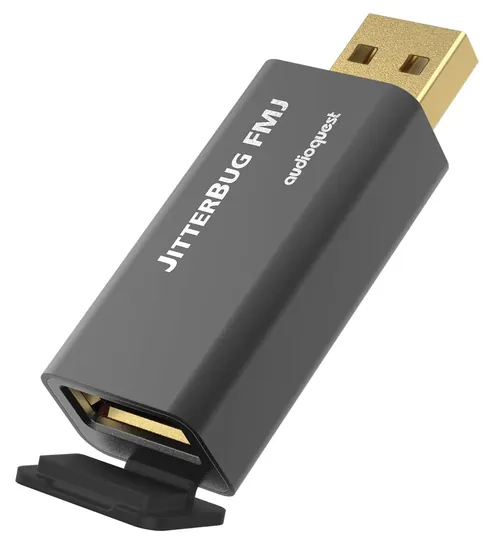
Passive filters, like the AudioQuest JitterBug FMJ and iFi iSilencer+, aim at radio-frequency noise. Here the evidence is thin. Archimago found no change in noise, jitter or distortion with the JitterBug FMJ across three DACs, and Audiophile Heaven couldn't measure a difference from the iSilencer+. Listening impressions are split, as Audioreviews shows.
Speed, Plugs And Power
Every data isolator on this list tops out at USB 2.0 high speed, 480 megabits per second. That's plenty for any audio format, including 768 kHz PCM and DSD512, but it will slow a USB 3 SSD or a video capture card to a crawl, so keep those plugged in directly. The iFi stubs pass USB 3 speed because they don't isolate the data lines.
Check the plugs before you order. iFi sells the iDefender+ and iSilencer+ in USB-A to A, USB-C to A and USB-C to C versions, and a wrong pick means an adapter, which adds another joint. The HS02 takes USB-B or USB-C input and gives USB-A or USB-C output.
Isolators also have to power the device on the far side. Bus-powered interfaces and DACs that draw a lot of current may need the isolator's extra power input: the HS02 and iDefender+ take a USB-C supply, and the Cablemax takes a 5-volt barrel plug. On the Audio Science Review forum, HS02 owners noted the case runs warm with power-hungry gear. Isolation voltage ratings describe the signal barrier, not mains safety, so never remove a safety earth from a power cord to chase hum.
How we researched this
We compared 18 USB isolators, filters and ferrite sets, including earlier versions of the iFi and AudioQuest models, read the makers' spec sheets and iFi's ground-loop guide, weighed independent bench measurements of the Topping HS02, AudioQuest JitterBug FMJ and iFi iSilencer+, analyzed owner reports from audio forums, and checked every brand for recalls with the U.S. Consumer Product Safety Commission.
Sources (13)
- Topping: HS02 USB isolator specifications
- Archimago: Topping HS02 measurements (2023)
- Archimago: AudioQuest JitterBug FMJ measurements (2021)
- Archimago: Intona 7055-C review (2023)
- Audio Science Review forum: Topping HS02 owner impressions
- Silent Power (iFi): iDefender
- Silent Power (iFi): iSilencer
- Audiophile Heaven: iFi iSilencer+ review
- Head-Fi: iFi iSilencer reviews
- Audioreviews: JitterBug FMJ vs iSilencer+
- Loopop: fixing hum, buzz and ground-loop noise
- Gearspace: ferrite beads on USB cables
- U.S. Consumer Product Safety Commission: recalls
Frequently asked questions
Do USB filters improve sound quality?
Usually not, unless you can hear a problem. Bench tests of passive filters like the AudioQuest JitterBug FMJ found no change in noise or distortion. Isolators help when there's audible hum or buzz from a ground loop, and they measure clean, but a system without noise gains nothing.
What's the difference between a USB isolator and a ferrite core?
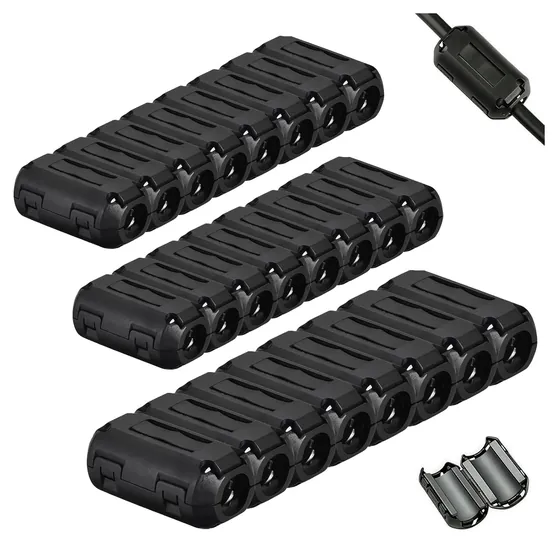
An isolator breaks the electrical connection between the computer and the audio device, which stops ground-loop hum. A ferrite core clips around the cable and damps radio-frequency interference. Ferrites cost a few dollars but won't cure hum.
Will a USB isolator limit high-resolution audio?
No. USB 2.0 high speed carries any audio format. Topping says the HS02 passes PCM up to 768 kHz and DSD512. What an isolator does slow down is USB 3 storage, so don't put drives behind one.
AudioQuest JitterBug or iFi iSilencer+: which is better?
Neither has a measured advantage. Both are passive filters, and bench tests found little or no change from either. The JitterBug FMJ fits USB-A ports with a metal shell; the iSilencer+ comes in USB-C versions and keeps USB 3 speed. If you have hum, an isolator is the better buy.
Does a USB isolator need its own power?
Many work without one, but a bus-powered DAC or audio interface that draws a lot of current may drop out or hum. The Topping HS02, iFi iDefender+ and Cablemax isolator have inputs for a separate supply; a clean phone charger or 5-volt adapter is usually enough.