The 7 Best Laptops With CD DVD Drives
Updated by · How we research

Five laptops with built-in disc drives and two plug-in drives, compared by age, Windows 11 support and price. The HP 17-by2053cl comes out on top. When users buy our independently chosen editorial selections, we may earn commissions to help fund the Wiki.
No major laptop maker still builds a disc drive into a mainstream laptop, so every built-in choice here is leftover stock from a few years back or a refurbished business machine. They suit people with shelves of DVDs, music CDs to rip or old software to install. Anyone buying new is usually better off with a cheap plug-in drive.


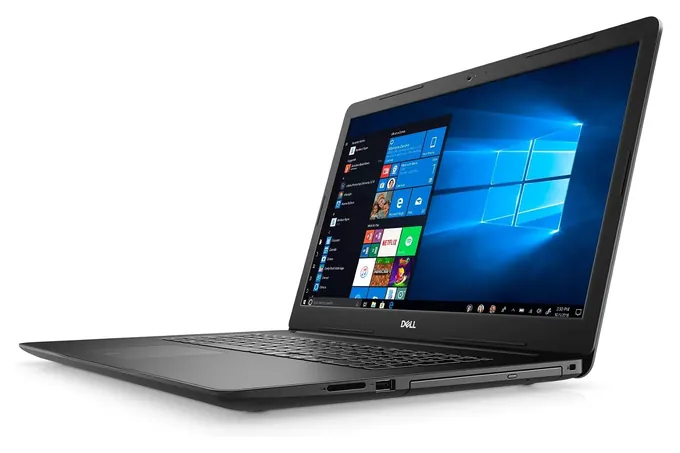
From the manual
- An M.2 slot sits beside the 2.5-inch hard drive, so a fast solid-state drive can be added without removing the old one. p. 12
- The spec table lists a slim DVD burner; the Blu-ray mention on the side-view page applies only in certain regions. pp. 6, 12
- Memory tops out at 16 GB across two slots. p. 10
- Dell rates the 42-watt-hour battery for about 300 charge cycles, so a used unit's pack may already be worn. p. 16
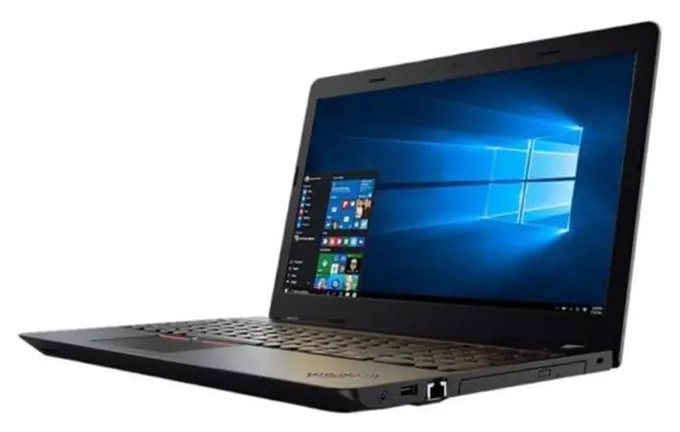
From the manual
- For DVDs, the guide lists only DVD-R and DVD-RW as recordable, so minus-format blanks are the safe buy. p. 29
- The drive slides out after removing the battery and one screw. p. 96
- Lenovo lists the USB-C port on the left side as available on some models only, so check before counting on it. p. 4
- Two memory slots take up to 32 GB, and an M.2 slot can hold a solid-state drive beside the 2.5-inch drive. spec sheet, p. 1
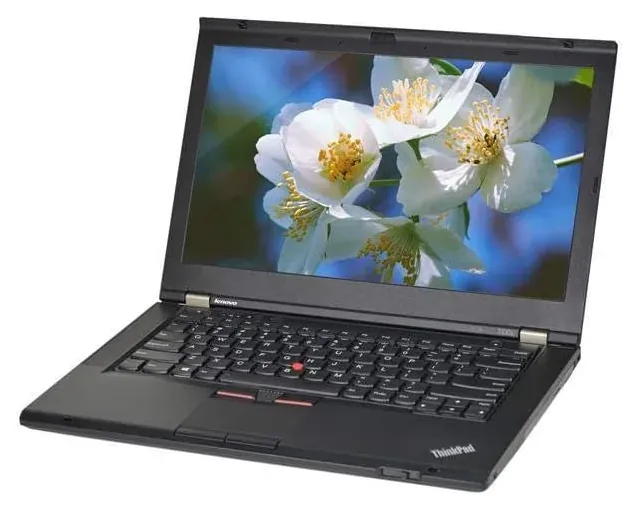
From the manual
- Its Mini DisplayPort carries sound as well as picture and works with HDMI adapters, so one cable reaches a TV. p. 41
- Lenovo supports swapping the bay drive while the laptop runs, but not when it's docked or the extended-life battery is fitted. p. 99
- Lenovo's bay adapter puts a second hard drive or solid-state drive where the DVD drive goes. p. 100
- It won't charge a battery that wasn't made for this model by Lenovo or an authorized builder. p. 71
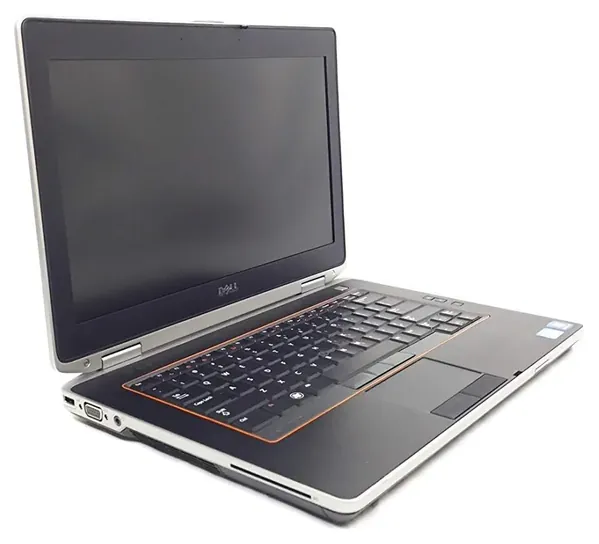
From the manual
- Two memory slots hold up to 8 GB, so a 4 GB unit can take more memory. p. 121
- Every USB port is the slower 2.0 kind, and one doubles as an eSATA jack for older external drives. p. 123
- The optical drive comes out after removing the battery: push the latch in, then pull. p. 31
Editor's Notes
November 4, 2026, by Ezvid Wiki Editors:
We read Dell's and Lenovo's manuals for four of the five laptops and added notes from them under those picks. The ThinkPad T430 has no HDMI port, so its entry now says a TV needs a Mini DisplayPort adapter, and we corrected the Windows 10 advice: Microsoft's security-update extension now runs to October 2027. We also updated the Toughbook 56 honor and added a NIST disc-reliability expert's advice on rewritable discs and stockpiled blanks.
October 23, 2026, by Ezvid Wiki Editors:
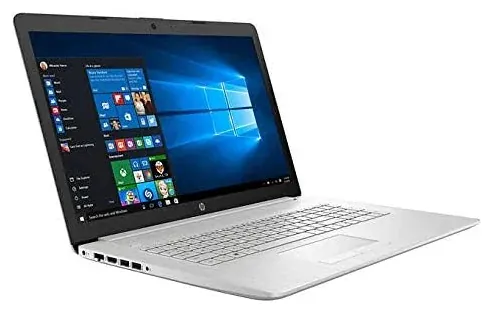
The HP 17-by2053cl now leads this list. It's one of the last laptops on sale with a built-in DVD writer and a processor that Windows 11 still supports, and it costs less than the Dell Inspiron 17 3790, which stays on the list along with the Lenovo ThinkPad E570.
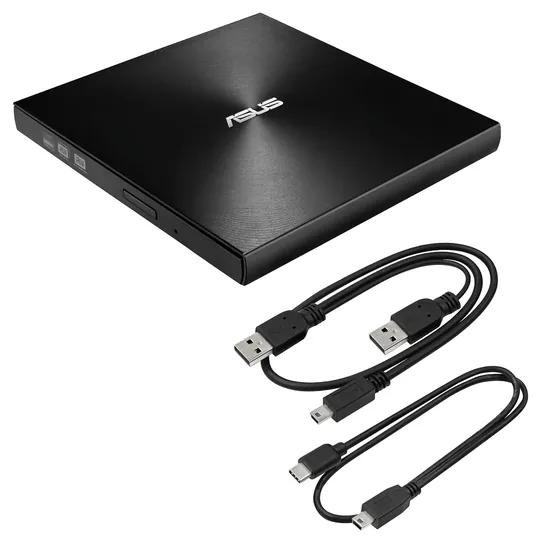
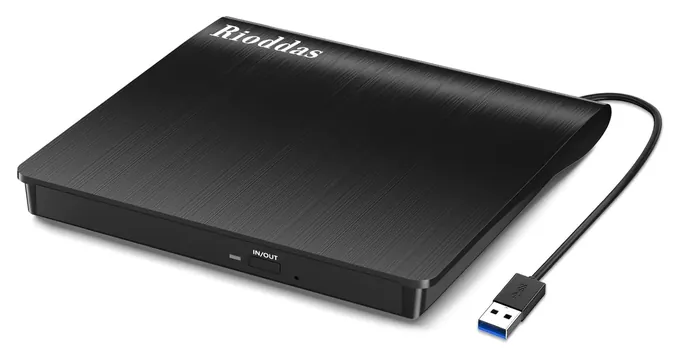
Six older picks are gone because they're no longer available: the HP Envy 17t, HP Envy 17 ce1010nr, Dell Inspiron 17 i7, Acer Aspire E 15, Lenovo Ideapad 330 and Toshiba Dynabook Tecra A50-F. No maker has replaced them with a new mainstream model, so we added two refurbished business laptops, the Lenovo ThinkPad T430 and Dell Latitude E6420, for readers who only need a cheap disc player. We also added two plug-in drives, the Asus ZenDrive U9M and Rioddas BT638, because for anyone buying a new laptop that's the sensible route.
For this update we matched each model's processor against Microsoft's Windows 11 lists, read Lenovo's spec sheet and Notebookcheck's review of the E570, and searched the federal recall database by model. Watch out for laptops sold with a free CD/DVD drive: in every one we found, the drive was a separate plug-in unit in the box.
Earlier notes
October 28, 2020, by Brett Dvoretz:
It is no secret that less and less manufacturers are releasing laptops with CD/DVD drives. Because of that, buyers must often settle on a laptop that is a couple of generations old if they want an integrated disc drive. However, we have done a good job of identifying the most recent releases that do have them, as well as including some older models which have good enough specs that they should be somewhat future proof for at least a few more years.
Without a doubt, the HP Envy 17t is the most capable model on this list. It is equipped with a 10th-generation i7 processor, which is the latest model as of the time we published this, and has an impressive 64 GB of RAM. Those two features, combined with the dedicated Nvidia graphics card make this a suitable option for gaming, video editing, and any other resource-intensive tasks.
Not far behind the HP Envy 17t in functionality are the HP Envy 17 ce1010nr and Dell Inspiron 17 i7. Both of these also feature 10-generation i7 processors, however they are hybrid laptops, which means they combine SSDs and HDDs. This allows them to offer the speed of solid state drives when accessing the most commonly used programs and files, but the affordability of hard disc drives when it comes to a large amount of storage space.
Speaking of affordability, the Dell Inspiron 17 i3793 and Lenovo Ideapad 330 definitely stand out in this regard. Of these two, the Dell Inspiron 17 i3793 has a faster processor and a better display, but young people may prefer the Lenovo Ideapad 330 simply because of its more pleasing aesthetics. It should be noted though, that the Ideapad 330 is equipped with an SSD, whereas the i3793 has an HDD.
If none of the models on this list appeal to you, another option is to choose one of the best and most modern laptops and simply buy an external CD/DVD drive, which are quite affordable.
December 13, 2018, by Brett Dvoretz:
These days, more and more manufacturers are releasing laptops without a CD/DVD drive, so it can be difficult to find a new model that comes with one. Because of this, we decided to include a some options that may not be the most recent releases, but which still have specs that ensure they won't become out of date any time soon.
Special Honors
Panasonic Toughbook 56 Panasonic's rugged Toughbook 56 is one of the few laptops still sold new with a disc drive option. Panasonic lists DVD and Blu-ray drives among the plug-in modules for its expansion bays, which can be ordered with the laptop or added later. It's built for police cars, utility crews and field work, sold through business resellers and priced far above a family laptop. connect.na.panasonic.com
Built-In Drive Or Plug-In Drive
The HP ZBook 17 G5, a Laptop Mag pick, had a built-in Blu-ray burner, but it's a 2018 workstation found mostly used.
Disc drives disappeared from laptops because they take up room and add weight. Laptop Mag notes that no new mainstream laptops include one and suggests pairing a current laptop with an external drive, and BGR points out that the models that still have one are bulkier than today's thin designs.
A built-in drive still makes sense if the laptop's main job is discs: a DVD player for a car trip, a station for ripping a music collection or a computer for an old program that only came on CD. It's always there, with no cable to lose. The price is an older machine. Every built-in choice here dates from 2011 to 2020.
A plug-in drive costs far less than a laptop and works with almost any computer, including Macs. The Asus ZenDrive U9M comes with both USB-A and USB-C cables and writes M-Disc archive discs, which are designed to keep photos and documents far longer than ordinary recordable DVDs. Fred Byers, who worked on optical disc reliability at the National Institute of Standards and Technology, wrote in a 2003 guide for librarians and archivists that rewritable discs generally aren't meant for long-term archives, and that it's wiser to buy blank discs as you need them than to stockpile them. If you need Blu-ray, you'll need a Blu-ray drive specifically: a regular DVD drive can't read those discs. The HP ZBook 17 G5, a Laptop Mag pick, had a built-in Blu-ray burner, but it's a 2018 workstation found mostly used.
One thing surprises many buyers: Windows 10 and Windows 11 don't include a program that plays DVD movies. A free player such as VLC fixes that on any of these laptops or drives.
Old Hardware, Windows And Batteries
Microsoft ended support for Windows 10 on October 14, 2025, but home users can still get security fixes until October 12, 2027 by joining its Extended Security Updates program. Joining is free if you back up your settings to a Microsoft account or redeem Rewards points; otherwise there's a one-time fee. After that date, a Windows 10 laptop gets no more fixes. Windows 11 needs a newer processor: Microsoft's list of supported Intel chips starts at the 8th generation. The two 17-inch laptops here use 10th-generation Intel Core chips and qualify. The ThinkPad E570 (7th generation), ThinkPad T430 (3rd) and Latitude E6420 (2nd) don't.
That doesn't make the older ones useless. As an offline DVD player or CD ripper, a Windows 10 laptop does fine. For web browsing and email, a free Linux system such as Ubuntu runs well on older ThinkPads and Latitudes and keeps getting updates.
Two upgrades help most. A spinning hard drive is the main reason older laptops feel slow, and swapping it for a solid-state drive is a cheap, common repair on these models. Second, check the battery on any used laptop: if the case bulges or the touchpad lifts, stop using it and replace the pack. Old laptop batteries have been recalled before, such as the Lenovo ThinkPad packs recalled in 2015, so look up a replacement pack's part number before buying it.
How To Tell If A Laptop Really Has A Drive
Read the model number, not the series name. Laptops in the same family often come with and without a drive. Lenovo's ThinkPad E570 spec sheet lists a DVD burner on some versions and a blank cover on others. HP's later 17-inch lines, the 17-cn and 17-cp, list the drive as not included on many models (HP support), even though they look much like the 17-by models that have one. BGR notes the same split in Dell's Inspiron 15 5000, where the thicker version is the one with a drive.
Look for the words DVD writer, DVD-RW, SuperMulti or tray load in the maker's spec sheet. A slot or tray outline on the side in the photos is a good sign. Be wary of new laptops sold with a free CD/DVD drive: that's an external drive packed in the box, which you could buy on its own for much less.
For copying discs, ripping your own music CDs to a computer is routine. Commercial DVD and Blu-ray movies are a different matter: they're copy-protected, and US law (DMCA section 1201) generally bars breaking that protection, even for discs you own.
How we researched this
We compared 16 laptops and plug-in drives, including the six earlier picks that are no longer sold. For the seven on the list we read Dell's Inspiron 3790 Setup and Specifications guide and Latitude E6420 Owner's Manual, Lenovo's ThinkPad E570 and T430 user guides and E570 spec sheet, and Asus's ZenDrive U9M spec page; we found no maker manual for the HP 17-by2053cl or the Rioddas BT638, so their details come from retailer spec pages. Beyond the manuals, Microsoft's Windows 11 processor list and Windows 10 security-update terms, Notebookcheck's E570 review and Fred Byers' NIST guide to disc care mattered most. A search of the CPSC recall database found no recall for any of the seven; Lenovo's 2014 and 2015 battery recalls cover packs shipped with older ThinkPads such as the T420, not the T430 or E570.
Sources (19)
- Laptop Mag: laptops with CD/DVD drives
- BGR: best laptops with a CD/DVD drive
- Notebookcheck: Lenovo ThinkPad E570 review
- Lenovo PSREF: ThinkPad E570 spec sheet
- Microsoft: Windows 11 supported Intel processors
- Microsoft: Windows 10 end of support
- Asus: ZenDrive U9M
- HP support: HP 17-cn0013dx specifications
- U.S. CPSC: Lenovo ThinkPad battery pack recall (2015)
- U.S. Copyright Office: Section 1201
- M-Disc
- Panasonic: Toughbook 56
- Dell: Inspiron 3790 Setup and Specifications (PDF)
- Dell: Latitude E6420 Owner's Manual (PDF)
- Lenovo: ThinkPad E570 user guide (PDF)
- Lenovo: ThinkPad T430 user guide (PDF)
- Asus: ZenDrive U9M tech specs
- Microsoft: Windows 10 consumer Extended Security Updates
- NIST/CLIR: Care and Handling of CDs and DVDs, by Fred R. Byers (2003)
Frequently asked questions
Do any new laptops come with a CD or DVD drive?
Not from the big consumer brands. The built-in choices on sale are leftover stock from around 2017 to 2020 or refurbished business laptops. A few rugged models, such as the Panasonic Toughbook 56, offer a DVD module at business prices.
Can I add a DVD drive to a laptop that doesn't have one?
Yes. A plug-in USB drive like the Asus ZenDrive U9M or Rioddas BT638 reads and burns CDs and DVDs on almost any laptop, including Macs. Get one with a USB-C cable or an adapter if your laptop has only USB-C ports.
Is there an i7 or gaming laptop with a CD drive?
Not a current one. Some refurbished Dell Latitude business laptops pair an old Core i7 with a DVD drive, but they're over a decade old. For gaming, buy a modern gaming laptop and add a plug-in drive.
Can these laptops play Blu-ray discs?
No. They have DVD drives, which can't read Blu-ray. You need a Blu-ray drive, built in or plug-in, plus playback software.
How do I watch a DVD on Windows 11?
Windows doesn't include a DVD movie player. Install a free one such as VLC, insert the disc and open it from the player's Media menu.
Can I burn and rip CDs on these laptops?
Yes. Every drive here writes CDs and DVDs. Ripping your own music CDs is routine, but breaking the copy protection on movie discs is generally illegal in the US, even for discs you own.