The 6 Best Gaming Personal Computers
Updated by · How we research

Six ready-to-play gaming desktops compared by graphics card, card memory, processor, cooling and warranty. The iBUYPOWER Element 9 suits most players. When users buy our independently chosen editorial picks, we may earn commissions to help fund the Wiki.
NVIDIA sells its RTX 5060 Ti graphics card with either 8 or 16 gigabytes of memory, and many ready-made gaming PCs use the smaller one without saying so up front. That card memory, more than the processor, decides how well a tower ages. This list is for players who want a desktop that works out of the box, from mid-range to 4K.


Editor's Notes
November 1, 2026, by Ezvid Wiki Editors:
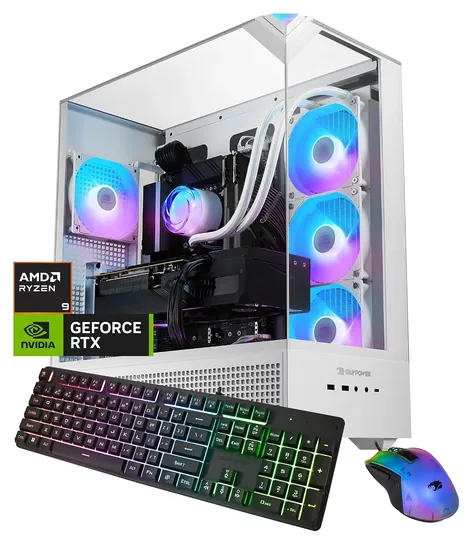
Our new first choice is the iBUYPOWER Element 9, because it pairs a twelve-core Ryzen 9 with an RTX 5070 and 32 GB of memory at a fair price. iBUYPOWER has sold this line in large numbers. Every tower on the old list ran 2020-era graphics cards and Windows 10, so the Skytech Legacy 3.0, Skytech Siege 3.0, HP Omen 30L and the rest are gone.
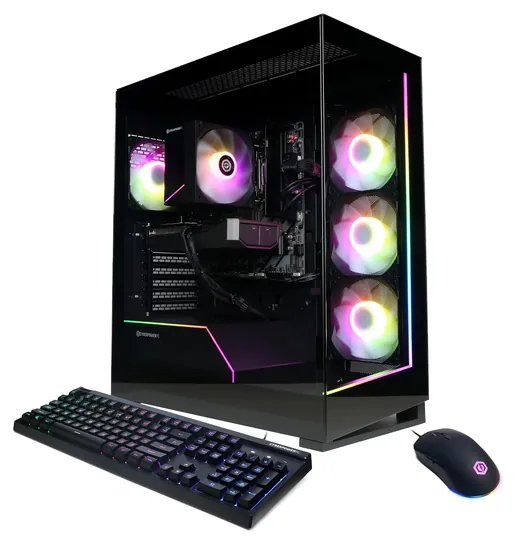
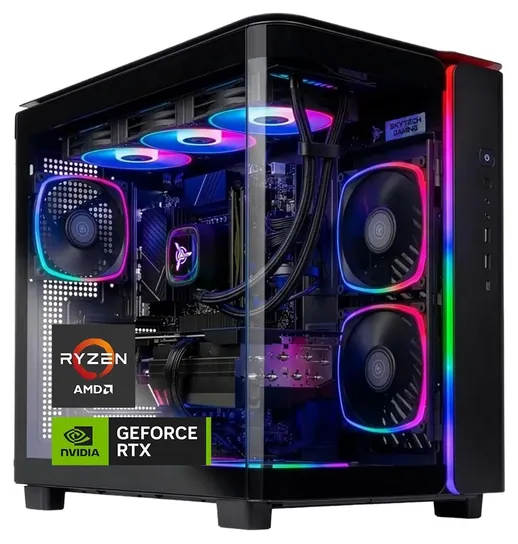
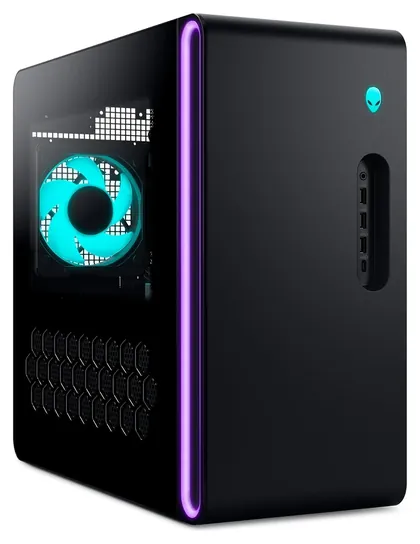
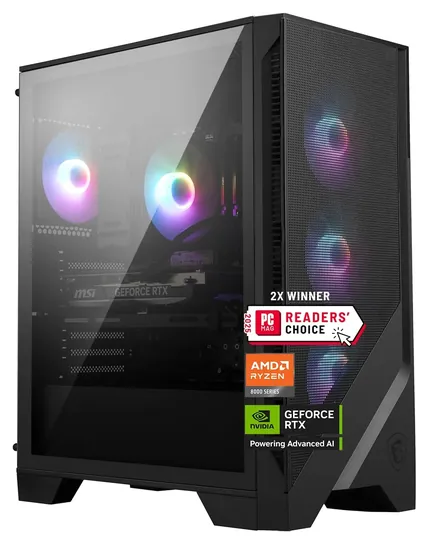
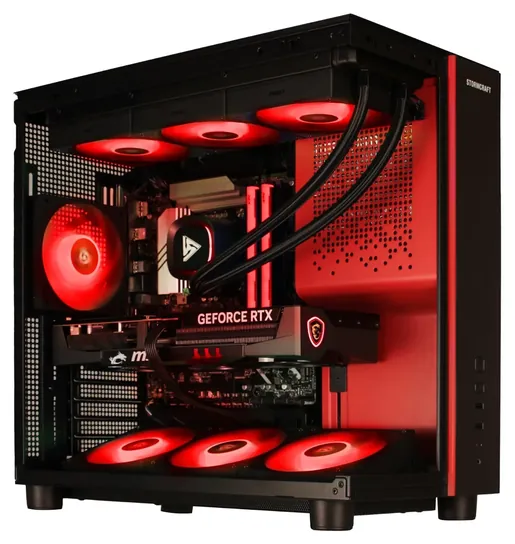
The new picks run from the CyberPowerPC Gamer Master for tighter budgets to the STORMCRAFT Phantom for 4K, with the Skytech King 95 for shooter fans and the Alienware Aurora for anyone who wants Dell's onsite service. We passed on cheaper towers from little-known sellers, since most used older boards and memory, power supplies with no maker named, or unclear warranties.
We checked each tower's graphics card and processor against NVIDIA's and AMD's spec pages, including the power each card needs, compared the builders' warranty terms, and looked up every brand in the federal recall database.
Earlier notes
January 22, 2021, by Christopher Thomas:
This is a somewhat challenging time to build your own PC due to the hard-to-find nature of high-end GPUs, so a pre-built rig is actually a good way to get your hands on an RTX 3000 series system. The Skytech Legacy 3.0 and Skytech Siege 3.0 are great selections for 3070 and 3080 GPUs, respectively, as is the Thermaltake LCGS Shadow 370, although the Thermaltake does require a larger investment due to its nicer case, and its Ryzen 3000 series CPU doesn't quite perform at the same level as Intel's 10th-generation processor. If you're on a super-tight budget, the Skytech Chronos Mini will suffice for popular games like Minecraft, while the HP Pavilion is also reasonably priced and is a better choice for future upgrades.
January 15, 2020, by Christopher Thomas:
There are a ton of pre-built gaming PCs available these days, and despite what some of the more picky gamers claim, they can be both powerful and cost-effective, especially if you're not interested in or able to build your own machine. One company that makes a wide range of exceptional boxes is SkyTech; the Skytech Supremacy X, it should be noted, isn't their absolute newest release, but it does use the vaunted RTX 2080 Ti GPU, the current fastest consumer-grade video card available. It stands apart not only due to its speed, but also how good it looks; we have yet to find another PC case like the ThermalTake box it's built in. Of course, if you're not keen on shelling out that much, the SkyTech Legacy 3.0 is another high-powered option that's in a much more reasonable price range, and it comes with either an RTX 2070 Super or 2080 Super, both of which are excellent gaming GPUs. The SkyTech Shiva is a bit more affordable, with slightly slower components, while the SkyTech Legacy Mini offers great performance in a small package.
Speaking of small, there's also the Zotac Gaming Mek, which has a remarkably small footprint, especially in light of its powerful hardware. Its compact size would make it a good choice for transporting over to your friend's house to show off your new VR headset. Meanwhile, the CyberPowerPC Gamer offers an excellent price-to-performance ratio, even though you may not have heard of its manufacturer. And for AMD lovers, there's the Centaurus Andromeda A4, which uses the relatively recent Radeon 5700 XT GPU to deliver seamless 1440p gaming.
There are also some more prominent names making excellent gaming PCs. The HP Pavilion is a mid-range choice from the popular company, and the HP Omen Obelisk is their high-end model. While the Obelisk is an incredibly powerful device, you'll want to make sure that its BIOS and other firmwares are up to date in order to avoid overheating issues. And we want to make special mention of the Acer Nitro 50 as a remarkably inexpensive option that uses the Red Team's Radeon RX 580 to deliver surprisingly good 1080p performance on a budget.
Special Honors
Falcon Northwest An Oregon builder working since the early 1990s, Falcon Northwest assembles each gaming PC to order, from compact towers to full-size desktops and workstations, and offers custom-printed cases. Expect to pay more than for a ready-made tower, in return for hand-picked parts and a long-running support team. falcon-nw.com
Origin PC Owned by Corsair, Origin PC builds gaming desktops to order, from small-form-factor systems to full towers with custom liquid cooling, and advertises lifetime support. It suits buyers who want a specific parts list without assembling it themselves. originpc.com
Pick The Graphics Card For Your Screen
The processor matters most when you want very high frame rates in competitive shooters.
The graphics card does most of the work in games, so match it to your monitor first. NVIDIA's RTX 5060 family page shows the RTX 5060 with 8 GB of memory and the RTX 5060 Ti in 8 GB and 16 GB versions. Those cards fit a 1080p monitor. For a 1440p screen at high settings, the RTX 5070 has 12 GB, and the RTX 5070 Ti steps up to 16 GB. The RTX 5080, also with 16 GB, is the card for 4K.
Card memory matters more than it used to. Big texture packs in recent games can fill 8 GB at 1440p, which shows up as stutter until you lower the settings. Sellers don't always lead with the version, so look for "8GB" or "16GB" in the full model name. "Brand may vary" means the company that made the card can change between units: the chip is the same, but the cooler and the noise can differ.
The processor matters most when you want very high frame rates in competitive shooters. AMD's Ryzen 7 9800X3D carries 96 MB of L3 cache, a design aimed at games. The Ryzen 7 8700F found in many mid-priced towers has 16 MB, and the twelve-core Ryzen 9 7900X suits people who also stream or edit video.
Power, Cooling And Room To Grow
NVIDIA publishes a required system power for each card: 550 watts for the RTX 5060, 600 for the 5060 Ti, 650 for the 5070, 750 for the 5070 Ti (RTX 5070 family) and 850 for the RTX 5080. A good prebuilt meets or beats that with a power supply from a named maker, ideally rated 80 Plus Gold. Budget towers often list a 650-watt bronze unit and never say who made it.
Check the socket before you buy. AMD's AM5 processors, such as the [Ryzen 7 9800X3D]({X3D}), run on A620, B650, B850, X670 and X870 boards with DDR5 memory, so a later processor can drop into the same board. Cheaper towers built on the older AM4 socket with DDR4 memory, often with a Ryzen 5 5500 or Ryzen 7 5700X, are at the end of that line. Big-brand cases such as Dell's Alienware use their own layouts, which can limit what fits later.
Liquid coolers move processor heat to a radiator and keep the case tidy, but they add a pump that can wear out after some years. A large air cooler is simpler. Either way, leave a few inches of space around the vents, and plug the tower into a surge protector.
Prebuilt Or Custom, And What The Warranty Covers
A prebuilt costs somewhat more than the same parts bought loose, but it comes assembled, with Windows installed and one company to call. One year of parts and labor is the norm. CyberPowerPC and Skytech add free lifetime tech support, STORMCRAFT covers parts for two years and labor for three, and Dell offers onsite service on Alienware desktops when a remote fix fails. Read the terms before opening the case, because some builders limit coverage on parts you swap yourself.
If you want to choose every part, custom builders such as Falcon Northwest, Origin PC and Maingear build to order, at higher prices and with longer waits. Building your own saves the most money but leaves you sorting out each part's warranty on its own.
When a new tower arrives, run Windows Update, install the current graphics driver from the card maker, confirm Windows shows as activated, and remove any trial software. Lift the tower with both hands from the bottom, since a full gaming desktop is heavy and the glass panels can crack.
How we researched this
We compared 17 ready-made gaming desktops, checked the six finalists' graphics cards and processors against NVIDIA's and AMD's spec pages, compared builders' warranty and support terms, weighed owner feedback, and looked up every brand in U.S. Consumer Product Safety Commission recall records. We found no independent lab test of these exact configurations.
Frequently asked questions
Is a prebuilt gaming PC worth it, or should I build one?
A prebuilt costs somewhat more than the same parts, but it arrives assembled with Windows installed, one warranty and one support line. Building saves money if you're comfortable choosing parts and fixing problems yourself.
How much memory does a gaming PC need?
16 GB runs most games. 32 GB helps if you stream, record or keep a browser full of tabs open while you play, and it gives more room as games grow.
Is 8 GB of graphics memory enough?
For a 1080p monitor, mostly yes. At 1440p with high texture settings, some recent games need more, so a card with 12 or 16 GB is the safer choice there.
What power supply does a gaming PC need?
Follow the graphics card maker's figure. NVIDIA lists 650 watts of system power for the RTX 5070 and 850 for the RTX 5080. A named, 80 Plus Gold unit at or above that figure is a good sign.
Can I upgrade a prebuilt gaming PC later?
Usually. Towers with standard parts take a new graphics card, more memory or another drive. Check the power supply's headroom first, and read the warranty, since some builders limit coverage on swapped parts.