The 8 Best Electricity Usage Monitors
Updated by · How we research

Plug-in meters, smart plugs and panel monitors compared for tracking home power use. The Emporia Vue 3 leads with circuit-by-circuit detail and no subscription. When users buy our independently chosen editorial picks, we may earn commissions to help fund the Wiki.
A plug-in meter only sees one appliance on an ordinary outlet, so it will never show what a dryer, oven, well pump or car charger costs. Those big 240-volt loads need clamps inside the breaker panel, or a reader that talks to the utility's smart meter. This page covers both, for bill-watchers chasing standby waste and homeowners planning solar.


Editor's Notes
November 1, 2026, by Ezvid Wiki Editors:
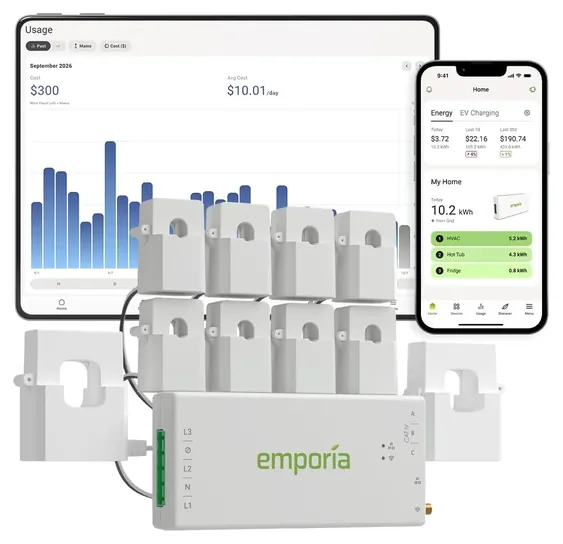
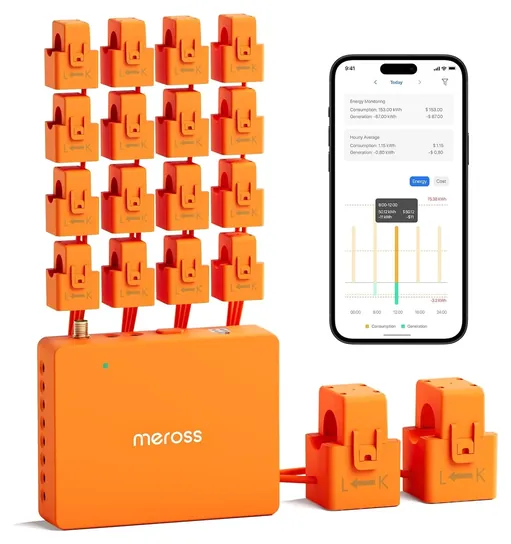
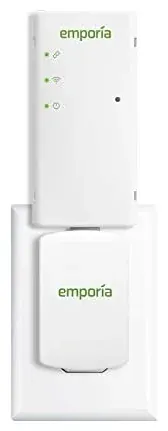
Our new first choice is the Emporia Vue 3, the successor to the Emporia Vue Gen 2 that topped the old version of this page. It watches eight breakers plus the whole house with no monthly fee. Readers who want even more circuits, or who run Home Assistant, should look at the Meross EM16.
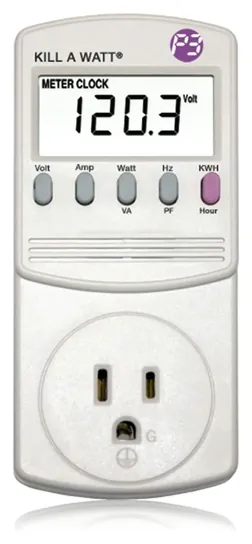
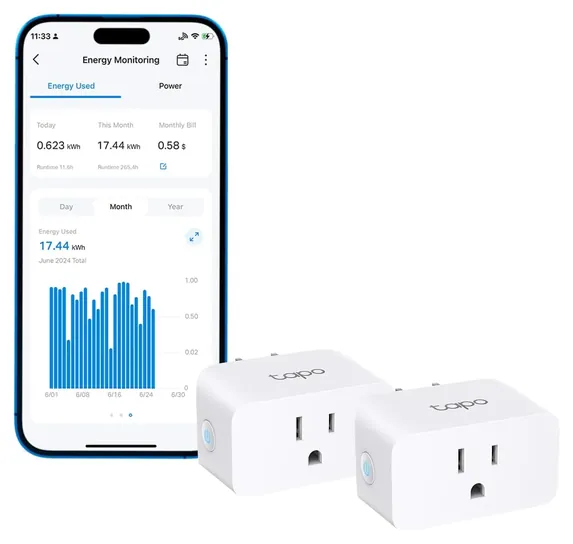
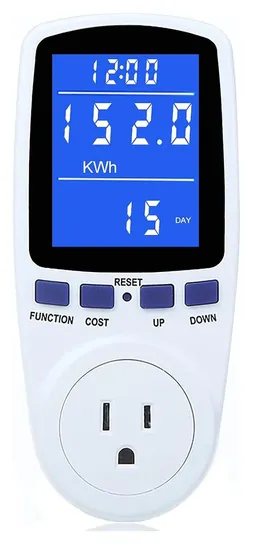
The plug-in side was due for a cleanup too. The P3 Kill A Watt P4400 takes over from the older P4330, and the Mecheer PM01 replaces four generic meters. Smart plugs that report energy, the Tapo P115 and Govee H5086, fill the spot the TopGreener plug left. The Eyedro is gone because it's unavailable, and the Efergy kit looks dated next to circuit-level monitors at the same price. Sense still makes a well-known monitor, but it now sells mostly through its own site, so it's a special honor.
Nobody has published lab accuracy tests of these monitors, so the evidence was install guides and help-center articles from Emporia and Refoss, TP-Link's spec page, one long-form Kill A Watt review, Home Assistant forum threads and federal recall records.
Earlier notes
October 26, 2020, by Will Rhoda:
Considering it’s only been 11 months since we last overhauled this list, it was a surprisingly busy round of updates, with nearly all of our previous selections replaced by superior offerings that are now available from their companies or elsewhere in this fast-moving category. Notably, the only two choices that made it through this time around are the CrocSee CRS-022A and Zhurui PR10-E US15A.
We removed the Blue Line Innovations Power Cost and Etekcity Voltson, due to availability issues, but made sure to replace the Voltson with the TopGreener Powerful Plug, as we thought it was important to make sure the list still included a plug-in smart outlet with monitoring abilities. The addition of the Powerful Plug also laid the groundwork for our elimination of the TP-Link Smart Plug, which cost almost the same as the Powerful Plug, but came as a single unit instead of a four pack.
We switched out the Sense 12000 for the Sense 12001, the latter essentially being an upgraded version of the former, with a pair of additional sensors intended to monitor your solar system. The Eyedro Wireless was also switched out — in this case for the Eyedro EYEFI-4, another upgraded model with solar-system compatibility, as well as the addition of Wi-Fi connectivity.
The Efergy E2 and Emporia Energy Vue were replaced by the Efergy True Power Meter and Emporia Vue Gen 2, with both new and improved models now monitoring true power instead of apparent power, which significantly increases their accuracy. The top-end Vue Gen 2 can also monitor 16 circuits, which is twice what the expanded version of its predecessor was capable of, making it a better choice for granular, whole-house monitoring applications.
The P3 International Kill A Watt P4460 – a plug-in model that was bit of a pain, as it blocked both outlets on a wall receptacle and multiple outlets on a power bar – was replaced in favor of the P3 International Kill A Watt P4330 — a 10-outlet surge protector with a built-in power monitor. For users happy to monitor just a single outlet, who don’t want to pay extra for the surge protector but still don’t want the P4460 occupying all their plug real estate, we added the Fayleeko Meter Plug, which comes with a short extension cord, providing an easy workaround for the problem.
Our final addition was the Spartan Power SP-PM120, which features few bells and whistles and can only monitor a single outlet, but boasts a more-than-adequate maximum current and power rating, and is priced very affordably.
If desire to drive down your utility costs is what drew you to this page, you may also be interested in some of our other rankings that are aligned with that goal. A few that come to mind include Best Outdoor Remote Control Outlets, Best Outlet Timers and Best Smart Home Water Monitors.
November 25, 2019, by Will Rhoda:
This round of updates, we eliminated the Tacklife EM02 Classic and the Ensupra PM002 – due to availability issues, as well as the Excelvan HP1101 – after we noticed several troubling reports of the device causing electrical fires. In their place, we ranked the CrocSee CRS-022A – as we were a fan of its large LCD and its full range of readings, the Zhurui PR10-E US15A – for the slick appearance of its color display and the way it doubles as a wall timer, and the Emporia Energy Vue – because we wanted our rankings to include at least one option with three-phase functionality.
Here’s a few things to consider while exploring the category:
Installation: While none of the offerings we ranked should take particularly long to install, many require the installer to be in direct contact with live, unfused wires. If you’re considering purchasing any of these options, we strongly recommend you hire a reputable, licensed electrician, rather than putting yourself in harm’s way (and, your local bylaws will likely demand the same).
Some examples of models that require professional installation include the CrocSee CRS-022A, the Eyedro Wireless and the Emporia Energy Vue. Simpler, plug-and-play alternatives for those that are wary of working around electricity include the TP-Link Smart Plug, the P3 International Kill A Watt and the Etekcity Voltson.
Connectivity: While models that are less impressive in this respect – such as the Blue Line Innovations Power Cost and the P3 International Kill A Watt – can help reduce your up-front costs (not an absolute rule), the app connectivity that’s becoming increasingly common in this category is great for monitoring consumption while you’re away from home. You’ll also love the luxury of a larger screen when it comes time to comb through all the data you generate.
Functionality: Calculating kilowatt hours is a given for devices this category, but some options go a bit further, providing additional analytics for things like voltage, current and power factor. The Zhurui PR10-E US15A even doubles as a wall timer while it’s keeping track of usage.
Special Honors
Sense Energy Monitor Sense uses two clamps on the main cables and tries to recognize individual appliances by their electrical signature, without a sensor on each breaker. Detection takes weeks and isn't perfect, but it's the best-known take on the idea, and it now sells mainly through its own site. sense.com
Green Button Download My Data Many utilities let customers download their own hourly or daily usage in a standard format called Green Button, at no cost. If you can't install anything, it's a free way to see when your home uses the most power. greenbuttonalliance.org
Plug Meter, Smart Plug Or Panel Monitor
For those, and for the whole-house picture, you need a monitor with current clamps on the panel's cables.
Start with what you want to measure. A plug-in meter sits between the wall and one appliance and shows its draw on a small screen. It's the cheapest way to answer "what does the old fridge cost me?", and the U.S. Department of Energy suggests exactly this kind of meter for checking individual devices (energy.gov). Plug meters fit ordinary 120-volt outlets and are rated for 15 amps, about 1,800 watts, so a 1,500-watt space heater is close to the limit (Matt Gadient's Kill A Watt P4400 review).
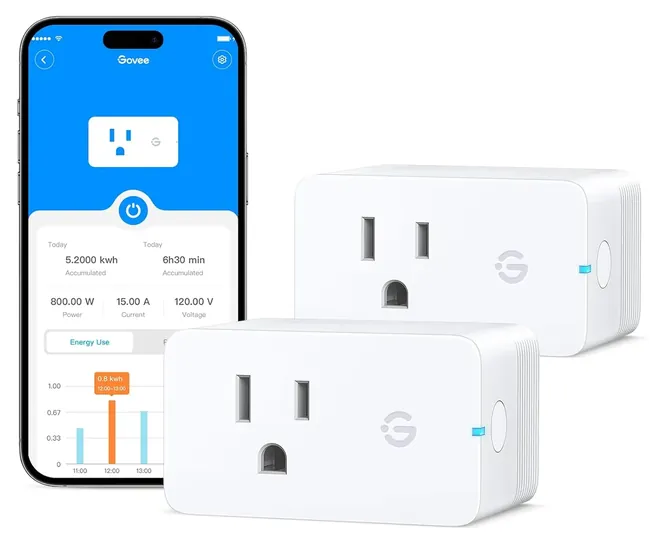
A smart plug with energy monitoring does the same job but sends the numbers to an app, keeps a history and can switch the load off on a schedule. The Tapo P115 keeps seven days of energy data; the Govee H5086 keeps up to a year.
Neither can see a dryer, oven, central air, well pump or EV charger, because those run on 240-volt circuits wired straight to the panel. For those, and for the whole-house picture, you need a monitor with current clamps on the panel's cables. University of Illinois Extension notes that these whole-house systems see every load, not just the ones you plug in (Illinois Extension).
What A Panel Install Involves
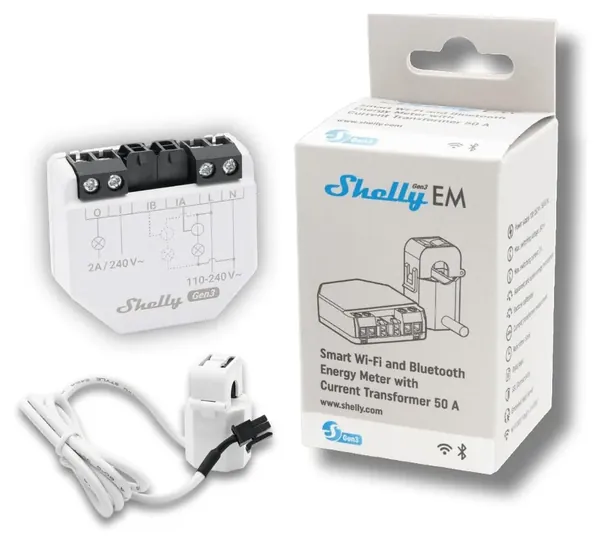
Clamp-style monitors such as the Emporia Vue 3 and Meross EM16 use split-core sensors that open like a clothespin and close around a wire, so nothing gets cut. But the sensors live inside the breaker panel, next to service cables that stay live even with the main breaker off. Emporia's own guide tells installers to shut the power off and wear protective gear, and it sells flexible 200-amp sensors for thick or stiff main cables that the standard clamps won't fit (Emporia help center). Local codes and some utilities require a licensed electrician for work in the service panel, and if you're unsure, that's the safe call.
Check three things before you buy: that your panel has room for the hub and a clear path for the sensor leads, that your Wi-Fi reaches the panel on the 2.4 GHz band, and how many circuits you want to watch. A 16-circuit kit only helps if you have that many breakers worth tracking.
If opening the panel is off the table, a smart-meter reader like the Emporia Vue Utility Connect gets whole-home numbers wirelessly, but only where the utility has turned on its home-network feature and you've registered the device (Emporia help center). On recalls, the only one we found for these brands was Emporia's 2023 recall of its smart plugs, not its Vue monitors (CPSC).
Turning Watts Into Dollars
Every monitor on this list reports watts and kilowatt-hours, and the math from there is simple. Multiply an appliance's watts by the hours it runs each day and divide by 1,000 to get kilowatt-hours a day; multiply by your rate per kilowatt-hour to get the daily cost (energy.gov). A 100-watt load running around the clock uses 2.4 kilowatt-hours a day.
Measure long enough to catch the full cycle. A refrigerator's compressor switches on and off, so a reading taken over a whole day is far more useful than a glance at the live number. The same goes for dehumidifiers, freezers and anything with a thermostat.
Be skeptical of very small readings. Plug meters are fine for budgeting, but owners comparing them to lab-grade meters find that loads under about 10 watts read loosely (AnandTech forums). Panel monitors quote accuracy of about 2 percent, which is plenty for spotting a well pump that runs too often or a space heater that doubles the winter bill (Emporia). A monitor only shows where power goes; the savings come from what you change.
How we researched this
We compared 19 electricity monitors across plug-in meters, smart plugs and breaker-panel systems, read the makers' spec pages, install guides and help-center articles for the 8 finalists, studied owner discussions in Home Assistant and electronics forums, and checked every brand against U.S. Consumer Product Safety Commission recall records. No lab has published accuracy tests for these monitors. Updated November 1, 2026 by Ezvid Wiki Editors.
Sources (13)
- U.S. Department of Energy: Estimating Appliance and Home Electronic Energy Use
- University of Illinois Extension: Appliances
- Emporia help center: Vue 3 flexible 200A sensors
- Emporia help center: Vue Utility Connect
- Emporia: home energy monitor comparison
- Matt Gadient: Kill A Watt P4400 review
- AnandTech forums: Kill A Watt accuracy
- TP-Link: Tapo P115
- Digital Citizen: Tapo P115 review
- Govee: Smart Plug Pro with Energy Monitoring
- Refoss: EM16P smart energy monitor
- Home Assistant community: Refoss EM16 experiences
- CPSC: Emporia smart plug recall (2023)
Frequently asked questions
How do I measure how much electricity one device uses?
For anything that plugs into an ordinary outlet, put a plug-in meter or an energy-monitoring smart plug between the outlet and the device and let it run for a day or more. For 240-volt appliances such as dryers, ovens and central air, you need a panel monitor with a clamp on that circuit.
Do I need an electrician to install a home energy monitor?
Plug-in meters and smart plugs need no wiring. Panel monitors put clamps inside the breaker panel, where the main cables stay live, so the makers call for the power to be off, and many local codes expect a licensed electrician. Hire one if you aren't comfortable working in a panel.
How accurate are plug-in electricity meters?
Accurate enough for budgeting larger loads like fridges, heaters and computers. Readings on very small loads, under about 10 watts, can be off by a few watts, and cheap meters can vary from unit to unit.
What should I look for when choosing a power consumption meter?
Decide whether you need one appliance or the whole house. For plug-in meters, look for a clear screen, a cost mode and memory that survives unplugging. For panel monitors, check the number of circuit sensors, Wi-Fi reach at the panel, solar support and whether there's a subscription.
Can I track my home's power use without opening the breaker panel?
Yes. Many utilities show hourly usage in their online account or let you download it as Green Button data, and a smart-meter reader such as the Emporia Vue Utility Connect works where the utility supports it. Neither shows single circuits.