The 6 Best Cable Amplifiers
Updated by · How we research

Cable drop amps rarely speed up internet, and some weaken uploads. Six compared on gain, outputs and modem ports; the Antronix MRA4-8 leads for four TVs. When users buy our independently chosen editorial selections, we may earn commissions to help fund the Wiki.
A plain four-way splitter costs about 7 decibels, and a cable drop amp makes up for that loss and for long coax runs, so every TV in the house gets a clean picture. It can't fix a noisy line from your provider, though, and on a line that's already strong, too much gain can overload a TV or cable box.


Editor's Notes
October 15, 2026, by Ezvid Wiki Admin:
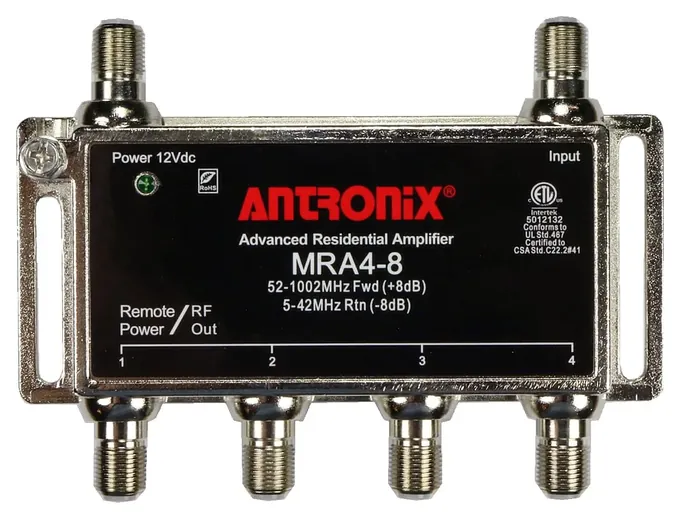
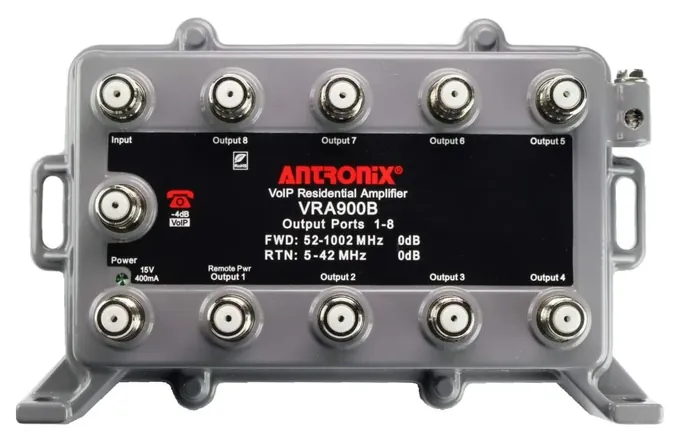
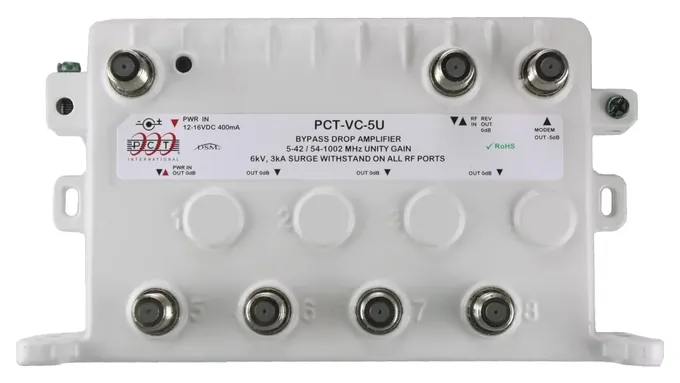
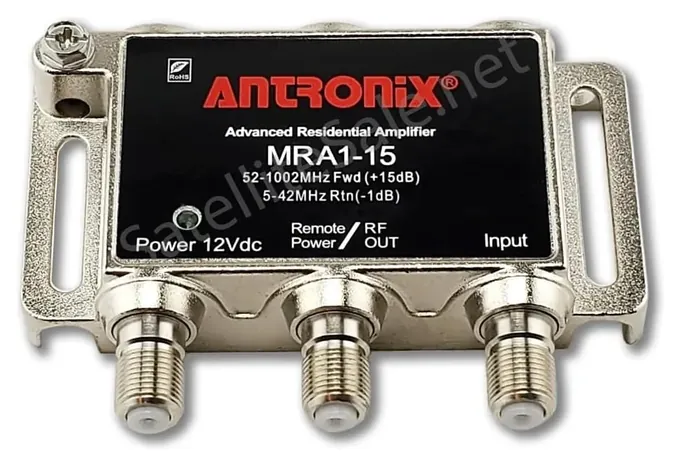
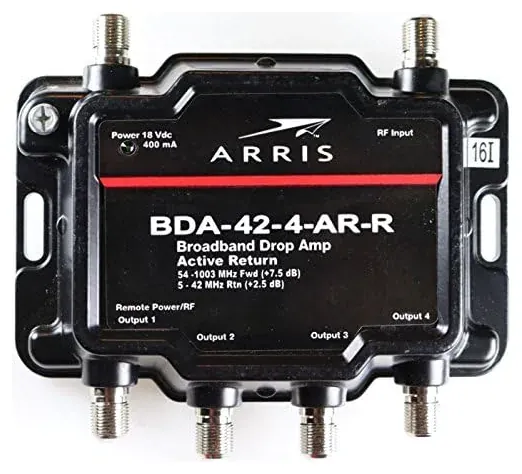
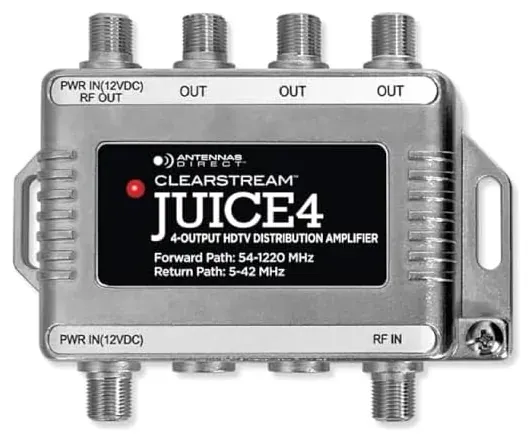
The Antronix MRA4-8 now comes first. It takes the place of a four-way splitter and gives each TV a little more signal than reaches the wall. Much of the 2021 version no longer held up. The Channel Master CM-3412, PCT-MA2-2P and Antennas Direct CDA4 aren't available anymore, and we couldn't find a current listing for the AllAboutAdapters RFMP-W50, a 50-decibel unit built for apartment buildings anyway. The PCT VC-9U is still around, but its price has climbed to several times what it was, and the Antronix VRA900B does the same job with eight unity-gain outputs and a modem port. We added that one, the Antronix MRA4-8, the PCT-VC-5U and the Antennas Direct JUICE4, and kept the Antronix MRA1-15 and the Arris BDA-42-4-AR-R.
We also corrected a claim the old page made: these amps rarely improve internet. Most pass the upload signal without boosting it, and some cut it. The makers' spec sheets weren't available, so the gain and frequency figures now come from the labels printed on the units.
July 02, 2021:
We made three additions this time around, and one of them should satisfy just about any needs. The PCT VC-9U is ideal for homes with multiple devices to connect, while the Antronix MRA1-15 is perfect for those with just a single cable box and TV to hook up. At the other end of the spectrum and meant for more large-scale setups, the AllAboutAdapters RFMP-W50 has the power to overcome all the passive signal drain from multi-unit buildings.
February 08, 2020:
Firstly, you need to ensure that any amplifier is bi-directional, meaning that it supports both the upstream frequency band (~54-1000Mhz) and return frequency band (~5-42Mhz). Aside from the fact that cheaper models like the 1byOne High Gain 0570, which I had to remove are often built poorly and can end up adding a lot of noise to your TV signal, they are also only made for signal-boosting antennas and satellites, and are incompatible with cable services, since they don’t support the return frequency band that is essential to using a cable box. So, in place of the 1byOne model, I’ve introduced the Channel Master CM-3410 Mini, which is an ultra-small, single-output PR (Passive Return) bi-directional model.
Secondly, this list had only PR bi-directional models, which means that the amplification only occurs on the upstream. These models are the most commonly-sold type, and they’re what you’d be looking for to boost your TV signal. However, an AR (Active Return) bi-directional model, which amplifies both the upstream and return bands, may be useful in certain situations, like when your home has multiple TV systems and you find that you’re having problems with DVR or accessing certain features from your cable provider. I’ve therefore swapped out some of the old PR amplifiers and added some newer options like the PCT-MA2-2P and Antennas Direct CDA4, and I’ve also included the compact PCT MA-B1015 as an AR amplifier. Do note however that AR amplifiers are not designed to be used with satellites and antennas, as they can end up blocking the signal.
While it’s alright to go amplifier shopping if you’re versed with technicalities of the subject, if you’re inexperienced then my honest advice would be to contact your cable company regarding any signal quality issues, as they will help diagnose your issues and recommend the right amplifier for your needs. You may, for instance, only be experiencing issues with your channels at higher frequencies, because of long cables - a situation which would call for a tilt amplifier, not a PR amplifier. You also need a decibel level that is relatively close to the signal strength of your incoming cable signal in order to avoid further distortion, but most high-quality models like the ones we recommend should be fine.
Ironically, passive return amplifiers with multiple ports significantly increase return signal losses, which almost makes it better to use active returns in these situations, provided you aren’t hooking up to an antenna or dish system. If you have a large multi-port PR device, and you find that your ability to access cable features is slow or your DVR is lagging, then you may need to swap out your passive for an AR model like Arris 4-Port and use an additional coax splitter if necessary.
How Much Signal Do You Need?
Long runs of coax lose more, especially at the top of the band.
Every time you split a cable line, each branch loses signal. Pick My Modem puts the loss at about 3.5 decibels for a two-way splitter, 7 for a four-way and 11 for an eight-way. Long runs of coax lose more, especially at the top of the band. A drop amp sits where the cable enters the house, before any splitting, and makes up that loss.
There are two kinds. Unity-gain amps, like the Antronix VRA900B and PCT-VC-5U, are rated at 0 decibels on every output: each room gets about what arrives at the house, as if there were no splitter at all. Amps with real gain, like the Antronix MRA4-8 (plus 8) and MRA1-15 (plus 15), add signal on top of that. More isn't always better. Too much gain on a strong line can overload a TV or cable box, so pick the smallest amp that covers your splits.
An amp only boosts what it receives, noise included. If the picture breaks up because the signal arriving at the house is poor, ask your provider to check the line first, as Speedguide advises. For an over-the-air antenna instead of cable, see our TV antenna amplifier picks.
Will An Amplifier Help Your Internet?
Usually not. A cable modem's upload travels the other way, in the 5 to 42 MHz return band. Most drop amps pass that band without amplifying it, and some cut it: the MRA4-8 is rated at minus 8 decibels there. Amps also add noise. Speedguide recommends leaving a working modem alone and, if you add an amp, splitting the modem off before it so the amp only feeds TVs. Bypass amps like the VRA900B and PCT-VC-5U do this for you with a passive modem port, which keeps passing signal during a power cut (Pick My Modem).
Active-return amps, like the Arris BDA-42-4-AR-R, do boost the upload. That can help a modem that's straining to reach the provider, but it can hurt one that isn't. Check the signal levels on your modem's status page and ask your provider before you install one.
Cable networks are also changing. Many providers are moving uploads from 5 to 42 MHz up to 85 MHz (mid-split) or 204 MHz (high-split), and newer systems use spectrum above 1 GHz (Wikipedia: DOCSIS). Every amp here is built for a 42 MHz return, and most stop near 1 GHz, so check with your provider before installing one, especially after a service upgrade.
MoCA, Grounding And Safety
MoCA adapters send home networking over the same coax at frequencies up to about 1,675 MHz (HomeTechOps). Gear rated only to about 1 GHz can block that, and the sellers of the VRA900B and PCT-VC-5U say those models aren't MoCA compatible. If you use MoCA, look for an amp sold as MoCA compatible or with a MoCA bypass, such as the MoCA bypass models in PCT International's range, and fit a point-of-entry (POE) filter where the cable enters the house to keep the MoCA signal inside.
Most drop amps have a ground screw. Bond it to the same ground as the cable line's entry, and cap unused ports with the terminators that come in most kits. These amps need a wall outlet for their power adapter, and none is built for satellite systems, which use frequencies above these amps' range.
We checked the U.S. Consumer Product Safety Commission's recall database for Antronix, PCT, Arris and Antennas Direct and found no recalls.
How we researched this
We compared 15 cable and coax amplifiers, read the specifications printed on each unit and the makers' web pages, used independent guidance from Speedguide and Pick My Modem and owner discussions in forums, and checked every brand for recalls with the U.S. Consumer Product Safety Commission. The makers' spec sheets weren't available, so gain and frequency figures are the ones printed on the units.
Frequently asked questions
Will a cable amplifier speed up my internet?
Usually not. Most amps don't boost the upload band, and they add noise. Keep the modem on its own split before the amp, or on a bypass amp's modem port, and ask your provider to check a weak line.
What's the difference between passive and active return?
A passive return amp lets the 5 to 42 MHz upload signal through without amplifying it, often with some loss. An active return amp boosts it, which can help a weak modem but can also push noise upstream.
What does unity gain mean?
A unity-gain amp is rated at 0 decibels on each output. It cancels the splitter's loss so every room gets about what arrives at the house, but it doesn't add signal.
Where should I install a cable amplifier?
Where the cable enters the house, before any splitters, with the modem split off first or on the amp's modem port. Bond the amp's ground screw to the cable line's ground.
Does a cable amplifier work with MoCA?
Only if it's sold as MoCA compatible or has a MoCA bypass. Standard amps rated to about 1 GHz can block MoCA, which runs up to about 1,675 MHz. Add a POE filter at the entry point.
Can I use a cable amplifier with an antenna or satellite?
Not with satellite. Some, like the Antennas Direct JUICE4, work with antennas, but active-return cable amps aren't recommended for them. See our TV antenna amplifier page for antenna setups.