
The 7 Best Blu Ray Players
Updated by · How we research

Seven 4K and HD Blu-ray players compared on HDR support, audio outputs and disc formats; the Panasonic DP-UB820 handles both Dolby Vision and HDR10+. When users buy our independently chosen editorial choices, we may earn commissions to help fund the Wiki.
A 4K Blu-ray disc carries several times as much picture data as a 4K stream, plus lossless surround sound that streaming services usually compress. That gap keeps disc players worth buying for movie collectors and home theater owners. The trap is HDR: a player should support the format your TV uses, Dolby Vision or HDR10+, or you lose the best picture.


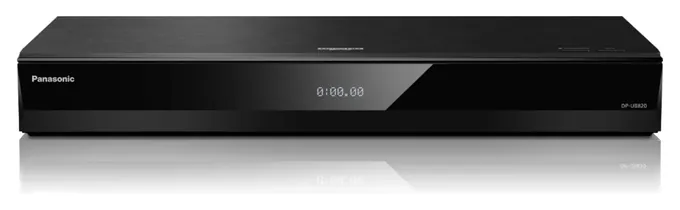
From the manual
- The second HDMI jack is meant for sound: it can't carry 4K video or VIERA Link control, so the TV goes on the main output. p. 11
- 4K at 60 frames needs an HDMI cable rated for 18 Gbps; with a slower cable the picture may not come out right. pp. 10, 29
- Play 4K video files from a USB 3.0 drive through the rear port; the front port is only USB 2.0. p. 7
- Quick Start wakes it faster but raises idle power use, and paused or in a menu, it can turn itself off after about 20 minutes. pp. 35-36
Why the Panasonic DP-UB820 is our top pick
Both Panasonics play Dolby Vision and HDR10+, so the choice comes down to what the UB820 adds: HDR Optimiser tone mapping, analog surround outputs and Wi-Fi. The two manuals show the same pair of HDR switches, and on a disc carrying both formats, HDR10+ wins.1,2 Our runner-up, the Panasonic DP-UB450, has no HDR Optimiser in its picture menu,2,4 so fitting bright HDR scenes to a dim TV or projector is left to the display.
HDR Optimiser reads the HDR10 brightness data on each disc and reshapes bright scenes to suit your screen; it pauses while Dolby Vision or HDR10+ plays.1 Wirecutter's Lee Neikirk, a TV reviewer with ISF Level III calibration certification, called it "the real difference-maker" in his 2026 guide, while warning that picking the wrong TV type in the menu can make the picture worse.5 What Hi-Fi? named the UB820's UK edition the best 4K Blu-ray player in its 2026 Awards.6
Our pick also carries 7.1-channel and stereo analog outputs, an optical jack, Wi-Fi and a rear USB 3.0 port for 4K files on a hard drive.1 The UB450 has a coaxial digital output, a wired network port and one front USB 2.0 port.3 It is smaller and lighter, which suits a tight shelf,1,2 and neither plays Super Audio CDs.1,2
| Panasonic DP-UB820 | Panasonic DP-UB450 | |
|---|---|---|
| Dolby Vision and HDR10+ | Both | Both |
| HDR Optimiser tone mapping | Yes | No |
| Analog audio outputs | 7.1-channel or stereo | None |
| Network | Wi-Fi and Ethernet | Ethernet only |
| USB | Front, plus rear USB 3.0 | One front USB 2.0 |
Sources
- Panasonic DP-UB820 1Operating instructions, English (PDF), pp. 7, 12, 42, 7, 27, 29–30, 29, 42
- Panasonic DP-UB450 2Operating instructions, UK English (PDF), pp. 7, 22, 23, 33 3U.S. specifications
- 4Trusted Reviews: DP-UB450 review by John Archer, 2019
- 5Wirecutter: The best 4K Blu-ray player, by Lee Neikirk, 2026
- 6What Hi-Fi?: Sony UBP-X700/K stock report, citing its 2026 Awards
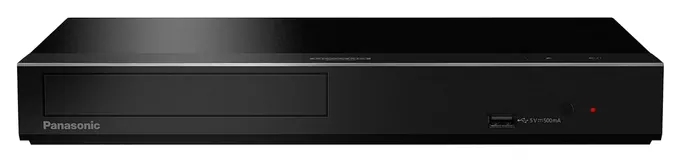
From the manual
- Dolby Vision and HDR10+ are separate on/off settings; on a disc that carries both, HDR10+ plays when both are on. p. 23
- The audio-only HDMI jack carries no video and no HDMI-CEC control, so one-remote control works only through the main output. p. 11
- Panasonic warns against closed cabinets and bookcases, and against setting the player on a receiver or other hot gear. p. 2
- Discs keep spinning while menus show, so press Stop when a movie ends to spare the motor. p. 16
Compare the specs
Swipe the table sideways to see every column.
| Product | Premium HDR on 4K discs | HDMI outputs (count) | Analog audio outputs | Super Audio CD | Wi-Fi |
|---|---|---|---|---|---|
| 1. Panasonic DP-UB820 | Dolby Vision, HDR10+ | 2 (one for audio) | 7.1-channel or stereo | No | Yes |
| 2. Panasonic DP-UB450 | Dolby Vision, HDR10+ | 2 (one for audio) | None | No | No (wired only) |
| 3. Sony UBP-X700 | Dolby Vision (manual) | 2 (one for audio) | None | Yes | Yes |
| 4. Panasonic DP-UB9000 | Dolby Vision, HDR10+ | 2 (one for audio) | 7.1-channel, XLR stereo | No | Yes |
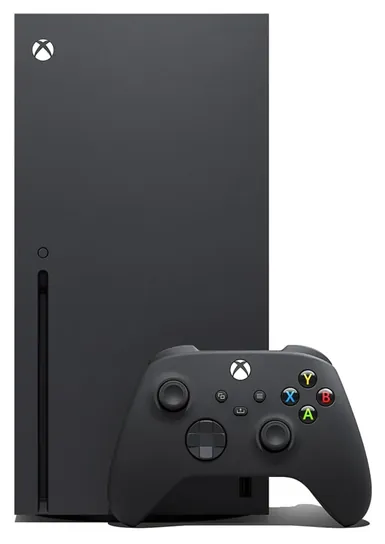
| 5. Microsoft Xbox Series X | HDR10 only | 1 | None | — | Yes |
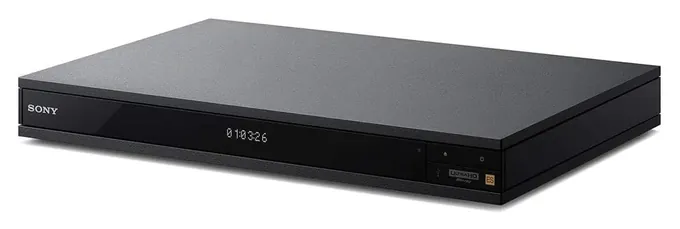
| 6. Sony UBP-X1100ES | Dolby Vision (manual) | 2 (one for audio) | Stereo | Yes | Yes |
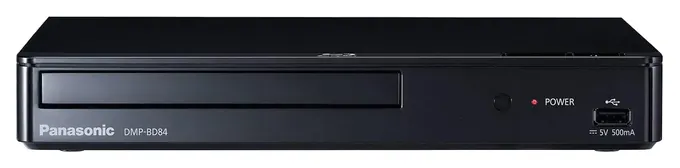
| 7. Panasonic DMP-BD84 | None (1080p only) | 1 | None | No | No |
"Dolby Vision (manual)" means the player's Dolby Vision output is off until you switch it on in setup. The second HDMI jack on two-output players is meant for sound, for a receiver that can't pass 4K. The DP-UB820 and DP-UB450 values come from their European and UK manuals; Panasonic's U.S. spec page matches for the DP-UB450.
Sources
- Panasonic DP-UB820 operating instructions (PDF) DP-UB450 operating instructions (PDF) DP-UB450 U.S. specifications DP-UB9000 owner's manual (PDF) DMP-BD84 owner's manual (online copy)
- Sony UBP-X700 specifications UBP-X700 connections How to enable UBP-X700 Dolby Vision UBP-X1100ES operating instructions (online copy)
- Microsoft Xbox Series X tech specs
- Wirecutter: Xbox Series X plays discs in HDR10 only
- What Hi-Fi? review: Sony UBP-X1100ES formats
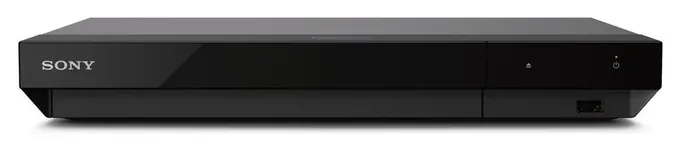
From the manual
- Dolby Vision Output is off by default and has no Auto setting; turn it on under Screen Settings, after a firmware update. Sony support
- With it on, everything goes to a Dolby Vision TV as Dolby Vision, and 3D playback and video settings are unavailable. Sony support
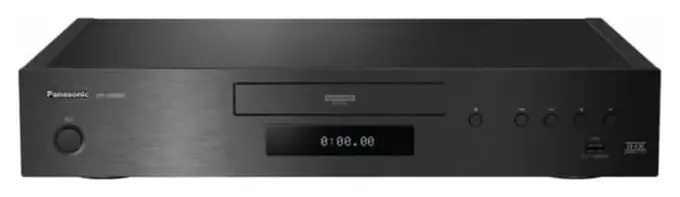
From the manual
- The 7.1-channel analog outputs stay silent until Analog Multi Channel is set to On in setup. p. 12
- The XLR jacks take balanced cables only; Panasonic warns that anything else can cause a malfunction. p. 12
- For all its audiophile outputs, it won't play Super Audio CDs or DVD-Audio discs. p. 7
- Quick Start standby draws about 11 watts; with Quick Start off, standby falls to about 0.3 watt. p. 43
From the manual
- The rear RS-232C port is a control terminal for custom installations, next to an IR remote input. p. 8
- Turning Dolby Vision Output on disables 3D playback. p. 22
- Bluetooth Mode must be switched on in Bluetooth Settings before you pair headphones. pp. 18, 24
- Sony's WS-UBPRE1 rack-mount kit is sold separately. p. 34
From the manual
- It can't play 4K video at all, including 4K files on a USB drive. p. 7
- The U.S. model won't play PAL discs, so most European DVDs are out. p. 7
- Upscaling to 1080p needs a direct HDMI link to a 1080p TV, or every box in between must pass 1080p. p. 18
- The U.S. warranty covers parts for one year and labor for 90 days, and excludes damage from modification. p. 29
Editor's Notes
November 5, 2026, by Ezvid Wiki Editors:
We read Panasonic's manuals for the DP-UB820, DP-UB450, DP-UB9000 and DMP-BD84 and Sony's for its two players, then added a spec table, a section on why the DP-UB820 leads and notes from the manuals. We corrected the DP-UB450 entry, which wrongly said it streams Netflix and YouTube, removed a line claiming no review of the UBP-X1100ES existed, and noted that Sony has discontinued the UBP-X1100ES and stopped shipping the UBP-X700 in Japan.
October 23, 2026, by Ezvid Wiki Editors:
The Panasonic DP-UB820 now leads, and the reason is HDR: it plays both Dolby Vision and HDR10+ and switches between them on its own, so it suits almost any 4K TV or projector. [November 2026 update: its Dolby Vision setting has to be switched on in the setup menu first; after that it plays whichever format a disc carries.] The bigger story is how small this market has become. LG left the disc player business, so the LG UBK90 is gone, and the Sony UBP-X800M2 is no longer available.
The Panasonic DP-UB450 replaces the Panasonic DP-UB420 [November 2026 update: Panasonic still lists the DP-UB420 as a current model; the DP-UB450 adds Dolby Vision, which the DP-UB420 lacks], and the Panasonic DMP-BD84 takes over from the old Sony BDP-S3700 for HD TVs. The Sony UBP-X700, Sony UBP-X1100ES and Microsoft Xbox Series X stay. [November 2026 update: Sony now lists the UBP-X1100ES as discontinued and has stopped shipping the UBP-X700 in Japan.] The Panasonic DP-UB9000 joins for people who run analog audio gear.
The deciding evidence was each player's list of HDR formats, since a mismatch with the TV costs the most picture quality, along with spec-based buying guides, a UK magazine review of the Magnetar player and owner reports about Sony's manual Dolby Vision switch. Only seven players made it because the rest of what's sold now is refurbished, modified or unbranded.
Earlier notes
January 6, 2021, by Christopher Thomas:
While 4K Blu-rays are still pretty popular, there aren't as many options available for playing them. We've removed some from Oppo, Sanyo, and Samsung, because as their availability drops, they start to cost far more than they're worth.
The remaining models, however, do a better job than almost all older options. The Sony UBP-X700, for example, does an even better job of handling color and dynamic contrast than its more expensive relative the Sony UBP-X800M2, and if you want the best of both worlds and can afford the investment, the Sony UBP-X1100ES should perform at least as well as both other Sony models.
December 13, 2019, by Christopher Thomas:
Physical disc media is far from dead; in fact, if you want a true 4K cinematic experience, for a lot of films, a 4K Blu-ray is the only way to go. If you actually aren't interested in Ultra HD playback, check out the LG BP175, which is relatively affordable and backwards compatible with DVDs and CDs, to help take advantage of your entire collection. Alternately, the Sanyo 8MYS is one of the least expensive with UHD support, although it doesn't have particularly high-end audio processing. The Samsung UBD-M8500 improves not only upon the audio side of things but also in connectivity; its integrated wireless modem makes it easy to access streaming services. The Sony UBP-X800M2 also has built-in Wi-Fi, and though it is a bit more costly, it's also more refined. Rounding out our mid-range selections is the LG UBK90, which comes from one the most respected panel and hardware manufacturers on the planet, but like others in its price range, lacks audiophile-level sound.
Clear on the other side of the spectrum, there are a handful of high-end options that you should consider if you're intent on setting up a world-class home theater system. The Pioneer Elite UDP-LX500 is all that most people need, which it had better be, given its high price tag. If you're absolutely serious about audio quality, the Cambridge Audio CXUHD and Oppo UDP-203 are worth a look, as they're packed with costly and powerful components, but they will both set you back quite a pretty penny.
Then there are two devices located right in between those two main groups on the price spectrum. The Xbox One X can provide an incredibly wide-ranging entertainment experience including some of the most fun console games on the market. If you're not interested in joining the Microsoft Xbox ecosystem, the Panasonic UB820 is one of the best 4K Blu-ray players that doesn't cost a fortune. Its output looks and sounds nearly as good as those of the more expensive units but you won't have instant buyer's remorse over the cost.
Special Honors
Magnetar Audio Magnetar is a boutique maker of 4K Ultra HD Blu-ray players, including the UDP800 MKII and UDP900 MKII, aimed at collectors who also play Super Audio CDs and DVD-Audio discs. Home Cinema Choice gave the original UDP800 its top score while noting that availability may be limited. That model has no Wi-Fi, and European units play only region B Blu-rays. magnetar-audio.com
Match The Player To Your TV's HDR
The three Panasonic 4K players on this list handle both premium formats.
HDR, or high dynamic range, is what makes 4K discs look brighter and richer than regular Blu-ray. There are two premium versions, and they don't mix. Most TV brands use Dolby Vision; Samsung is the big holdout and backs HDR10+ instead (Wirecutter). Every HDR TV and 4K player also does basic HDR10, so a mismatch still works, just with a flatter picture (Trusted Reviews).
The three Panasonic 4K players on this list handle both premium formats. Switch the Dolby Vision setting on, leave HDR10+ on, and the player picks whichever format the disc carries, as John Archer, a home-entertainment writer for over 25 years, explained in his 2019 Trusted Reviews review of the DP-UB450. Sony's players skip HDR10+, and their Dolby Vision output is off by default; switched on, it sends everything as Dolby Vision and disables 3D (Sony). Some cheaper Panasonic models do HDR10+ but not Dolby Vision, so read the format list before you buy.
If your TV is 1080p, a 4K player still works and turns the picture down to fit, but you gain little. A plain Blu-ray player is enough, and it costs far less. Projector owners should look for HDR tone mapping, which keeps bright scenes from clipping on screens that can't get very bright.
4K Discs, Regular Blu-ray And Region Codes
A 4K Ultra HD Blu-ray disc needs a 4K Ultra HD player. Those players also play regular Blu-ray, DVDs and CDs, so one box covers an old collection. The reason to bother is quality: a review in Home Cinema Choice notes that 4K discs carry video at 60 to 80 megabits per second, against roughly 10 to 26 for 4K streaming, and they hold lossless surround sound.
Regular Blu-ray discs are locked to a region: A for the Americas, Japan, Korea and Southeast Asia, B for Europe, Africa, the Middle East and Australia, and C for the rest of Asia (Sony). DVDs use regions 1 through 6. Most 4K discs are region-free. A U.S. player won't play region B Blu-rays, and players modified by third parties to play every region usually lose the maker's warranty. Bypassing copy protection to rip discs is restricted under U.S. law.
The choice of makers has shrunk. SlashGear reports that LG left the player business, and HDTVTest lists Samsung and Pioneer among the other brands that quit and reports that Sony has stopped shipping its last 4K player in Japan. There's no 8K movie disc format, and the Blu-ray Disc Association says it isn't working on one (eCoustics), so an "8K" player only upscales.
Setting Up For The Best Picture And Sound
Use an HDMI cable rated for 18 Gbps, which Panasonic's and Sony's manuals call for with 4K at 60 frames, and set your TV's input to its enhanced HDMI mode, or HDR may not switch on (Sony). Set the player's audio output to bitstream so your receiver or soundbar decodes Dolby Atmos and DTS:X itself.
Players with two HDMI outputs help when your receiver is older and can't pass 4K. Run one cable straight to the TV for the picture and the second to the receiver for sound.
Keep the player updated over Wi-Fi, Ethernet or USB, because firmware updates fix playback on new discs. The streaming apps built into disc players are few, so a separate streaming stick is usually the better way to watch Netflix or YouTube. Give the player room to breathe: Panasonic warns against closed cabinets and against setting a player on top of a hot receiver.
How we researched this
We compared 14 Blu-ray players and consoles, including every model on the old list, and kept seven. We read Panasonic's instructions for the DP-UB820, DP-UB450, DP-UB9000 and DMP-BD84, Sony's for the UBP-X700 and UBP-X1100ES along with its Dolby Vision support note, and Microsoft's Xbox Series X specs, then weighed them against Wirecutter's 2026 guide and reviews in Trusted Reviews, What Hi-Fi? and Home Cinema Choice. A search of the U.S. Consumer Product Safety Commission's recall database on November 5, 2026 found no recall of any of the seven players.
Sources (21)
- DP-UB820 operating instructions (PDF)
- DP-UB450 operating instructions (PDF)
- DP-UB450 U.S. specifications
- DP-UB9000 owner's manual (PDF)
- DP-UB9000 product page
- DMP-BD84 owner's manual (online copy)
- UBP-X700 specifications
- How to enable UBP-X700 Dolby Vision
- UBP-X1100ES operating instructions (online copy)
- Blu-ray region codes
- Xbox Series X tech specs
- Wirecutter: The best 4K Blu-ray player
- Trusted Reviews: Panasonic DP-UB450 review
- What Hi-Fi? review: Sony UBP-X1100ES
- Home Cinema Choice: Magnetar UDP800 review
- HDTVTest: Sony ends its last 4K player in Japan
- SlashGear: LG 4K Blu-ray players
- eCoustics: why 8K Blu-ray isn't coming
- U.S. Copyright Office: Section 1201 background (PDF)
- Magnetar Audio
- U.S. Consumer Product Safety Commission recalls
Frequently asked questions
Is a Blu-ray player still worth buying?
Yes, if you own discs or want the best picture and sound at home. A 4K disc carries several times as much video data as a 4K stream and keeps lossless audio. If you only stream, a player adds little.
Will a 4K Ultra HD disc play in a regular Blu-ray player?
No. A 4K Ultra HD disc needs a 4K Ultra HD player. Those players also play regular Blu-ray discs, DVDs and CDs, so they replace an older player outright.
Is there an 8K Blu-ray player?
No. There is no 8K movie disc format, and the Blu-ray Disc Association says it isn't working on one. 4K Ultra HD Blu-ray is the highest resolution on disc, and players sold as 8K only upscale the picture.
Do I need Dolby Vision or HDR10+?
Get the one your TV supports. LG, Sony, TCL and Hisense TVs use Dolby Vision, and Samsung TVs use HDR10+. Panasonic's 4K players with both formats are the safe choice if you might change TVs.
Are Blu-ray players region locked?
Regular Blu-ray discs are coded for region A, B or C, and U.S. players play region A. DVDs use regions 1 through 6. Most 4K Ultra HD discs are region-free.