The 10 Best Bitcoin Wallets
Updated by · How we research

Ten bitcoin hardware wallets compared on security chips, open code, screens, phone support and backups. The Trezor Safe 3 leads for its low cost and open code. When users buy our independently chosen editorial selections, we may earn commissions to help fund the Wiki.
A bitcoin wallet doesn't hold coins. It holds the keys that move them, and the 12 or 24 recovery words you write down at setup are the real backup: anyone who sees them can take the money. These hardware wallets keep the keys offline and sign each payment inside the device, which suits savers more than daily spenders.


Editor's Notes
November 1, 2026, by Ezvid Wiki Editors:
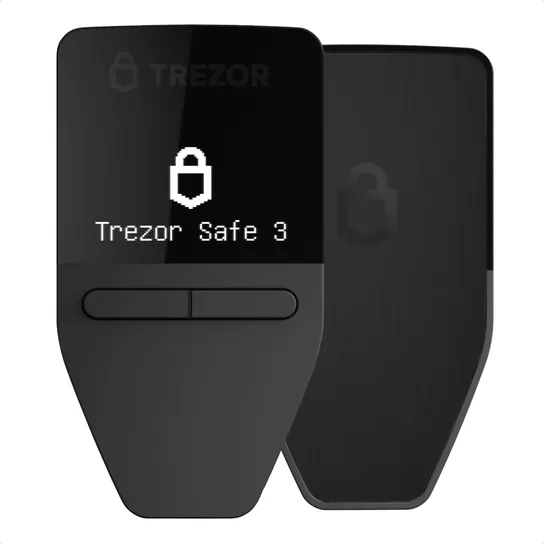
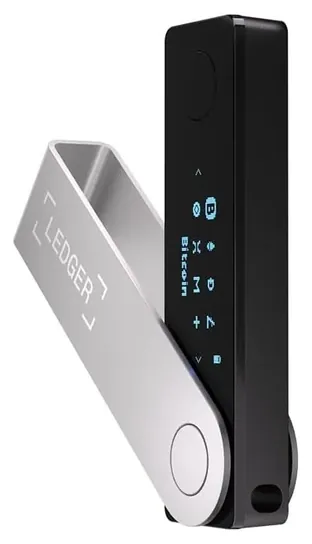
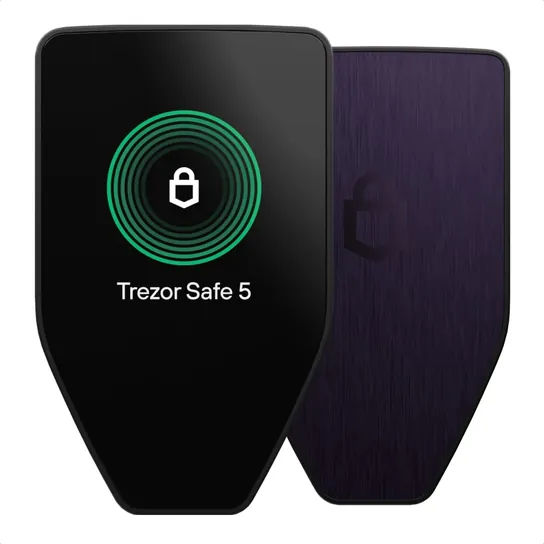
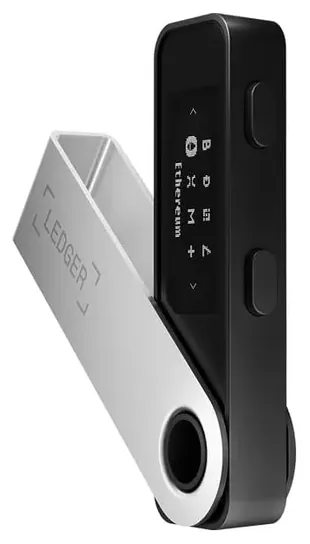
The Trezor Safe 3 takes over at the top. It's cheap, its software is public, a certified chip guards its keys, and Trezor sells a version that runs bitcoin alone. The Ledger Nano X stays on as the pick for approving payments from a phone.
Everything else from the earlier version had aged out. The Ledger Nano S, Trezor One and Trezor Model T have given way to newer models, and the CoolWallet S and KeepKey no longer turn up as new stock. The SecuX V20, W20 and W10 are older designs with little current documentation, and the Ballet Physical is a single-key card rather than a hardware wallet that signs payments.
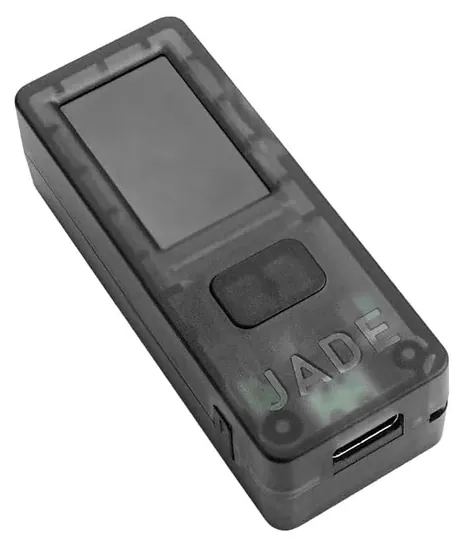
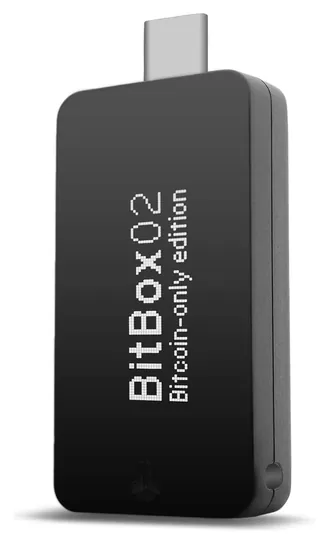
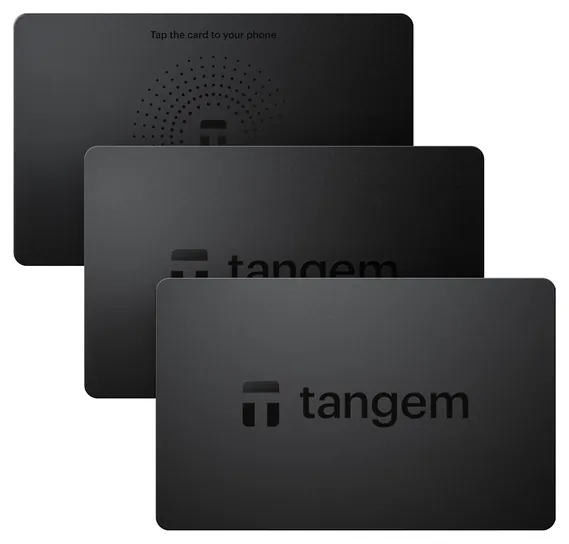
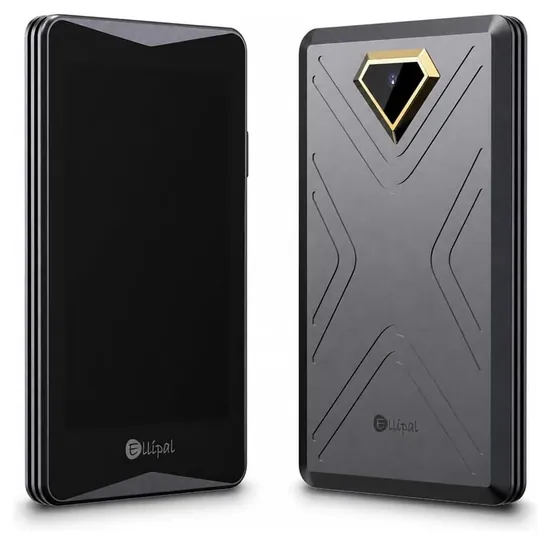
New picks lean toward bitcoin. The Blockstream Jade and BitBox02 Bitcoin-only run no altcoin code at all, and the ELLIPAL Titan 2.0 never connects to anything but a camera. For people who dislike writing down words, the Tangem Wallet 2.0 and the BitBox02 offer other ways to back up.
For evidence, we read Trezor's model comparison, Ledger's and Blockstream's spec pages, Tangem's chip and audit details, and bitcoin.org's hardware wallet list, which rates how open each maker's code is. Nothing here is financial advice.
Earlier notes
May 14, 2020, by Brett Dvoretz:
Large amounts of cryptocurrency should never be stored on an exchange. Throughout the relatively short history of Bitcoin, there have been countless exchange hacks, perhaps few more widely known than the 2014 hack of Mt. Gox, in which $460 million in digital assets was stolen. Not only did it bankrupt what was, at the time, the largest exchange, it also resulted in countless people losing what would probably now equate to life-changing sums of money. This is by no means the only example. In 2018 and 2019 alone, there were at least eight multi-million dollar exchange hacks, with the largest of them being over $500 million. If this isn't enough of a reason to not store your coins on an exchange, perhaps the ever prevalent mantra of "not your keys, not your crypto" will be.
With this in mind, we think it prudent of you to invest in one of the Bitcoin wallets on this list to keep your funds secure, as well as full control over your private keys. The best known manufacturers of hardware wallets right now, and the ones with the longest track record behind them, are Ledger and Trezor, so it should come as no surprise they are featured here. The Ledger Nano X is currently the company's best model, while the slightly older Ledger Nano S is their more affordable, yet no less secure, option. While they both support the same number of currencies, which numbers well over 1,000, the Nano X comes out ahead for two main reasons — its Bluetooth capability and the ability to store more applications. The biggest downside to the Nano S is that it can only store three or four wallet applications at one time. This means that if the wallet's memory is full and you want to interact with one of your other coins which wallet application is not currently installed, you will need to delete one application, add the new one, and then do the same thing all over again when you want to transact with the old coin.
Trezor currently has two main models out as well — the Trezor Model T and the Trezor One. While storage isn't an issue on either of these, the Trezor One unfortunately doesn't support as many coins as the Model T. Notably, it is, at the time of this writing, lacking in support for some very popular ones too, including Cardano, Tron, and others. While neither Trezor model offers Bluetooth, many crypto enthusiasts feel that Trezor wallets are more secure due to the fact that they run on opensource software, which undergoes more peer review.
A relative newcomer on the scene is SecuX, but we feel they offer wallets that can easily stand up to, if not perhaps one day surpass, the offerings of Trezor and Ledger. In fact, the SecuX V20 boasts a significantly more robust build than any of the models from the other two manufacturers, not to mention a larger screen that is easier to interact with.
Speaking of ease, when it comes to that aspect of a hardware wallet, few are more simple than the Ballet Physical, though this does come with some significant security compromises, namely the fact that the private key is generated for you. That being said, it is ideal for holding a small amount of crypto you may want to transact with often.
Now that you have your Bitcoin and other digital assets safely store in your hardware wallet, why not take some time and read one or two of the best cryptocurrency books to really get a handle on the tech and fundamentals behind them?
Special Honors
Electrum Electrum is a free, open-source bitcoin wallet for Windows, macOS and Linux that has been around since 2011. It runs on a computer and pairs with hardware wallets from Trezor, Ledger, BitBox and others, so the keys stay on the device while Electrum shows balances and builds payments. It supports bitcoin only. electrum.org
Sparrow Wallet Sparrow is a free desktop bitcoin app built to sit in front of a hardware wallet. It works with most of the devices on this list, including QR signing with air-gapped models, and gives careful users fine control over which coins they spend and multi-device setups that need two or more wallets to sign. sparrowwallet.com
Keys, Not Coins: What Your Recovery Words Do
For spending money, a phone app with a small balance is fine.
Bitcoin never sits inside a wallet. The coins live on the blockchain, and a wallet keeps the private keys that can move them (Wikipedia). A hardware wallet keeps those keys on a small offline device and signs each payment there, so malware on your computer or phone can't copy them.
At setup, most wallets show a list of 12, 20 or 24 recovery words. That list is the backup for everything. If the device breaks or gets lost, the words restore your coins on a new wallet; if someone else sees them, they can take the coins from anywhere. Write them on paper or stamp them into a metal plate, keep them away from the device, and never type them into a website, a phone or an email (Trezor). A message asking you to "verify" your recovery words is a scam, every time.
Bitcoin.org suggests keeping backups in more than one place and holding only small amounts on everyday phones and computers (bitcoin.org). A hardware wallet is for savings. For spending money, a phone app with a small balance is fine.
Some wallets skip the word list. The Tangem cards copy the keys onto two or three cards instead, and the BitBox02 can save its backup to a memory card. Whatever the method, test it: restore the wallet from the backup once before you move real money onto it.
Security Chip, Open Code, Or Both
Most wallets store keys in a secure element, a chip built to resist people who try to pry secrets out of it with lab tools. Certification levels such as EAL5+ and EAL6+ show how hard independent labs pushed on the chip. Trezor's Safe models and Tangem's cards use EAL6+ chips, and Ledger uses EAL5+ chips (Trezor compare, Ledger).
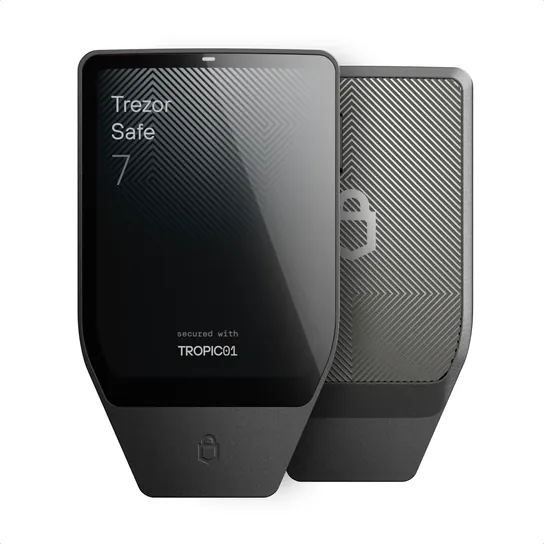
The other half of trust is code you can read. Trezor, BitBox and Blockstream publish their firmware, so outside researchers can check what the device does. Ledger keeps the code on its chip closed, and bitcoin.org's wallet list rates its transparency lower for that reason. The Trezor Safe 7 goes further, adding a second chip whose design is open to audit.
The Blockstream Jade takes a third route. It has no certified chip; it protects the PIN with help from a server that limits wrong guesses, and you can run that server yourself. Bitcoin-focused users like it because everything is public; others would rather have a certified chip.
Bitcoin-only firmware, as on the BitBox02 Bitcoin-only and Trezor's bitcoin editions, drops support for other coins. Less code means less to go wrong. Multi-coin models handle thousands of tokens if you hold more than bitcoin.
Cable, Bluetooth, QR Or Tap: How It Connects, And Where To Buy
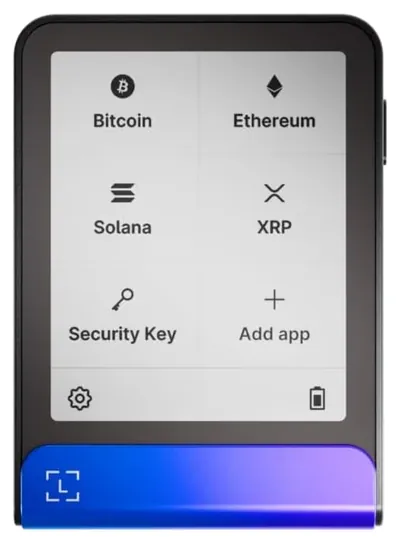
Cable-only wallets such as the Trezor Safe 3 and Ledger Nano S Plus have no radio and no battery to fail, but they need a computer or an Android phone with a cable. Bluetooth models, the Ledger Nano X, Ledger Flex and Trezor Safe 7, work with iPhones and carry a battery. Ledger rates the Nano X battery at about five hours (Ledger).
Air-gapped wallets never connect at all. The Jade's camera and the Ellipal's screen pass each payment back and forth as QR codes, which keeps the device off every network. NFC cards like Tangem's sign when you hold them to a phone; they have no screen, so you're trusting the phone to show the right address.
Whatever you choose, buy new from the maker or the maker's own storefront, and check the box seal. A wallet that arrives already set up, or with recovery words printed on a card, is a scam: don't use it, and send it back. Update the firmware only through the maker's app, and have your recovery words at hand first, since an update can reset the device (Trezor). Gains on bitcoin are taxable in many countries, so keep records of what you buy and sell.
How we researched this
We compared 16 hardware wallets sold new today, read the makers' spec and comparison pages from Trezor, Ledger, Blockstream and Tangem, checked each maker against bitcoin.org's hardware wallet list, looked at patterns in owner feedback, and searched U.S. recall records. We found no independent lab tests of these wallets that we could cite. Updated November 1, 2026 by Ezvid Wiki Editors.
Frequently asked questions
What is the best bitcoin wallet for most people?
A hardware wallet with a certified chip and open-source software, such as the Trezor Safe 3, suits most savers. People who want to approve payments from an iPhone should look at Bluetooth models like the Ledger Nano X or Trezor Safe 7.
Can a hardware wallet be hacked?
The keys never leave the device, so malware on your computer can't copy them. The weak point is the recovery-word backup: anyone who sees it can take the coins. Keep it offline, and never type it into a website or app.
What happens if I lose my hardware wallet?
Your coins are safe as long as you have the recovery words or other backup. Enter them on a new wallet, from the same maker or another, and the coins reappear. Then move them if you think someone found the old device and its PIN.
Should I get a bitcoin-only wallet?
If you hold only bitcoin, a bitcoin-only model or edition runs less code and has fewer features to go wrong. If you also hold other coins, a multi-coin wallet saves buying a second device.
Is a hardware wallet safer than keeping bitcoin on an exchange?
On an exchange, the company holds the keys, and you depend on it staying solvent and secure. A hardware wallet puts the keys in your hands, which also makes you responsible for the backup.
Where should I buy a hardware wallet?
Buy new from the maker or the maker's official storefront. Never use a wallet that arrives already set up or with recovery words included, and never share your words with anyone who asks, including support staff.