The 10 Best Solid State Drives
Updated by · How we research

Internal M.2, 2.5-inch SATA and portable SSDs, 10 in all, compared on speed, endurance, warranty and heat; the Samsung 990 PRO is our top pick. When users buy our independently chosen editorial choices, we may earn commissions to help fund the Wiki.
A PCIe 5.0 drive can be rated at about twice the speed PCIe 4.0 allows, yet PC Gamer found little real difference in games and everyday work. A solid state drive stores data on flash chips with no moving parts, so it starts programs far faster than a spinning hard drive. Internal drives upgrade PCs, laptops and consoles, while portable models plug in over USB.


Editor's Notes
October 18, 2026, by Ezvid Wiki Admin:
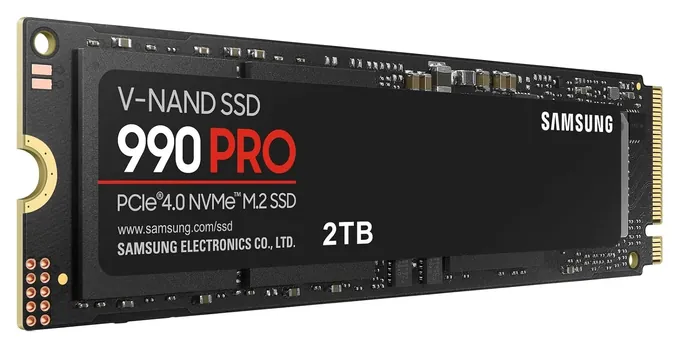
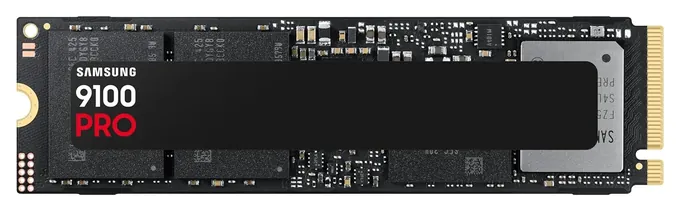
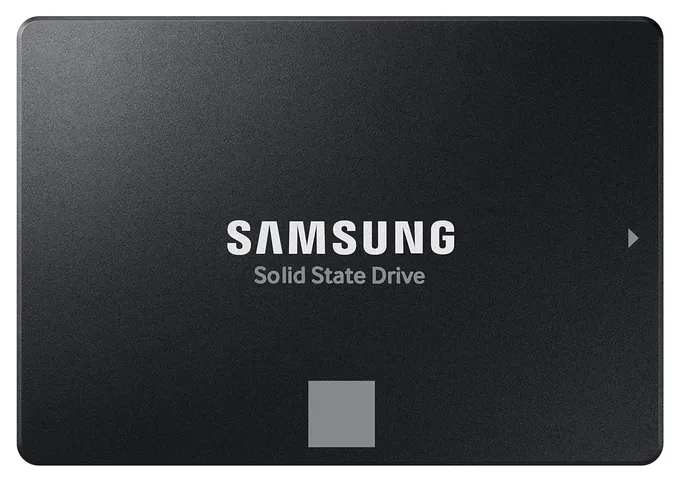
Raw speed didn't decide the top spot. The Samsung 990 PRO leads because it pairs fast PCIe 4.0 speed with a DRAM cache and high endurance, and it runs cooler than the PCIe 5.0 Samsung 9100 PRO, whose extra speed rarely shows in games. Almost nothing from the last version of this list can still be bought new. The Adata XPG SX8200 Pro, Sabrent Rocket Nano External, Samsung X5 and Samsung 970 Evo Plus are gone or discontinued, and the Sabrent Rocket XTRM-Q, Sabrent Rocket Extreme, Sabrent Rocket Nano Internal, Gigabyte Aorus and XPG Gammix S50 are older designs that newer drives beat on speed and warranty. We also swapped the Samsung 870 QVO for the Samsung 870 EVO because of availability concerns, and the EVO's TLC flash is rated for more writes anyway.
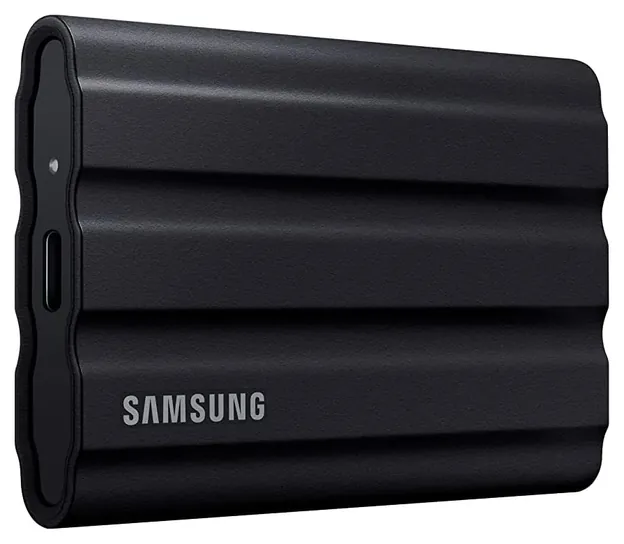
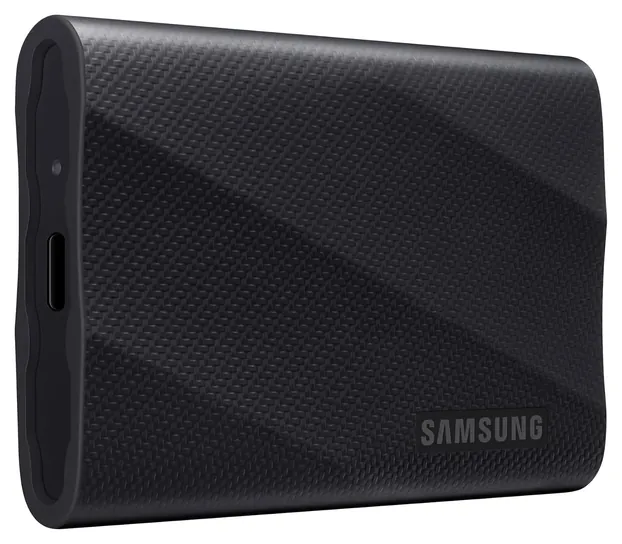
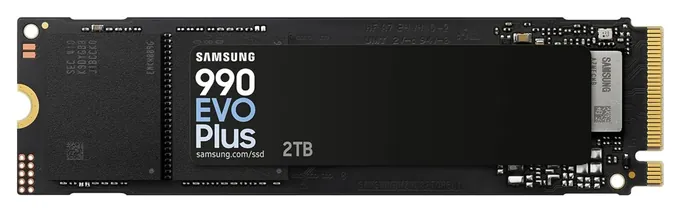
The new list covers each kind of drive readers ask about: PCIe 4.0 and 5.0 M.2 sticks, a 2.5-inch SATA drive and three portables. Samsung holds six spots. We looked for more brands, but Samsung's drives are the ones with independent lab tests and steady stock right now.
One warning: a worldwide memory chip shortage has pushed SSD prices well above last year's, and they change week to week. If a 2TB drive is a stretch, the 1TB versions cost much less.
December 23, 2020:
The average PC will be sped up significantly and reasonably and future-proofed wit the Samsung 970 Evo Plus or Adata XPG SX8200 Pro, but if you want to take it to the next step, a PCIe 4.0 model like the Gigabyte Aorus or Sabrent Rocket Extreme is worth a look, although the latter uses an especially bulky heatsink that won't fit in all setups. The XPG Gammix S50 is in the same speed class, and also comes in a light version, but doesn't come with a heatsink, which you'll probably need to avoid throttling and potential damage.
On the external side of things, the Sabrent Rocket XTRM-Q leverages both the USB 3.2 standard and Thunderbolt 3, making it highly versatile, while the Sabrent Rocket Nano External is about as small as portable NVMe storage gets. The Samsung X5 is, of course, still a great choice, and promises top-of-the-line speeds, although at a similarly high price.
December 16, 2020:
The world of solid-state-drives continues to rapidly evolve and grow. As with most computer hardware, there are many specifications, different form-factors, and compatibility issues that can be very confusing. If you're looking to build a new system or upgrade, the one imperative thing to keep in mind is what type of connections your system will support.
Models such as the Samsung 860 QVO and the Crucial MX500 rely upon a Serial ATA, also known as a SATA connection. Some of the portable devices, such as the Samsung T5 and Sandisk Extreme are able to be plugged into a USB Type-C port, and can also function with an older USB ports as well. Most recent computer systems will have both of these kinds of connections.
Devices such as the Seagate Barracuda 510 and the Samsung 970 Evo Plus need a different kind of interface, known as PCI Express. They require a special slot on your motherboard, and aren't compatible with traditional SATA connectors.
When looking at the numbers and specifications, feel free to delve as deeply as you like, as that's certainly part of the fun when it comes to picking out new hardware. Any of these options will provide a noticeable increase in speed over traditional HDDs. We've attempted to pick out the best options and included varying models for different needs.
For this update, we've removed four items, the Samsung X5, the OWC Envoy Pro EX, My Passport, and the Adata SE730H. We've replaced with models we feel offer better value. We've also updated the listings for the Samsung T5, the Samsung 970 Evo Plus and the Crucial MX500. We also removed the previous listing for the Samsung 860 Evo due to availability issues. It has been replaced with the more popular SATA form-factor version, the Samsung 860 Evo Internal, and its description and details have been changed to match the new item.
The Sandisk Extreme is an excellent portable option and is built to sustain drops of up to two-meters. The Samsung 860 Evo Internal is one of the best 2.5 inch models available, and has a reliability that has been praised by critics and customers alike. The Samsung 980 Pro, the WD_Black SN750 Internal Gaming are both PCIe compatible drives that offer exceptional performance for gamers or professionals. Finally the Seagate Barracuda 510 is the company's NVMe style addition to its famed line up of traditional HDDs.
May 27, 2019:
There are a handful of different form factors, connectors, and bus speeds to be aware of here. The SATA bus tops out at 6 gigabits per second, which theoretically equates to 600 megabytes per second, although in the real world the ceiling is lower than that, usually around 450 megabytes per second. The PCIe bus can move considerably more data and is able to accommodate multiple gigabytes per second.
Most modern external drives connect using USB Type-A or Type-C connectors. USB 3.1 Gen 1 and Gen 2 will generally have SATA chipsets inside them, as they share a similar top end limit. Western Digital's My Passport, Adata SE730H, and Samsung's T5 are great examples. They're all highly shock-resistant and should hold up well over time, though the Samsung does have a somewhat more respected pedigree. The Samsung X5 and the OWC Envoy Pro EX, on the other hand, utilize the ultra-quick Thunderbolt 3 standard and make good use of the PCI NVMe drives inside of them. They are, however, conisderably more expensive than a more run-of-the-mill USB model.
When it comes to the stuff inside your PC, there are even more things to remember. The buses are the same but the connectors are very different. The most compact personal computers use M.2 drives such as the ultra-small Samsung Evo, which has a small form factor and uses the SATA III bus. It's about as fast in large file writing than any SATA drive, though for random read and power-up speeds, it can definitely excel.
If you're upgrading an older machine and moving on from the generally antiquated hard disk drive, the Crucial MX500 or Samsung QVO are worth a look. They work with a huge range of older motherboards -- in fact, they're basically plug-and-play swaps for the old clicking magnetic media of an HDD, they're just much smaller (though, interestingly, they consume about the same amount of electricity, despite having zero moving parts).
Anyone who is looking for speed, though, will want to look into the NVMe drives. Once again, Samsung comes out on top here. This is very common now and has been for a couple years, as Samsung has been on the cutting edge of NAND flash memory development and quality control. Their 970 Evo Plus is consistenly considered the fastest and most reliable. However, while it's the best, it's also very pricey. If you don't want to wait for resource-intensive games to load or files to copy, and you don't want to spend a ton, Consider one of Adata's high-speed offerings. They can't quite match the read speeds of Samsung's offerings, but in terms of affordability, they're quite superior.
Special Honors
CrystalDiskInfo CrystalDiskInfo is a free Windows utility that reads a drive's built-in health data: temperature, power-on hours, total data written and a simple health rating. It works with SATA and NVMe drives from any maker, so it's a quick way to see how much of a drive's rated endurance you've used, or to spot trouble before a drive fails. crystalmark.info
Samsung Magician Samsung Magician is Samsung's free app for its internal and portable SSDs. It installs firmware updates, shows drive health and temperature, runs a quick speed test and can set up encryption. If you buy a Samsung drive, install it first and check for firmware, since a 2023 update fixed a health-reading problem on some drives. semiconductor.samsung.com
SATA, NVMe Or Portable: Which Kind Fits
Most M.2 drives sold now use NVMe over PCIe, where PCIe 4.0 models reach about 7,000 MB/s and PCIe 5.0 models about 14,000 MB/s.
Start with where the drive goes. A 2.5-inch SATA drive is the same size as a laptop hard drive and plugs into the same connector, so it fits older laptops, desktops and NAS boxes. SATA tops out around 560 MB/s. An M.2 drive is a small stick that screws onto the motherboard. Most M.2 drives sold now use NVMe over PCIe, where PCIe 4.0 models reach about 7,000 MB/s and PCIe 5.0 models about 14,000 MB/s. Some older M.2 slots take only SATA, so check your manual before buying (M.2 on Wikipedia).
Length matters too. The common size is 2280, 22 millimeters wide and 80 long; handheld gaming PCs use the short 2230 size. A faster drive in an older slot works, but only at the slot's speed. For the PS5, Sony asks for a PCIe 4.0 M.2 drive with reads of 5,500 MB/s or more and a heatsink or similar cooling (PlayStation support).
Portable SSDs plug in over USB. A 10 Gbps port gives about 1,000 MB/s and a 20 Gbps port about 2,000 MB/s. Many laptops, and current Macs, don't offer 20 Gbps for these drives, so a 2,000 MB/s portable often runs at half speed. Most people won't feel the difference between PCIe 4.0 and 5.0 outside of very large file copies (PC Gamer).
Endurance, Flash Types And Warranties
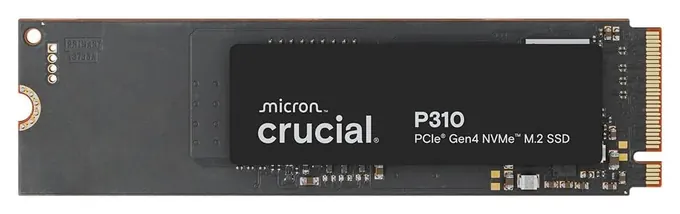
Flash cells wear a little each time they are written. Makers state this as terabytes written, or TBW, and the warranty usually ends at a set number of years or that figure, whichever comes first (Crucial). Ratings vary a lot: a 2TB TLC drive such as the Samsung 990 PRO is rated for 1,200 TBW, while a 2TB QLC drive such as the Crucial P310 is rated for 440. For scale, writing 50 gigabytes every day for five years adds up to about 90 TBW.
TLC flash stores three bits per cell, and QLC stores four. QLC is cheaper but slower once the drive's fast cache fills during a big copy, and it is rated for fewer writes (StorageReview). Drives with a DRAM cache hold their speed better under heavy, mixed work. DRAM-less drives borrow a little system memory and use less power, which suits laptops (StorageReview).
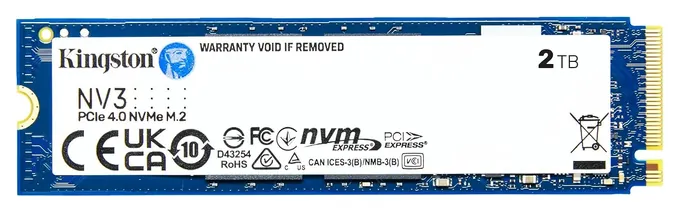
Warranties run three or five years. Some budget drives, such as the Kingston NV3, don't promise a fixed controller or flash, so two units can perform differently (Tom's Hardware).
Heat, Firmware, Backups And Prices
PCIe 5.0 drives get hot. TechPowerUp saw a bare Samsung 9100 PRO reach about 84 C and slow itself down, so use the motherboard's M.2 cover or a heatsink (TechPowerUp). PCIe 4.0 drives usually run fine under a motherboard cover.
Update firmware when you install a drive. In 2023, some Samsung 990 PRO drives showed health readings that fell far too fast until a firmware update stopped it; the update didn't restore health already lost (Puget Systems). Portable drives have had trouble too: owners of some SanDisk Extreme portable SSDs reported data loss in 2023, which led to a class-action suit (Tom's Hardware). An SSD can fail without warning, so keep a backup of anything you can't replace.
Prices are unusual right now. Demand for memory chips from AI data centers set off a global shortage, and SSD prices have roughly doubled or tripled since 2025 (Wikipedia). Prices move weekly, and 1TB versions are the cheaper way in.
How we researched this
We compared 18 solid state drives across internal M.2, SATA and portable types, read makers' specifications and warranty terms, read independent lab reviews from StorageReview, TechPowerUp, Tom's Hardware, PC Gamer, KitGuru and others, checked reported firmware and data-loss problems, and checked every brand for recalls with the U.S. Consumer Product Safety Commission. We found no SSD recalls.
Sources (25)
- Samsung: 990 PRO
- Samsung: 9100 PRO
- Samsung: 990 EVO Plus
- Samsung: T7 Shield
- Samsung: T9
- Crucial: P310 2TB
- Sony: Install an M.2 SSD in PS5
- StorageReview: Crucial P310 review
- KitGuru: Crucial P310 2TB review
- StorageReview: Samsung 990 EVO Plus review
- TechPowerUp: Samsung 9100 PRO 2TB review
- PC Gamer: Samsung 9100 PRO review
- StorageReview: Samsung T9 review
- Digital Citizen: Samsung T7 Shield review
- Tom's Hardware: Kingston NV3 review
- Dongknows: WD Blue SN5100 review
- Tom's Hardware: SanDisk Optimus line replaces WD models
- PetaPixel: Lexar D70E launch
- TechTimes: Samsung 870 EVO in 2026
- Puget Systems: Samsung 990 PRO firmware update
- Tom's Hardware: SanDisk Extreme class action
- Club386: Best SSD
- Wikipedia: 2024-present global memory supply shortage
- Wikipedia: M.2
- CPSC Recalls
Frequently asked questions
Is an SSD better than a hard drive?
For speed, yes. An SSD has no spinning platters, so it starts programs and opens files many times faster, and it's silent and handles bumps better. Hard drives still cost much less per terabyte, which makes them a good choice for bulk backups.
What's the difference between NVMe and SATA SSDs?
SATA drives use the same connection as hard drives and top out near 560 MB/s. NVMe drives connect over PCIe, usually in an M.2 slot, and reach about 7,000 MB/s on PCIe 4.0 and about 14,000 MB/s on PCIe 5.0.
Do I need a PCIe 5.0 SSD for gaming?
No. Game load times change little between PCIe 4.0 and 5.0 drives. PCIe 5.0 helps most with very large file copies, and it needs a matching slot and a heatsink.
How long do SSDs last?
Most last well beyond their warranty in home use. Endurance is rated in terabytes written; a 2TB drive rated for 600 TBW or more would take decades of typical home writing to wear out. Controllers and other parts can still fail, so keep backups.
Why is my portable SSD slower than advertised?
Usually it's the port or cable. A 2,000 MB/s drive needs a USB 3.2 Gen 2x2 (20 Gbps) port; on a 10 Gbps port it runs at about 1,000 MB/s, and on an old USB port much slower.
Can I add an SSD to a PS5?
Yes. Sony asks for a PCIe 4.0 M.2 NVMe drive between 250GB and 8TB with reads of 5,500 MB/s or more, plus a heatsink or similar cooling. Portable USB drives can store and play PS4 games and hold PS5 games, but PS5 games must run from internal storage.