The 9 Best HDMI Audio Extractors
Updated by · How we research

Nine HDMI audio extractors compared on 4K passthrough, ARC and eARC support, and optical or stereo outputs. The OREI HDA-912 suits most older soundbars. When users buy our independently chosen editorial picks, we may earn commissions to help fund the Wiki.
An optical cable can't carry Dolby Atmos or lossless movie soundtracks, so a basic extractor gives an older soundbar the surround sound a DVD offered, which is often all it can play anyway. These boxes copy sound from HDMI for speakers without HDMI inputs while the picture goes on to the TV. Most work from a source, not from the TV itself.


Editor's Notes
October 23, 2026, by Ezvid Wiki Editors:
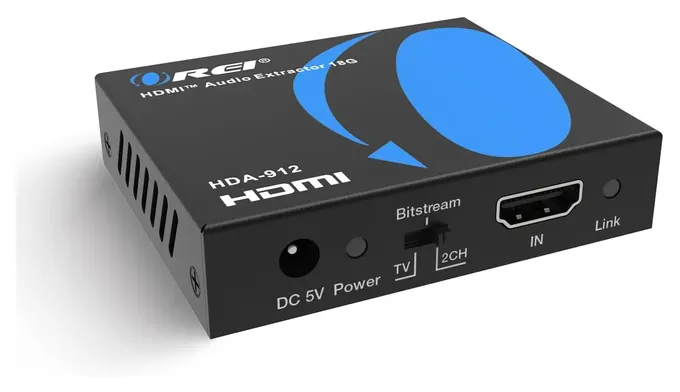
The OREI HDA-912 now leads this list because it passes 4K HDR cleanly, ships with a power supply that works anywhere, and stays easy to find. The page covers boxes that split sound from HDMI for soundbars, receivers and speakers without HDMI inputs, plus models that take sound back from the TV.
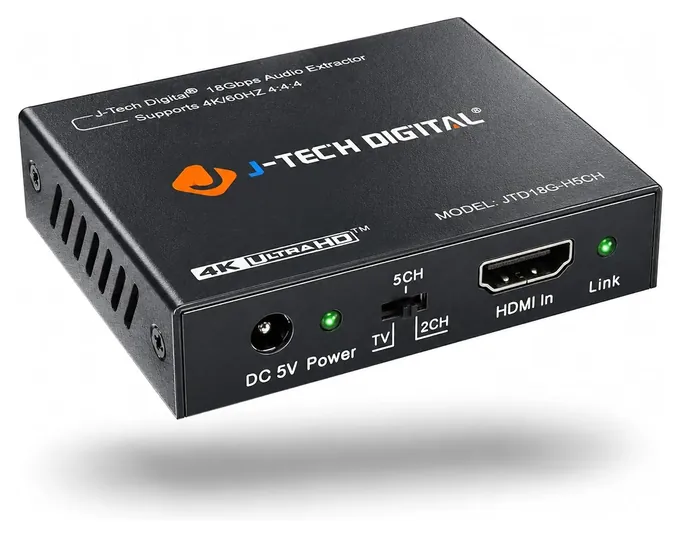
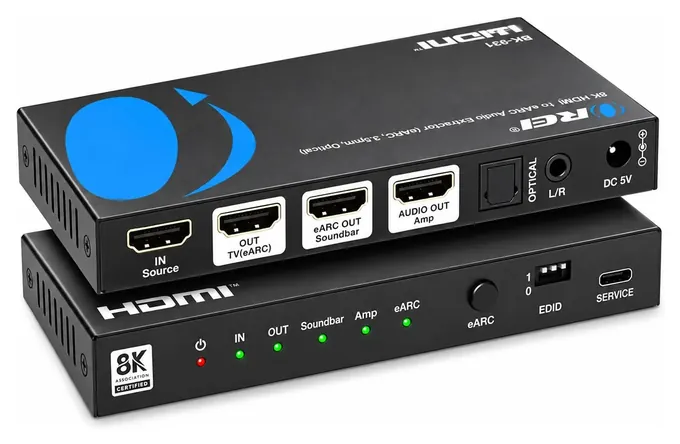
The old list leaned on HDMI switchers. The Avedio Links Switcher, J-Tech Digital Passthrough and Proster Switch are gone, and we couldn't confirm the ViewHD UHD3X1A is still sold. We dropped the Newcare Converter, a copy of a better-documented box. The J-Tech Digital JTD18G-H5CH, the old S/PDIF Converter entry, stays. New picks add ARC from the TV, 120 Hz console gaming, a stereo mode for vintage amps, and the OREI BK-931 for lossless sound to a receiver.
No lab tests these budget boxes, so we read makers' spec charts and compatibility notes against what HDMI, ARC and optical can actually carry, and weighed the setup failures home-theater forums keep reporting.
Earlier notes
December 22, 2020, by Kaivaan Kermani:
With 4K media becoming more commonplace, I’ve taken this update as an opportunity to replace all extractors -except the Proster Switch - which were only compatible with up to HDMI 1.4 with ones which can offer support for up to HDMI 2.0. The logic behind this is fairly simple: like all HDMI-related components, extractors are backward-compatible; on the flip side, passing 4K60fps media through a component that couldn’t support it would step down its quality – that includes video as well as audio, as HDMI 2.0 affords a higher aggregate sampling rate (1536 vs. 768 kHz) and more channels than HDMI 1.4.
Display quality aside, the difference in audio between a 4K60fps signal running on these two protocols over a stereo setup – which includes 2 or 3 speakers - may be barely noticeable, but will begin to get noticeable on anything higher than a 3.1 (4-channel) system, and will certainly make a difference to an audiophile over 5.1(6-channel) and larger surround-sound systems, since the single-channel sampling rate over HDMI 1.4 will drop lower and lower to match the aggregate sampling rate. Another thing to keep in mind is to not use longer-than-necessary HDMI cables as that will degrade the signal quality, and HDMI is particularly susceptible to this issue, and also remember that all the components including the cables need to be of a format that supports the a/v signal quality you intend to stream.
May 15, 2019, by Daniel Imperiale:
The major shakeup to this ranking came from the fact that more and more households are getting their hands on 4K TVs, which continue to plummet in price. As a result, the J-Tch Digital and ViewHD models on our previous list had to be updated. Fortunately, both companies offer very nice 4K options, and J-Tech was smart enough to take the reliability and simplicity of their 1080 device and hold onto just about everything that made it a good choice in the first place. As a result, it moved up considerably, now occupying the number two slot, while the impressive unit from iArkPower retained its supremacy at number one. Leaving our entirely is the Avantree ADC04, which has suffered from significant availability issues despite offering 4K passthrough and support for 3D tech. Performance problems with the Tendak previously at number seven kept it at the back of the ranking, but it did see a bump to number six with the ejection of the aforementioned Avantree.
Special Honors
HDFury Arcana 2 HDFury makes installer-grade HDMI tools for home theaters. Its Arcana 2 replaces the original Arcana, which is popular with Sonos Arc and Beam owners, and it works with sound systems that take eARC, ARC or regular HDMI audio. It costs several times as much as a typical extractor and is sold mainly through the maker and specialist dealers, so it suits a fussy setup where cheaper boxes have failed. hdfury.com
Where The Sound Comes From: A Source Or The TV
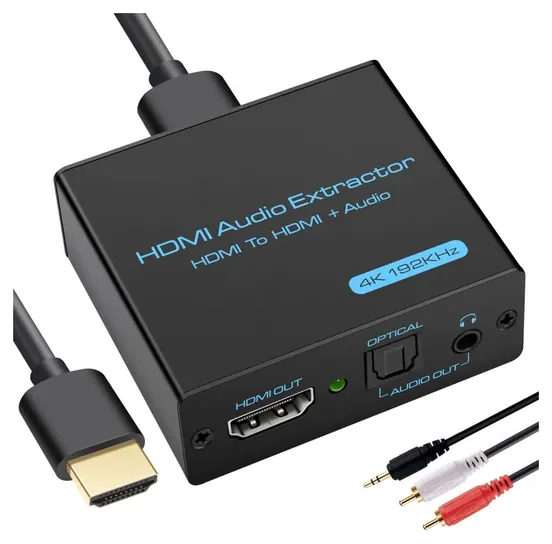
The video goes on to the TV by HDMI, and the box copies the sound to an optical jack or a stereo jack for a soundbar, receiver or powered speakers that has no HDMI input.
Start with what you plug in. Most extractors sit between a source, such as a streaming stick, game console, cable box or Blu-ray player, and the TV. The video goes on to the TV by HDMI, and the box copies the sound to an optical jack or a stereo jack for a soundbar, receiver or powered speakers that has no HDMI input. Several makers say plainly that the TV can't be the input on these boxes, and HDMI IN won't work if you plug it into the TV.
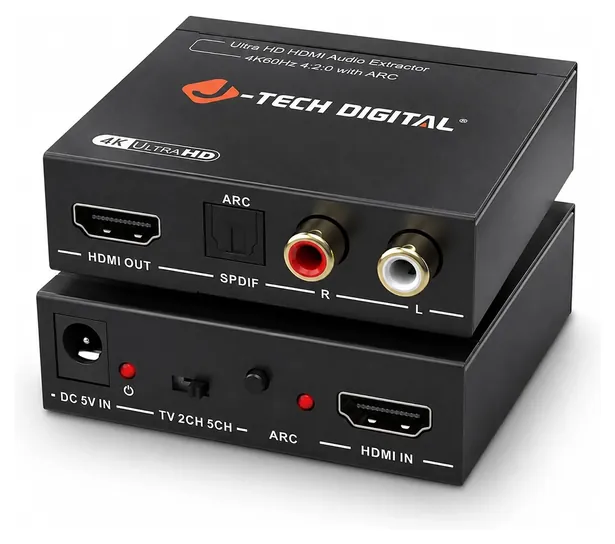
If every source plugs into the TV and you want the TV's own sound, you need a box with an ARC mode. ARC, the audio return channel, arrived with HDMI 1.4 and lets the TV send sound back down an HDMI cable (Wikipedia: HDMI). Extractors with an ARC switch or button take that sound and turn it into optical. J-Tech Digital lists both kinds side by side, including ARC and eARC models (J-Tech Digital).
Check the TV first, though. Many TVs still have an optical output, and a plain optical cable from the TV to the soundbar does the same job with no box at all. If the soundbar has an HDMI ARC input, use that instead; see our soundbar picks. For very old sources with only red, white and yellow plugs, the job runs the other way, and an AV-to-HDMI converter is what you need.
What Optical And Analog Jacks Can Carry
Optical, also called TOSLINK or S/PDIF, was designed in the 1980s and carries two channels of uncompressed PCM or compressed 5.1 surround in Dolby Digital or DTS (Wikipedia: TOSLINK). It can't carry Dolby Atmos, Dolby TrueHD, DTS-HD Master Audio or multichannel PCM. No extractor changes that, so a box that feeds an optical soundbar gives you the same surround a DVD offered, which is often all an older soundbar can decode anyway. RTINGS makes the same point: optical is fine for older gear, but HDMI ARC or eARC is the better link when a soundbar has it (RTINGS).
The stereo jacks (3.5 mm or red and white RCA) carry two-channel PCM only. Most extractors pass Dolby Digital and DTS through without decoding them, so if a movie sends surround sound to the analog jack, you get silence or a buzz. Set the source to PCM stereo, or use the box's 2CH switch setting. A few newer boxes have a mode that mixes surround down to stereo for you.
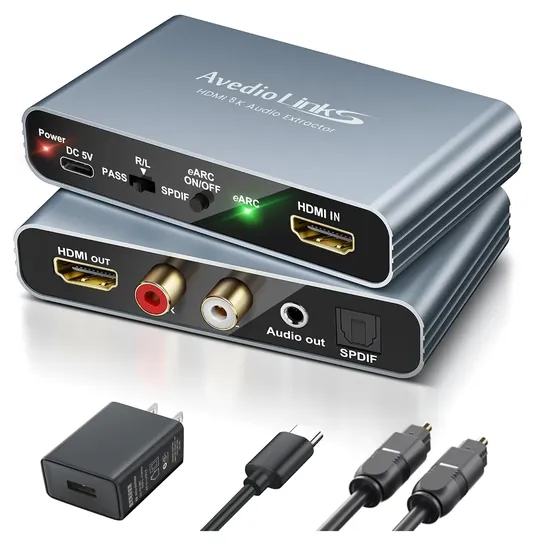
For lossless sound you need eARC on both ends, or an extractor with an HDMI audio output. eARC came with HDMI 2.1 and adds uncompressed 5.1 and 7.1 PCM, Dolby TrueHD and DTS-HD Master Audio, up to 32 channels (Wikipedia: HDMI). Because the extraction is digital, none of these boxes changes how the sound itself sounds. What differs is which formats get through, and whether the box gets along with your other gear.
Picture Speed, Switch Settings And Setup
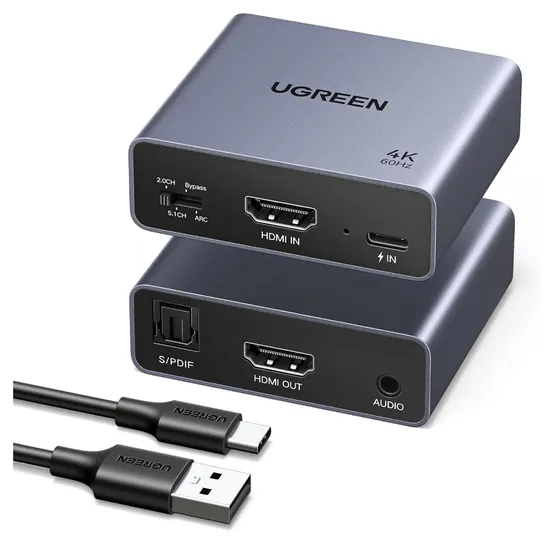
An HDMI 2.0 extractor, with 18 Gbps of bandwidth, handles 4K at 60 Hz with HDR, which covers streaming sticks, Blu-ray players and most consoles. A PS5 or Xbox Series X set to 120 Hz needs an HDMI 2.1 box, or it drops back to 60 Hz. Older HDMI 1.4 boxes stop at 4K at 30 Hz and HDCP 1.4, the copy protection that 4K streaming apps check (Wikipedia: HDCP), so those apps fall back to HD. Cable length matters too: UGREEN advises HDMI cables of 3 meters or less for 4K at 60 Hz, and HDMI 2.1 boxes need Ultra High Speed cables.
The small switch on most extractors sets the EDID, the message that tells the source what sound to send. PASS or TV copies the TV's own capabilities. 2CH asks for PCM stereo, which the analog jacks need. 5.1CH asks for Dolby Digital or DTS, which suits an optical receiver. If there's no sound or no picture, try PASS first, then reseat the cables and power the source on last.
Every extractor needs its own 5-volt power, and some ship without the wall plug; a TV's USB port may not supply enough. None of them lets the TV remote change the volume of an amplifier wired to the optical or analog jacks. If the soundbar's sound runs a little behind the picture, use its audio delay setting. The most common trouble is an HDCP handshake failure, where the picture drops out; a different cable or power cycle usually clears it.
How we researched this
We compared 17 HDMI audio extractors and switchers, including every item from the earlier version of this page, read the makers' spec charts and compatibility notes for the 9 finalists, checked the format limits of optical, ARC and eARC against published HDMI and TOSLINK references, looked at recurring owner and forum complaints, and searched each brand in the U.S. Consumer Product Safety Commission's recall database. No independent lab tests of these boxes exist. Updated October 23, 2026 by Ezvid Wiki Editors.
Frequently asked questions
Can you extract audio from HDMI?
Yes. An extractor sits between the source and the TV, passes the video on, and copies the digital sound to an optical jack or a stereo analog jack. Boxes with an ARC mode can also take the sound coming back from the TV.
Does an HDMI audio extractor lose sound quality?
Not on the optical output, which is a straight digital copy. Quality limits come from the format: optical carries stereo PCM or compressed 5.1, not Atmos or lossless tracks. The analog jacks use the box's own converter and play stereo only.
Do HDMI audio extractors work with Dolby Atmos?
Not over optical or analog jacks. For Atmos you need an extractor with an HDMI or eARC audio output, such as the OREI BK-931, connected to a receiver or soundbar that decodes it.
Will an HDMI audio extractor work with a PS5 or Xbox Series X?
Yes. An HDMI 2.0 extractor passes 4K at 60 Hz. For 4K at 120 Hz and variable refresh you need an HDMI 2.1 box, such as the OREI HDA-913, and an Ultra High Speed HDMI cable.
Do I need an extractor if my TV has an optical output?
Usually not. A plain optical cable from the TV to the soundbar does the same job. An extractor helps when the TV has no optical jack, when you want stereo RCA outputs, or when the TV won't pass surround sound out.
What is the difference between an HDMI audio extractor and a splitter?
A splitter sends one HDMI signal to two or more screens. An extractor keeps one screen and pulls the sound out to a separate audio jack. Some sellers call extractors splitters, so check for an optical or analog output.