The 10 Best Document Cameras
Updated by · How we research

Ten USB, HDMI, wireless and book-scanning document cameras compared for classrooms and calls. The IPEVO V4K leads for its sharp sensor and Chromebook support. When users buy our independently chosen editorial recommendations, we may earn commissions to help fund the Wiki.
Most document cameras sold to teachers are really webcams on a folding arm, and an 8-megapixel one is plenty to make handwriting and book print readable on a call or a projector. The bigger question is how it connects: USB for a laptop, HDMI for a projector with no computer, or Wi-Fi for walking around the room.


Editor's Notes
October 26, 2026, by Ezvid Wiki Admin:
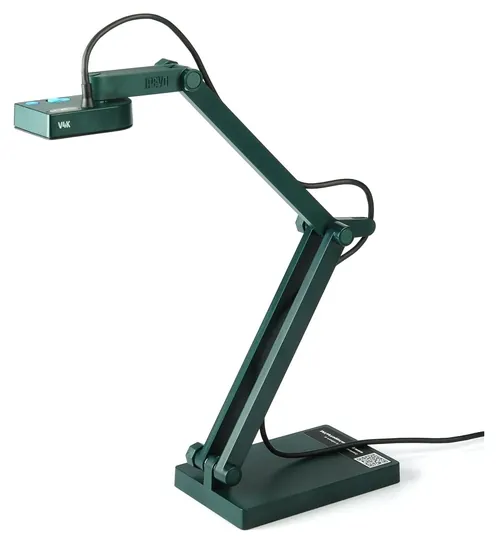
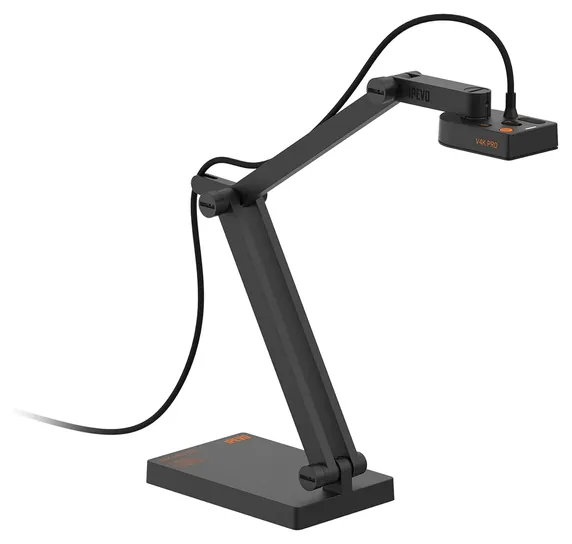
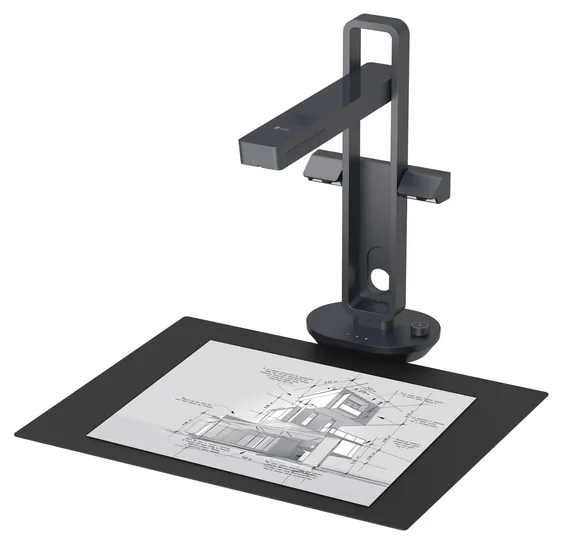
The IPEVO V4K stays and moves to the top. It's still the camera most teachers reach for, it works on Chromebooks as well as Macs and PCs, and its one real gap, a built-in light, is cheap to fix with a lamp. The list now follows how people use these cameras: USB models for video calls, the IPEVO VZ-R for projectors with no computer, the IPEVO VZ-X for walking the room, and the CZUR Aura Pro for anyone who mostly needs to scan books. The VZ-X stays in its current version, and the Epson DC-21 stays for its optical zoom.
We dropped the Czur ET18, which can't be shipped here now, and the iOchow S3 and Hue HD Pro, which are no longer available. The Lumens DC170 is down to its last unit, the Elmo MX-P has very little owner feedback behind a high price, and the Saiji Gooseneck is a phone stand rather than a document camera.
Nobody seems to run lab tests on document cameras, so the ranking rests on the makers' spec pages, one classroom roundup by reviewers who used them, and years of feedback from teachers who leaned on these cameras through remote and hybrid classes.
March 24, 2021:
By the time all was said and done, it wound up being a relatively busy round of updates. Most of our existing choices did still seem to be strong selections, but we wound up removing the Elmo 1351-TTX1 due to availability issues, and even though the Ipevo Point 2 View was still available at the time of this writing, we decided to get ahead of the game and eliminate this discontinued selection, which has now been replaced by the Ipevo V4K Ultra High Definition.
We also added the Ipevo VZ-X to our list, which is similar to the V4K in some ways, but superior in many others — most notably including its Wi-Fi connectivity and built-in battery, which combine to provide it with full wireless functionality. It should be noted, though, that if you want to shoot with the best resolution possible, you need to switch out of its Wi-Fi mode and plug it in.
The Czur ET18 and iOchow S3 both hit our list for the first time, with designs that are quite similar to one another. Both also boast page-flattening technology, which will be a welcome capability for those trying to scan books. However, in spite of their commonalities, we ranked the ET18 higher on our list because it’s compatible with both macOS and Windows, while the S3’s software only runs with Microsoft’s operating system. Other advantages the ET18 presented were supplementary lights to help eliminate shadow and glare, and a slightly better image sensor (18 megapixels compared to 17 megapixels).
We also added the Saiji Gooseneck to the bottom of our list. This option isn’t really a document camera, or a camera at all, but rather a simple bracket attached to a flexible arm that can clamp down on any desk or table that’s up to 2-1/4 inches thick, providing a simple and affordable means of substituting your smartphone for a document camera. It isn’t an especially capable or elegant solution that will appeal to professionals, but for thrifty individuals, students and casual users, it just might do the trick.
Document cameras are a great solution for many situations – like presentations, remote meetings and archiving books – but for other circumstances you might be better off sticking with a scanner.
February 17, 2020:
The new Ipevo V4K Ultra High Definition bested a pair of Ipevo models on our previous list in categories like price and build quality, but it's the 4K resolution that really set it apart. Its Sony-made sensor is no slouch either, coming from a world-renowned imaging company. The Elmo MX-P is another new addition to the market that offers users 4K resolution, and its form factor and well-placed, intuitive controls earned it a top spot.
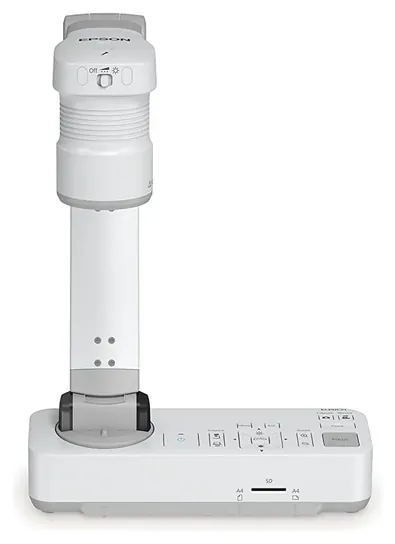
Elsewhere, we saw the arrival of some upgraded models, including the Lumens DC170 Ladibug and the Elmo 1351 TT-X1, as well as the inclusion of a previously overlooked model, the Epson DC-21 High-Definition. That Epson model may not attain 4K, but its HD video is bolstered by a 12x optical zoom that can combine with a 10x digital zoom to really get you close in on a variety of details. It's also from a company known for making outstanding projectors, so you can safely assume it won't have any connection problems when setting up a classroom.
Special Honors
WolfVision The Austrian company WolfVision makes high-end visualizers for lecture halls, courtrooms and boardrooms, with long optical zoom ranges and ceiling-mounted models. They're sold through audiovisual dealers rather than as a quick online buy, and they suit installations more than a single teacher's desk. wolfvision.com
AVer AVer, based in Taiwan, makes a wide range of classroom document cameras, from USB models to 4K units with optical zoom and wireless cameras for walking the room. Most of its range is sold through school and education resellers, which is where districts buying in bulk will find it. averusa.com
USB, HDMI Or Wireless: Start With The Connection
How it gets that picture to the screen matters more than any other spec.
A document camera points down at a page, a book or a small object and shows it live on a screen. How it gets that picture to the screen matters more than any other spec.
Most people want USB. A USB model like the IPEVO V4K shows up as an ordinary webcam on a Mac, a Windows PC or a Chromebook, so Zoom, Google Meet and Teams can pick it with no driver. That's the right choice for video calls, recorded lessons and a classroom laptop wired to a projector.
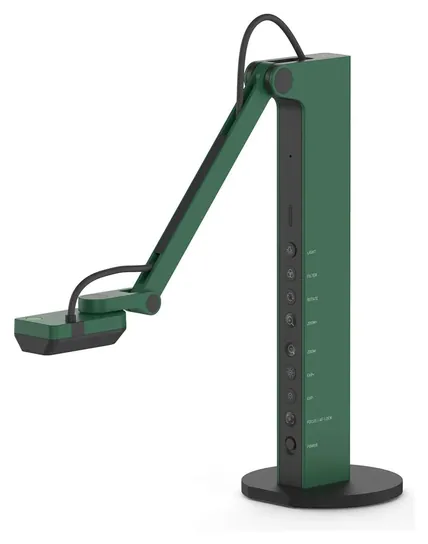
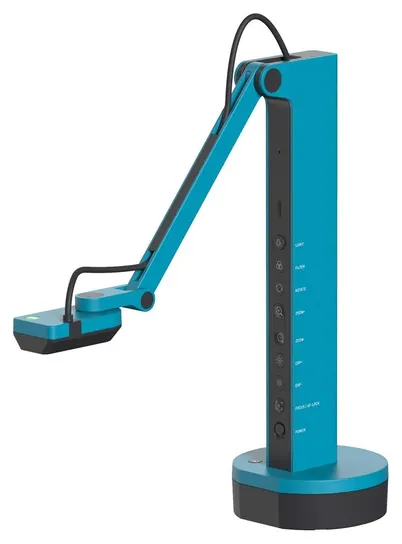
HDMI is for rooms with a projector or TV but no computer. The IPEVO VZ-R plugs straight into the display and shows the page at full HD. It needs a 5-volt power adapter in that mode, and its microphone only works over USB.
Wireless models such as the IPEVO VZ-X run on a battery and send the picture over their own Wi-Fi link to a tablet or Apple TV, which frees a teacher to carry the camera to a student's desk. They cost the most, and the wireless picture is full HD rather than the camera's full resolution.
Resolution, Light And How Much Page It Sees
An 8-megapixel sensor makes stills of about 3264 by 2448 pixels, more than enough to read small print. Live video is a different number: the IPEVO V4K streams 30 frames per second at full HD but only 15 at its full resolution, so fast hand movement looks smoother at the lower setting. A "4K" label on a cheap camera can mean a 13-megapixel sensor that streams true 3840 by 2160 video, or only an 8-megapixel part with a big claim on the box. Check the frame rate at the size you plan to stream.
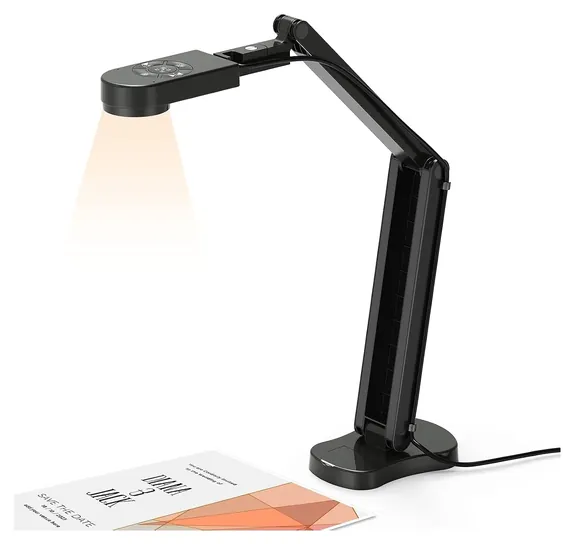
Light comes next. Cameras without an LED need a desk lamp, and an overhead classroom light can cast the camera's own shadow on the page. Glossy paper bounces light into the lens; an anti-glare sheet or tilting the page a little helps.
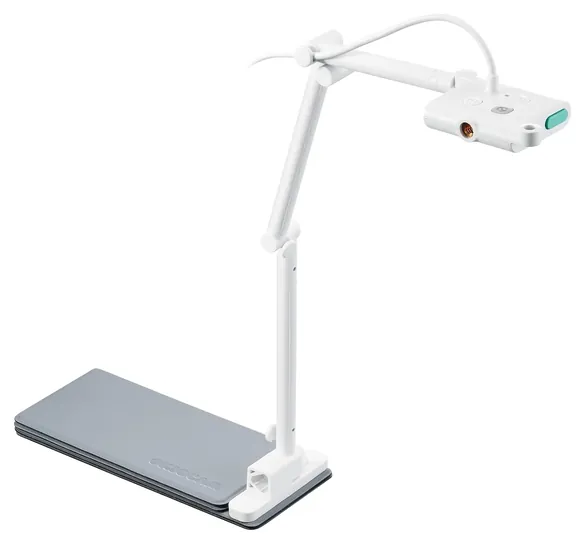
Capture area decides what fits. Small folding cameras frame a letter page turned sideways, while larger arms take in A3 or tabloid sheets for maps and posters. OKIOLABS, which makes the OKIOCAM, walks teachers through these trade-offs. Zoom on USB cameras is digital, which simply crops the picture. Only large classroom units like the Epson DC-21 have an optical zoom lens.
Document Camera Or Scanner?
A document camera is built for showing, not archiving. It captures a page fast, but a bound book's curved pages stay curved, and shadows in the gutter stay put. If the goal is to digitize books or turn stacks of paper into searchable files, a book scanner such as the CZUR Aura Pro flattens curved pages in software and runs text recognition. For loose sheets and photos, a flatbed scanner still gives the cleanest copy.
A phone on a stand can stand in for a document camera on a short call. It lacks the flat, overhead arm and usually needs an app to appear as a webcam, so it's a stopgap rather than a classroom tool.
A few habits help any camera. Tighten the arm joints if the head starts to droop, switch to manual or single-shot focus if the picture keeps hunting, and check school rules before recording student work on a call. None of the makers on this list has a recall with the U.S. Consumer Product Safety Commission; the only document-camera recall we found, from 2007, covered Elmo and Epson visual presenters made between 1993 and 2003.
How we researched this
We compared 25 document cameras and book scanners from 12 brands, read the makers' spec pages for the 10 finalists, worked through a classroom roundup and a maker's buying guide for teachers, analyzed owner feedback for focus, glare and setup problems, and checked every brand for recalls with the U.S. Consumer Product Safety Commission. We found no independent lab test of document cameras.
Frequently asked questions
What document camera do teachers use?
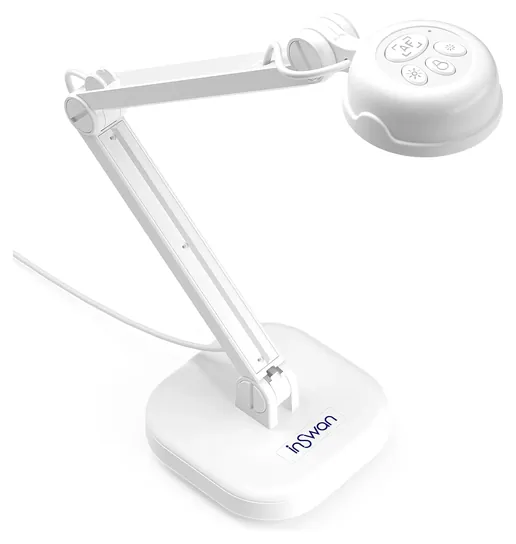
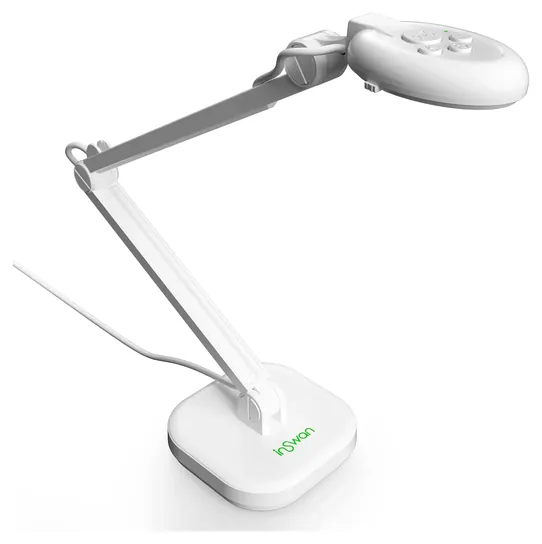
Most classrooms use a USB camera on a folding arm, such as the IPEVO V4K, INSWAN INS-1 or OKIOCAM S-4K, connected to a laptop that drives the projector or the video call. Rooms without a computer use an HDMI model like the IPEVO VZ-R.
What can I use instead of a document camera?
A phone on a stand or a webcam on a gooseneck arm can show a page on a short call. Neither holds the camera flat overhead as well, and a phone usually needs an app to act as a webcam.
Is a document camera the same as a scanner?
No. A document camera shows pages live and takes quick snapshots. A scanner makes flat, archival copies, and a book scanner such as the CZUR Aura Pro also flattens curved pages and turns them into searchable text.
Do I need an HDMI document camera?
Only if the projector or TV has no computer attached. A USB camera does the job whenever a laptop is in the loop, and it costs less.
Does a document camera work with a Chromebook?
Most USB models do. IPEVO, INSWAN and OKIOCAM cameras follow the standard webcam class, so a Chromebook sees them without drivers. Book scanners that rely on their own software, such as the CZUR Aura Pro, run on Windows and macOS only.