The 10 Best Cassette MP3 Converters
Updated by · How we research

Whether you need a computer splits these 10 cassette to MP3 converters, from pocket units to USB decks and adapters. The KLIM K7 needs none and ranks first. When users buy our independently chosen editorial picks, we may earn commissions to help fund the Wiki.
Most pocket cassette converters are the same few designs under different names, and none will make a tape sound better than it is. A converter plays your old tapes and saves them as digital files, straight to a USB drive or memory card or through a computer. People use them for family recordings, mixtapes and old albums.


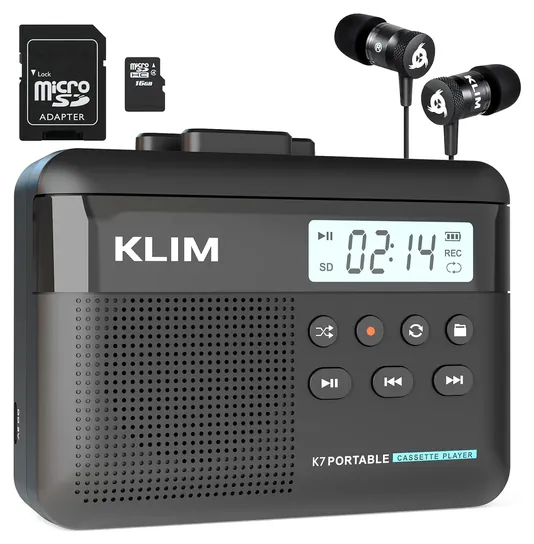
From the manual
- To record, start the tape first, then hold the record button; "REC" flashes until you hold it again to save the file. p. 6
- When fast-forward or rewind reaches the end of the tape, press stop; KLIM says this prevents damage to the player. p. 6
- It records only to the card, from tape or its mic; it can't record onto a cassette. p. 7
- Wipe the casing with a damp cloth only; KLIM warns that alcohol and other solvents smear its printing. p. 3
Why the KLIM K7 is our top pick
The K7 wins because it does the whole job by itself: start the tape, hold the record button, and it writes the side to a memory card as MP3, with no computer or app.1,2 The card and a USB reader come in the box,2 and an automatic level circuit sets the recording volume, so nudging the volume knob mid-tape won't spoil the file.1 It runs on its own rechargeable battery,2 and a built-in mic covers voice notes.1
Our runner-up, the Tascam 202MKVII, is the better machine for big or precious collections, but it asks more of you. It digitizes only through a computer or an outside USB recorder, at up to 16 bits and 48 kHz,3,4 and the USB cable isn't in the box.3 In return you get two decks, pitch control of up to 12 percent on the first one,3 and hiss reduction for tapes made with Dolby B, though it works only during playback.3
The K7 saves MP3 only, and its maker publishes no bit rate, so anyone who wants a lossless master should take the Tascam. For most readers, though, the job is getting a shoebox of family tapes onto a card, and the K7 does that with the least gear. It also carries a five-year assurance,2 against the Tascam's one-year US warranty.5
| KLIM K7 | Tascam 202MKVII | |
|---|---|---|
| Records without a computer | Yes, to a memory card | No, needs a computer or USB recorder |
| Saved file | MP3, bit rate not published | 16-bit, up to 48 kHz, via software |
| Pitch control | None listed | Up to 12%, deck 1, playback only |
| Power | Rechargeable battery | Wall outlet |
| Warranty | Five-year assurance | One year, US |
Sources
- KLIM K7 1User manual (PDF), pp. 3, 6, 7 2Product page
- Tascam 202MKVII 3Owner's manual (PDF), pp. 11, 17, 25, 31 4Product page and specifications 5US warranty
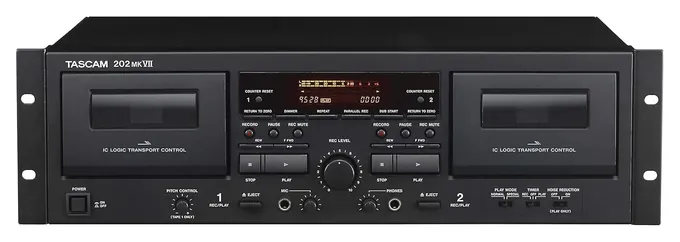
From the manual
- No USB cable comes in the box; Tascam suggests buying one with a ferrite core to cut noise. pp. 25, 31
- Skip tapes of 90 minutes or longer: Tascam warns the thin tape can stretch and catch in the capstan. p. 8
- Pitch control works on deck 1 during playback only; it's disabled while recording or dubbing. p. 17
- The US warranty doesn't cover a unit bought from an unauthorized dealer, so check the seller. p. 95
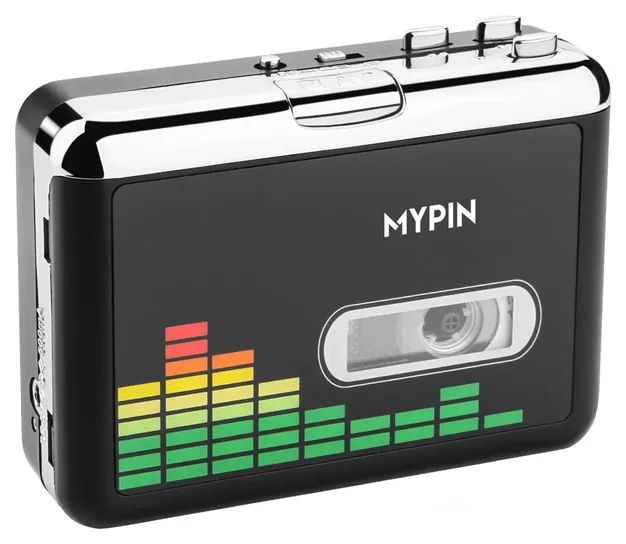
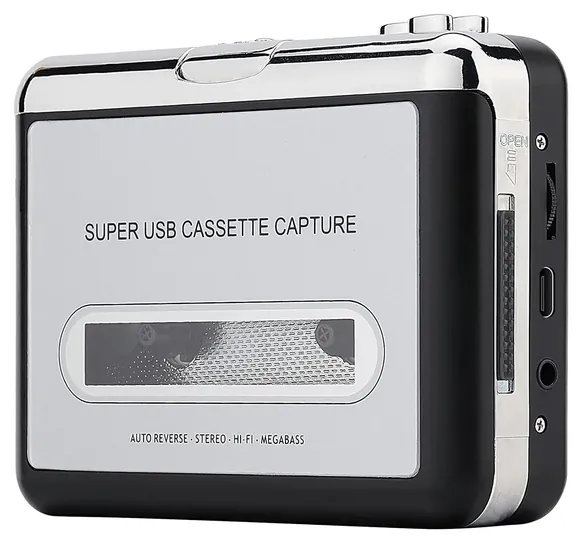
From the manual
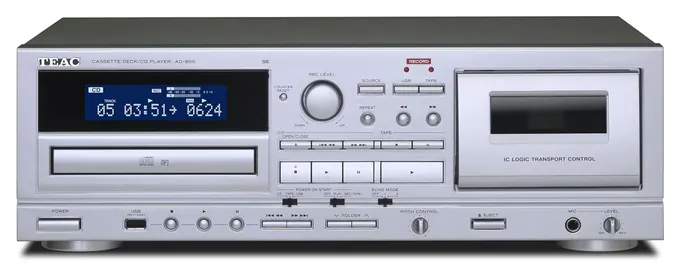
- USB recordings are fixed at 128 kbps MP3, and metal tapes play but can't be recorded. pp. 24, 28, 31
- Tape-to-USB recording stops when the side ends, so flip the tape and start the next file yourself. p. 29
- Press the USB record button mid-transfer to split the file by hand; the tape pauses briefly with almost no gap. p. 30
- Timer recording needs a separate plug-in timer and records only to tape, never to a flash drive. pp. 13, 28
From the manual
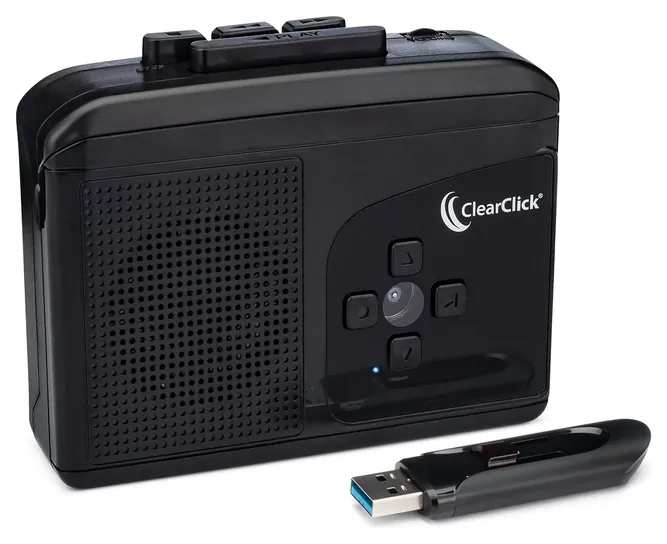
- Use a USB 3.0 flash drive formatted exFAT or FAT32; ClearClick says slower USB 2.0 drives make glitchy recordings. p. 5
- The volume knob sets the recording level, so keep it up; plug in the earbuds to record quietly. p. 5
- It starts in manual mode, saving one file; hold the Down button until the light turns blue for automatic track splitting. p. 6
- Billed as a two-year warranty, three with free registration, though the fine print promises free replacement within the first year. pp. 1-2
From the manual
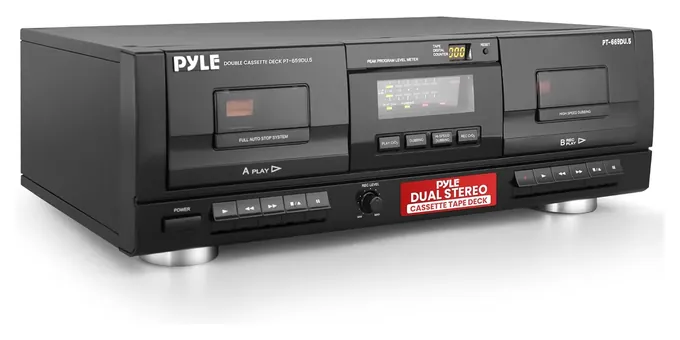
- Only deck B records or dubs; deck A plays only. p. 4
- A gain knob on the back sets the level sent to the computer; turn it down if recordings clip. p. 5
- The manual gives no software steps for USB transfers, so you'll need your own recording program. p. 5
- Dubbing runs at normal or high speed; Pyle says not to switch speeds while a dub is running. p. 6
Editor's Notes
November 4, 2026, by Ezvid Wiki Editors:
This pass read the manuals for the KLIM K7, Tascam 202MKVII, TEAC AD-850-SE, ClearClick Cassette2USB 2.0 and Pyle PT659DU, added notes from them under each of those picks, and explains why the K7 leads. We removed an unsourced battery-life figure and a belt-drive claim for the K7, noted that the ClearClick needs your own power adapter or batteries, and corrected the tape-cleaning advice to keep alcohol off rubber parts, per the Canadian Conservation Institute.
October 18, 2026, by Ezvid Wiki Editors:
At the top now is the KLIM K7, which records to a memory card with no computer, runs on a rechargeable battery and comes with everything you need. A third of the 2020 list was gone. The Reshow Portable, Teac LPR660 and QFX J-22UBK are no longer available, and the Digitnow Turntable never belonged on a tape page. We also dropped the Teac W-1200, which draws weak owner feedback for its price, and the HopCentury Music Digitizer, since a cheaper capture adapter does the same job.
The MYPIN Cassette Converter and the Pyle PT659DU stay. The Tascam 202MKVII is the pick for big or precious collections, and the TEAC AD-850-SE covers the many readers who also want to copy CDs.
One honest note: most pocket converters are the same few designs under different names, so we kept only one of each and skipped the rebadges. None of them will make a tape sound better than it is. If a recording really matters, a good deck or a transfer service is worth it.
We found no lab tests of these converters, so the rankings rest on makers' spec pages, one retailer's review, owner feedback and recall checks.
Earlier notes
October 9, 2020, by Brendon Hannaford:
If your goal is to digitize your old cassette collection for the sake of posterity or for casual listening in the car, you will most likely be satisfied by affordable options like the Reshow Portable and the Mypin Converter. In addition to being easy to use and providing decent sound quality, these models are both portable and won't require dedicated space on your desk or bookshelf.
While the audio fidelity offered by the aforementioned selections may be acceptable for hobbyists, audiophiles and those who require archival quality will most likely have to go with something more expensive. The TEAC W-1200 and Pyle Dual Deck are two such options that combine the design of a standard dual-deck cassette player with a USB audio interface. The usage of a high-quality tape mechanism and the presence of features such as a counter and noise reduction results in a superior recording quality, and makes them a great choice for those who still intend to enjoy cassettes in their original format from time to time.
If you happen to be interested in other physical medias such as vinyl records or CDs you should check out all in one models like the TEAC LPR660 and Digitnow Turntable, the former being the high-end version and the latter being the more affordable of the two. These selections allow you to playback and convert many types of media with just one device, saving both space and potentially money compared to acquiring several different players and converters. However, if you already have a retro hi-fi setup it is possible to record and create MP3s from your tapes without buying a new component at all. The Fly Kan Audio Capture Card and HopCentury Music Digitizer are compact selections that allow you to digitize music from cassette decks, record players, CD players, and basically any device under the sun that transmits audio over RCA or 3.5-millimeter cables.
July 4, 2019, by Kevin Flores:
We've given this an pretty extensive refresh since the last time we compiled it. The previous top pick, the Wikoo Player, is gone because it is no longer available for purchase. Also out are the Bigaint EzCap and QFX J-22UBK, which have been replaced by new selections.
Some of the products we've added to the list do far more than just digitizing audio tapes. That's for a reason. If you've got cassettes lying around, chances are you've also got some vinyl records in the mix. Models like the TEAC LPR660 and Boytone BT-22M can play both and help you turn them into zeros and ones without the need for multiple devices.
Of course, if you're looking for something more specialized, the TEAC W-1200 is your machine. Because it has a noise reduction system, it can playback legacy tapes recorded with Dolby B NR without the distorted treble you might get on tape decks without that capability.
Special Honors
Audacity Audacity is free, open-source recording and editing software for Windows, Mac and Linux. It's what most USB tape players and capture adapters rely on, and it can record a lossless master, cut tracks, normalize volume and reduce hiss. The project's site has the current download and a manual. audacityteam.org
Standalone, Computer Or Deck: Pick Your Workflow
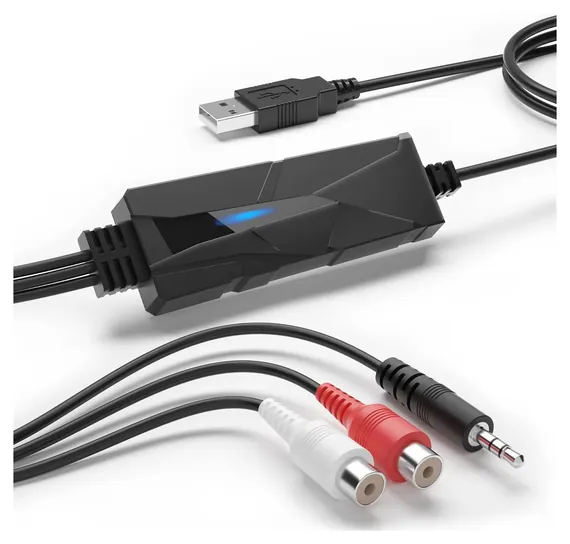
If you still own a good home deck, a USB capture adapter connects it to a computer for very little money.
Start with how many tapes you have and whether you want to sit at a computer. Standalone converters such as the KLIM K7, MYPIN Cassette Converter and ClearClick Cassette2USB 2.0 record straight to a memory card or USB drive. You press record, wait for the side to finish, and copy the files later. They save MP3 only, usually at a modest bit rate, which is fine for speech and casual listening.
Computer-based players such as the Reshow R-CP18S show up as an audio input, and you record with free software like Audacity. That route lets you keep a lossless master: choose the player as the recording input, keep the level meters out of the red, and export to FLAC or WAV (Online Tech Tips). Keep that file as the archive and make MP3 copies for your phone.
For a large or valuable collection, a real deck does the playing. The Tascam 202MKVII sends audio to a computer over USB at up to 48 kHz. If you still own a good home deck, a USB capture adapter connects it to a computer for very little money.
Why The Tape Player Matters More Than The File
The digital side of these converters is simple. The hard part is turning the tape at a steady speed and reading it with a clean head. A cheap transport can drift in speed, which shows up as wavering pitch (wow and flutter) on sustained music notes; speech hides it much better. Commenters in a Reddit audio engineering discussion describe most pocket converters as a budget Walkman-style mechanism with a USB chip added. Joe Iraci, a senior conservation scientist at the Canadian Conservation Institute until 2019, and Richard Hess, who opened an audiotape restoration business in 2004, make a similar point in the institute's bulletin on digitizing audiotapes (2020 edition): most machines likely recorded better than they played, so a tape is probably better off on a better player than the one that made it (Canadian Conservation Institute). A full-size deck has a heavier transport and often pitch control, which can correct a tape recorded on a machine that ran fast or slow.
Tape type matters too. Pocket players are generally built for normal (Type I) cassettes; SEMIER's listing names only those. Decks like the Tascam 202MKVII and TEAC AD-850-SE also play chrome and metal tapes, though neither records metal. Tapes made with Dolby B noise reduction sound bright and hissy when played without it. The Tascam has a playback noise reduction switch that its maker calls equivalent to Dolby B; the TEAC's manual lists none.
None of these will remove hiss on its own. Audacity has a noise reduction tool that helps, used lightly, after the transfer.
Caring For Old Tapes, And Copyright
Before any transfer, clean the player's head with a cotton swab and 99% isopropyl alcohol. The Canadian Conservation Institute's bulletin advises keeping alcohol off rubber parts such as the pinch roller; wipe those with a swab barely dampened with water, unless your player's manual names a cleaner. Let tapes that were stored cold reach room temperature. The Library of Congress advises handling cassettes by the shell, storing them upright in a cool, dry place, and keeping them away from attics and basements (Library of Congress). A tape that squeals, sheds or sticks may have a binder problem. Stop and take it to a preservation specialist rather than forcing it through a cheap player, which can ruin it.
Most people digitize their own family recordings and albums for personal listening. Whether a copy counts as fair use depends on the circumstances, and only a court can decide (U.S. Copyright Office). Don't share or sell copies of commercial tapes. This isn't legal advice.
If you have only a handful of irreplaceable tapes, a local transfer service may be simpler than buying hardware.
How we researched this
We compared 23 cassette converters, USB tape decks and capture adapters, including every product from the previous list, and screened 18 in depth. For the picks we read the KLIM K7 user manual, Tascam's 202MKVII owner's manual, the AD-850 owner's manual TEAC posts for the AD-850-SE, ClearClick's Cassette2USB 2.0 manual and Pyle's PT-659DU instructions; no manual could be found for the MYPIN, Reshow, SEMIER, Gracioso or DriverGenius units, so those rest on maker and listing details. The Canadian Conservation Institute's audiotape bulletin and the Library of Congress care guide shaped the advice on playback and tape handling. On November 4, 2026, the CPSC and Health Canada recall databases showed no recall for any of the ten; the only hits on these brand names were KLIM avalanche probes and a 2011 Canadian recall of Pyle and Pyramid amplifiers, mixers and speakers, none of them tape gear.
Sources (23)
- Tascam: 202MKVII product page
- Top Ten Reviews: best cassette to MP3 converters
- MusicianWave: best audio cassette to MP3 converters
- Richer Sounds: TEAC AD-850 review
- Sound On Sound forum: TEAC AD-850 USB recording
- Online Tech Tips: transfer audio cassette to computer
- Library of Congress: care of audio recordings
- U.S. Copyright Office: fair use FAQ
- Reddit r/audioengineering: cassette to MP3 converters, all the same?
- Audacity
- U.S. CPSC SaferProducts.gov
- KLIM: K7 cassette player user manual (PDF)
- KLIM: K7 product page
- Tascam: 202MKVII owner's manual (PDF)
- Tascam: US warranty
- TEAC: AD-850 owner's manual, posted for the AD-850-SE (PDF)
- TEAC: AD-850-SE specifications
- ClearClick: Cassette2USB 2.0 user's manual (PDF)
- ClearClick: Cassette Tape to USB 2.0 product page
- Pyle: PT-659DU operation instructions (PDF)
- DriverGenius: AudioXfer AV202-B product page
- Canadian Conservation Institute: The Digitization of Audiotapes, Technical Bulletin 30
- Health Canada: 2011 Pyle and Pyramid audio equipment recall
Frequently asked questions
Do I need a computer to convert cassettes to MP3?
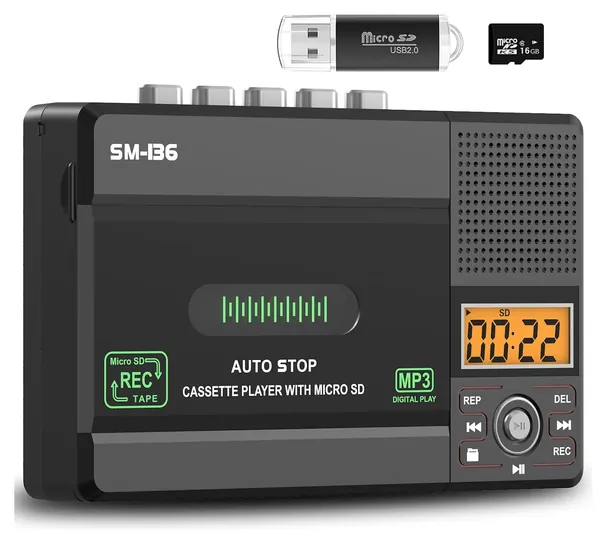
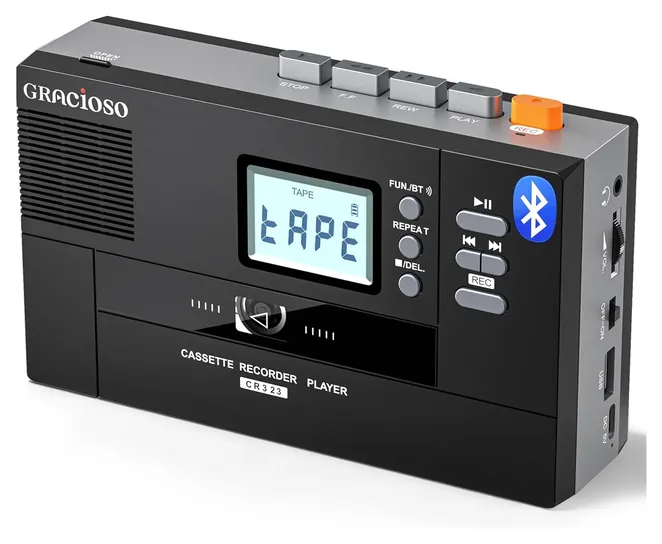
No. Standalone converters like the KLIM K7, MYPIN Cassette Converter, ClearClick Cassette2USB 2.0 and Gracioso CR323 record straight to a memory card or USB drive. Players like the Reshow R-CP18S, and decks like the Tascam 202MKVII, need a computer and recording software.
What is the best way to get the highest quality from a cassette?
Play it on a good deck, record into a computer at 44.1 kHz and 16 bits, and save a lossless WAV or FLAC master before making MP3 copies. Standalone pocket converters save MP3 only.
Can a cassette converter make a CD?
Not directly. These products make MP3 files. You can burn those files to a CD on a computer. The TEAC AD-850-SE also plays CDs and can copy them to a USB drive.
Will converting fix hiss or wobbly sound?
No. A converter records what the tape and player give it. Wobbly pitch usually comes from the player's motor or a stretched tape. Noise reduction in software such as Audacity can lower hiss.
Can I convert chrome or metal tapes?
Most pocket players are made for normal (Type I) tapes. Full-size decks such as the Tascam 202MKVII and TEAC AD-850-SE also play chrome and metal tapes.
Is a cassette transfer service a better idea?
For a few rare or fragile tapes, often yes. For a box of family tapes or a whole collection, a converter usually costs less and lets you do it at your own pace.