The 10 Best Backlit Keyboards
Updated by · How we research

Ten backlit keyboards compared by light control, battery drain, switch feel and layout. The Logitech MX Keys S wins for keys that light as your hands approach. When users buy our independently chosen editorial recommendations, we may earn commissions to help fund the Wiki.
On a wireless keyboard, the light is the biggest battery drain: Logitech rates one popular board at 10 days a charge with it on and five months with it off. That makes a light that wakes for your hands, then sleeps, worth more than color. This guide is for anyone typing after dark, from gamers to people who need bigger letters.


Editor's Notes
October 27, 2026, by Ezvid Wiki Editors:
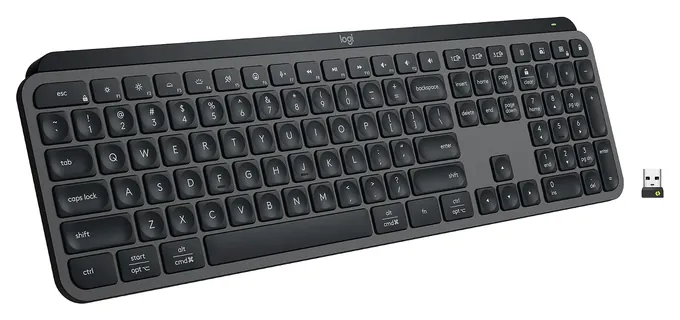
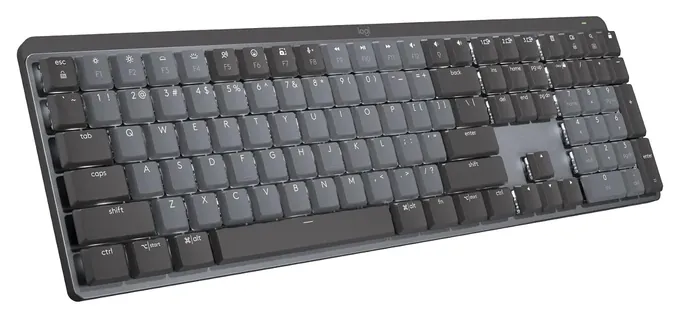
The Logitech MX Keys S now leads, for a simple reason: most people who land here ask about keyboards whose light turns itself on and off, and its keys glow as your hands come near, follow the room's brightness and go dark when you leave. The Logitech MX Mechanical does the same with quiet mechanical switches.
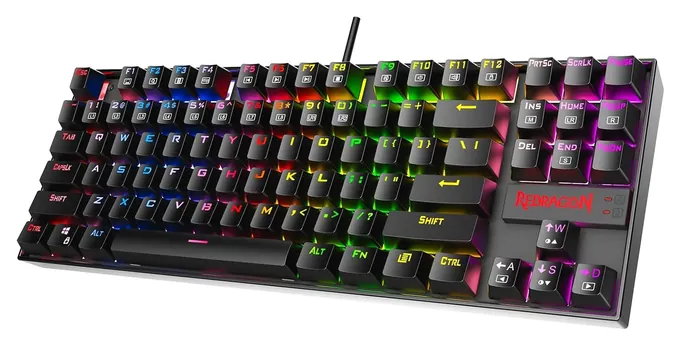
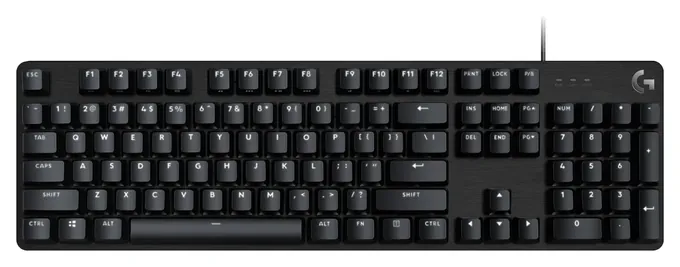
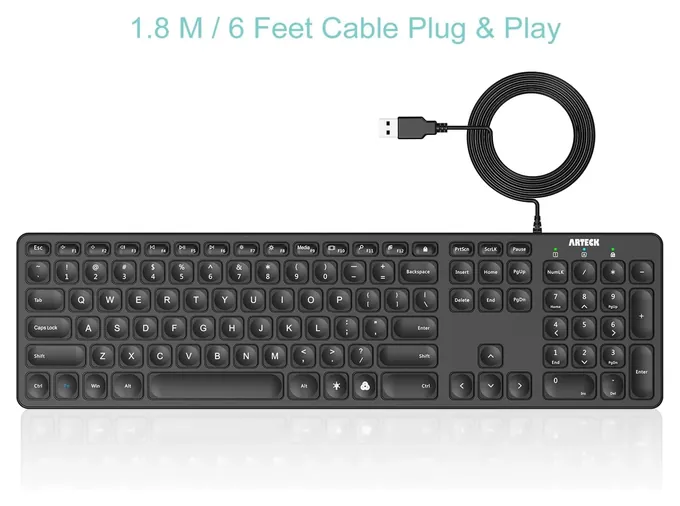
Nine of the ten earlier picks are out. The Obinslab Anne Pro 2, Kinesis Freestyle Edge and Azio Retro Classic are unavailable. The Glorious Modular, Huo Ji Z-77 and Roccat Vulcan Aimo are older designs we couldn't confirm as sold new. The Royal Kludge Sink87G and Logitech G Pro are still around, but they're aging, and the G Pro was nearly out of stock. The Arteck HB220B gave way to the Arteck HA305-3B. The Redragon K552 Kumara stays, now with swappable switches.
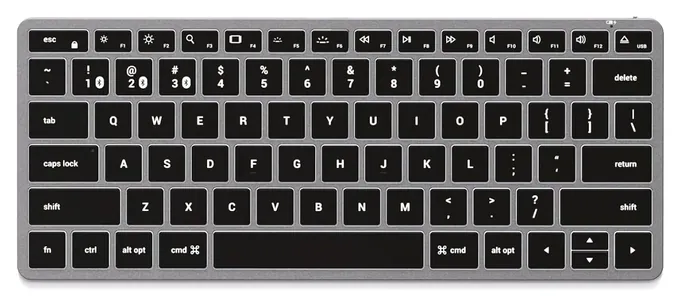
The most telling evidence was the battery math. Satechi publishes run time at every one of its 10 light levels, from about 125 hours at the dimmest to eight at the brightest, and Logitech's and AULA's own figures show the same steep drop. That's why auto-off lighting counts for so much on a wireless board.
Earlier notes
October 29, 2020, by Christopher Thomas:
Many people aren't aware of the relatively huge cult following that mechanical keyboards have. With that in mind, we've scoured some of the most niche parts of the internet, and there are some readily available models that get high praise from the dedicated enthusiasts.
Among those is the Glorious Modular, which is the flagship model from a well-respected company that identifies closely with its fans. Similarly, the Obinslab Anne Pro 2 is another very well-constructed piece of equipment that accepts a variety of switches and will last for years with reasonable care. The Royal Kludge Sink87G keeps relatively close company with those two, and it's especially nice because each key's color can be programmed, and you can use it with a cable or with a standard Bluetooth connection.
That said, there are many, many commercially available keyboards that are great investments. Some, like the Redragon Kumara K552, cost surprisingly little, and are good for both gaming and typing on. for what it's worth, this research and editor's note were both completed using a Redragon K552, and after nearly a year of heavy gaming and all-day typing, it works as well as the day it was purchased. The Huo Ji Z-77 as a similar 87-key layout and a comparable low price, and its flush, brushed faceplate makes it look notably more expensive than it actually is.
If you prefer something a little less standard, but possibly more classy, the Azio Retro Classic is worth a look, due to its typewriter-like design. Speaking of unusual, the Kinesis Freestyle Edge is a rare backlit split keyboard, and it offers a good way to help reinforce your touch-typing skills.
November 8, 2019, by Christopher Thomas:
They're often marketed to gamers, but a lot of people can benefit from backlit keyboards. For example, the Azio Retro Classic and Azio Retro Compact are among the most elegant keyboards on the market, and in fact pretty much the only ones that you could call artisan typing devices. And if you want to ensure your wrists and elbows stay healthy, the split Kinesis Freestyle Edge is an excellent choice. If you are specifically interested in playing games, the Logitech G Pro and Roccat Vulcan Aimo are tough to beat, though they are both pretty expensive.
Of course, many people prefer a more traditional keyboard, and one that doesn't cost a fortune, and there are plenty such options. the Huo Ji Z-77 is one of the simplest, and even though it's offered at a middle-of-the-road price, it doesn't sacrifice craftsmanship at all. Plus, it works with replacement keycaps in case you want to customize it. It's also available in two colors with your choice of one of the 3 most popular Cherry MX switches. The Redragon K556 lets you choose between standard and typewriter-style keys and comes in a full 104-key layout, while the Havit Mechanical is both low-profile and attractive; the 87-key model is especially nice thanks to its soft blue backlight, though the larger models use RGB lighting if you prefer that.
Also take note that all of the keyboards we have listed feature anti-ghosting, n-key rollover technology for a reliable typing experience. If you're interested in some high-quality wireless keyboards or exclusively focused on mechanical models, we can help you out there, as well.
Special Honors
Keychron Keychron sells wireless mechanical keyboards with backlighting direct from its site, in sizes from compact to full, with many models built to switch between Mac and Windows layouts. Its range runs from slim low-profile boards to heavier aluminum ones, with hot-swap sockets on many models. keychron.com
Ducky Ducky, a Taiwanese maker, has long been a favorite of keyboard enthusiasts for solid mechanical boards with bright, even RGB backlighting. Its current One 3 and Origin lines come in several sizes and switch options and are sold mainly through specialty keyboard shops. duckychannel.com.tw
White, Color Or Smart: Choosing The Light
In a bright office it does little, so don't pay extra for it if you never work after dark.
A backlight earns its keep in a dim room and for anyone who looks down while typing. In a bright office it does little, so don't pay extra for it if you never work after dark.
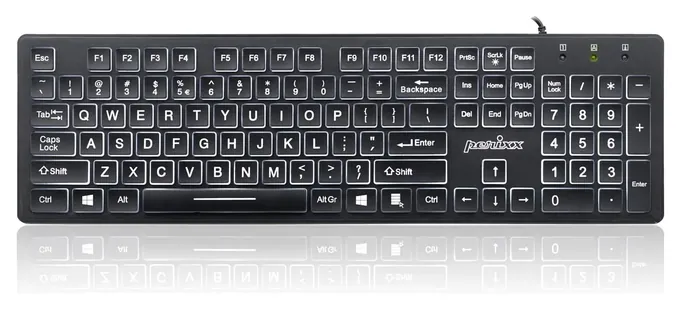
There are three kinds. Single-color boards, usually white, give the clearest letters and a plain look; the Perixx Periboard-317 pairs white light with oversized letters for low vision. Multi-color and RGB boards let you pick a shade or run effects, which is mostly cosmetic; zone lighting colors blocks of keys, while per-key lighting colors each key. Smart lighting, as on the Logitech MX Keys S, uses sensors to turn the keys on as your hands approach and match the room's brightness.
Look for a brightness key and an off setting you can reach without software. BestReviews notes that pricier boards tend to offer more brightness steps. Watch the keycaps, too: side-printed letters glow along the front edge and look clean, but they're harder to read from above in the dark. If color effects bother you, pick a static mode; flashing patterns can be uncomfortable for people sensitive to light.
Backlight And Battery Life
On a wired keyboard, the light costs nothing you'll notice. On a wireless one, it's usually the biggest drain on the battery. Logitech rates the MX Keys S at up to 10 days per charge with the light on and up to five months with it off, and the MX Mechanical at up to 15 days lit and up to 10 months unlit.
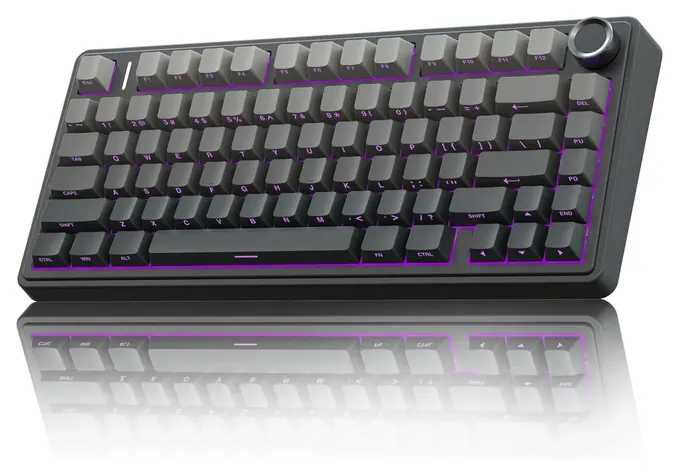
Brightness matters as much as on or off. Satechi's Slim X1 page lists run time at each of its 10 levels: about 125 hours at level 1 and about eight hours at level 10. The same page says the light drops to the lowest level after a minute idle and shuts off after three. AULA's figures for the F75 Pro show a similar gap, about 17 hours with the color light on and more than 250 with it off.
So on a wireless board, the auto-off timer is the feature that matters most. Keep brightness low in the daytime, and charge with the supplied USB-C cable. Like any device with a lithium battery, stop using a keyboard whose case starts to swell.
Switches, Layout And Mac Or Windows
Membrane and scissor keys are the quiet, low-cost choice; scissor keys feel like a laptop. Mechanical switches come in three feels: linear (smooth), tactile (a bump) and clicky (a bump and a click). Clicky blue switches are loud in a shared room. Low-profile mechanical switches, like the tactile quiet ones Logitech uses, sit between the two. Some cheap boards are sold as having a mechanical feel but use rubber domes, so read the switch type, not the headline.
Layout is the next call. A full-size board has a number pad; a tenkeyless board drops it; a 75 percent board also tightens the arrow and function keys. Smaller boards leave room for a mouse, but number-heavy work goes faster with a pad.
Finally, check the platform. A Windows-labeled board types fine on a Mac, but some media keys may not work, and the Option and Command keys sit in different spots. Mac owners are better off with a Mac-layout board. The light can also take over a function: the Perixx 317 gives up Scroll Lock while lit. We found no recalls for any brand on this list in the U.S. Consumer Product Safety Commission's recall database.
How we researched this
We compared 16 backlit keyboards, including every board on the previous version of this list that is still sold, read makers' spec pages and battery charts from Logitech, Satechi, AULA and Perixx, read an independent buyer's guide from BestReviews, and checked every brand for recalls with the U.S. Consumer Product Safety Commission. No independent lab tests covered these picks, so battery and spec figures are the makers' own.
Frequently asked questions
Do I need a backlit keyboard if I type in a well-lit room?
Not really. A backlight helps most in dim rooms and for people who look at the keys while typing. In a bright room, plain printed letters are easy to read, so turn the light off and, on a wireless board, save the battery.
What is smart backlighting on a keyboard?
It's lighting that reacts to you. On Logitech's MX boards, sensors turn the keys on as your hands approach, adjust brightness to the room and switch the light off when you walk away, which saves battery.
How much battery does a keyboard backlight use?
A lot. Logitech rates the MX Keys S at about 10 days per charge with the light on and about five months with it off. Satechi's chart for the Slim X1 runs from about 125 hours at the dimmest setting to about eight at the brightest.
Can I turn the backlight off?
Yes, on every keyboard here, either with a key combination or a dedicated light key. Logitech's MX boards also turn the light off by themselves when idle, and the Satechi Slim X1 dims and then shuts its light off after a few minutes.
Is a white or an RGB backlight better?
For reading the keys, white is usually clearest. RGB adds color choices and effects, which is mostly a matter of looks. What matters more is a brightness control and an easy way to turn the light off.
Do backlit keyboards work with a Mac?
Most USB and Bluetooth keyboards type on a Mac, but some media keys on Windows boards may not work, and the modifier keys are labeled differently. A Mac-layout board such as the Satechi Slim X1, or Logitech's MX boards, avoids that.